Are you trying to install a new Kodi add-on, but instead you’re getting the Failed to Install a Dependency error message in Kodi?
I have been blogging about Kodi for many years and I’ve successfully resolved this “failed dependency error” many times.
In this post, I’ll show you how to diagnose and fix the Failed to Install a Dependency Kodi error so you can install your add-on.
How to Use Kodi 18 Leia’s Add-on Dependency Popup
Since Kodi 18 (Leia), when you start to install a new add-on, a popup appears that shows the dependencies needed in order to install the new add-on.

If you scroll through the list of add-on dependencies, you will see some of them say “(installed)” and some don’t.
Basically try to install the add-on once, and if it fails, try again, but this time look through the dependencies. When you find one that is not installed select it. When you select that dependency, it will open another popup for you to select which repository to install it from.
This is where you might see multiple repositories that claim to be a source for this add-on. One of them might be an old repository that has gone down, and that one may have been the default. If you select the other repo that is still online, then the add-on dependency would install properly.
Once that add-on dependency is installed, you can try to install your main add-on again, and hopefully it will work this time. If not, repeat this process until all dependencies are successfully installed.
Check the Kodi Error Logs
If the above method still doesn’t work or you’re still using Kodi 17, you can figure out why you’re getting the “Failed to Install a Dependency” error by checking the Kodi error logs.
The error logs are in a kodi.log file in the “temp” folder in your userdata folder on Android, or in the root of the folder just above that on Windows.
After opening the error log file, look for the “Failed to Install a Dependency” error and see what is mentioned there and the lines just above it.
Find the Dependency That Won’t Install
One common case found in the error log is “failed to install dependency script.module.resolveurl”.
The reason this common is because the “resolveurl” add-on is a common dependency on many different add-ons.
When your new add-on installation tries to install or update that dependency, your Kodi is following instruction from one of our repositories and trying to download the dependency from a source that no longer exists.
You might have a different dependency that is not installing, but the idea is the same.
Deactivate or Uninstall Broken Kodi Repositories
The way to fix the “Failed to install dependency” error is to deactivate your repositories that don’t work anymore.
For instance, if you have any of the below offline repositories, then disable them. The reason why you should do this is that when add-ons are installing and trying install dependencies, sometimes they try to get them from those repositories, and they fail.
When you install working repositories, disable the broken ones so Kodi can find dependencies in the working repos.
List of Broken Offline Kodi Repositories
| GitHub Username: | Repo: | Add-ons: | Last Activity: | Status: |
| the13clowns | 13Clowns | Jun 19, 2019 | Offline | |
| MrBlamo420 | Blamo Original | Sep 10, 2018 | Offline | |
| Caffeinated | Offline | |||
| bobbybark | Diamond Build | Jul 10, 2020 | Offline | |
| doko-desuka | Doko | Jun 17, 2020 | Offline | |
| elgatito | Elgatito | Jan 10, 2022 | Offline | |
| Goldengunrepo | Golden Gun | May 31, 2020 | Offline | |
| Grindhouse | Offline | |||
| Hellhounds | Offline | |||
| kodibae | Kodi Bae | Aug 11, 2021 | Offline | |
| kodil | Kodil | Nov 25, 2019 | Offline | |
| Kodiuk | Offline | |||
| Loki | Offline | |||
| Wilson-Magic | Magicality | Jun 19, 2019 | Offline | |
| Man Cave | Offline | |||
| Maverick53 | Maverick | Jun 17, 2019 | Offline | |
| noobsandnerds | NoobsAndNerds | Offline | ||
| OneNation | Offline | |||
| gentec1 | Players Klub | Offline | ||
| rockcrusher01 | Rockcrusher | Offline | ||
| Star-Tec | Offline | |||
| t2k | Offline | |||
| Tikipeter | Tikipeter | Jan 8, 2022 | Offline | |
| uKodi1 | Offline | |||
| 123Venom | Venom | Jul 4, 2021 | Offline |
How to Disable Repositories in Kodi:
- Go to the Add-on Browser
- Go to My add-ons > Add-on repositories
- Select an add-on
- Select “Disable“
The Server Might be Overloaded
Whether the main add-on failed to install, or a dependency failed to install, sometimes the issue is that the server it’s trying to download from has become overloaded with too many people trying to install it at the same time. Many times, these servers have a daily limit that they can quickly reach if a blog post is published about their add-on (this happens often after I blog about a new add-on).
When this happens, all you can do is wait and try again tomorrow (preferably in the morning).
This issue shouldn’t happen if you install add-ons that are hosted at GitHub. See the list of GitHub Kodi repositories and add-ons.
Try Another Kodi Add-on
It’s possible that the add-on you’re trying to install has gone down, maybe temporarily or maybe permanently.
Take a look at some of the most popular Kodi add-ons and give one of those a try.
Do you have a VPN?
I could be possible that your ISP is blocking a server that is hosting a dependency.
Whether that’s the case for you or not, I always recommend Kodi streamers make sure they’re using a VPN to at least protect their privacy.
Check out my 4 Reasons Why Kodi Streamers Need a Kodi VPN to learn more.
Still Getting the Dependency Error?
If these tips don’t work for you, please feel free to reach out to me in the comments below. I’d be glad to try and help. Please include some details of your situation and a snippet from your Kodi logs around the dependency error.


[…] One issue I came across was the inability to install any new add-ons even from these new repos. It was always giving the error message “Failed to Install a Dependency“. […]
Is there anyway you could break this down for those of us who are not tech-savvy? I have trouble trying to figure out what to even search for when I’m having a problem with this machine, so I have tried everything you’re saying to do and I still can’t get it to work. We have a g-box hooked up to the TV — not a computer — and we run Kodi through that, and Exodus through that, simply to watch TV shows and movies, and although it was working just fine on Friday, today we can’t get any shows or movies to load. It’s as if it won’t let us go to a terminal menu where we would choose a show/movie/etc. I *tried* to download the superrepo files, but I can’t be sure it worked. I *tried* to find out which files were giving me the error, but your instructions seem to be written to find the user files on a computer, so I *think* I found the menu you said to find for Android but it was empty. I don’t even know what information I can offer you that could help you to help me, but it’s not like I can call a repairman to come to my house and fix this box, so I’m kind of on my own here. Is there any way that you could help me (or direct me somewhere to) figure out how to make it play shows/movies again? I really appreciate your time. Thanks so much!
What version of Exodus are you running now? I’ve had good luck with the new Smash repo and it updated Exodus to the latest version 3.1.19.x and fixed a lot of the issues. Trakt is fixed, search is fixed, and I wonder if it will that repo will be able to install the dependencies you need as long as you deactivate or uninstall the broken ones.
I tried adding Smash and it wouldn’t connect to download the zip file. I tried again and got the same message with SuperRepo . The message says ” couldn’t retrieve directory information. This could be due to the network not being connected. Would you like to try anyways?”
But it is connected to the internet. I am not a very tech savvy gal. What am I doing wrong here?
Well, normally, I would say… Double-check to make sure there are no typos in the URL. The URL has to match exactly. Try typing it into your web browser. You should see a simple list of links if you typed it in right. If you don’t get anything and you typed it in right, then the repo is down. However, I just tested it myself, and you’re right. It seems to be down. The good news is that it should just be a DNS change that is propagating and should be back up soon. (according to this tweet… https://twitter.com/xsmashx88x/status/879491245181108225)
Oh wow. Thank you so much. And here I thought I was just a dork who couldn’t figure it out! I will try it again soon. Thanks again.
How do I install the URLresolver zip file if my kodi is on my fore stick? Do I have to add the zip file on my Pc?
If you use the Downloader app (from the Amazon app store), then you can download it from the URL I specified.
I tried the steps but now i just get a “installation Failed” message for 1channel and exodus
Which repo are you trying to install from?
Thank you. This was driving me crazy. For me it was the LiveResolver dependency that was missing and some add-ons were not installing (stream army, uk turks). Finally I found the zip file and installed the LiveResolver manually..
Glad you got it.
I’m trying to install Salts and sports devil from the smash repo but get an error saying dateutil failed to install then failed to install a dependency.
I have been trying to install SATS for 3 days now and keep getting cannot install dependency. Checked my url resolver and it is up to date. Tried in Ares wizard and get error 404. Tried Smash repo as well same issue.
Have you checked your logs right after getting that error?
I have checked the logs, but do not understand them at all . I tried to upload the log but that did not work either. The log uploader I downloaded did not work. I have both resolvers installed. This is driving me batty.
cherylkem, please try deactivating all other repositories except for Smash and Colossus and then try again to install SALTS from there.
Seems my problem installing Exodus with the Smash repo is the Exodus Artwork.
Can you see where it is trying to download from? Have you deactivated the old broken repos?
Only getting this error on installation of Bob Unrestricted which fails to install. So I’m guessing it’s a dependency that’s unique to Bob as it’s on a fresh install of Kodi so I doubt there’s anything in the cache that’s causing it (?)
Which repository are you installing it from?
I just want to say thank you for all of this. I’m sure without the support of people, we’d be tearing our hair out. I’ve spent about 8 hrs trying to fix myour Kodi and this has been the only place I’ve found so far that’s actually worked. Appreciate the work you do.
Thank you so much, Brian! I really appreciate it, and glad you found it helpful!
I was going nuts with the errors and tried installing different add ons and nothing worked. Reading through logs and all the time spent just to get exodus back. Well in the end it took maybe 5 minutes to fix, uninstall kodi, use caz add on and everything is perfect, only wish I did that first 6 hrs later.
You fixed it with the Caz repo? Recently? He shut down his repo about a month ago, so you can imagine my confusion with your comment.
Sorry never noticed a reply. The post shows 15 days ago so yes but i believe its another version.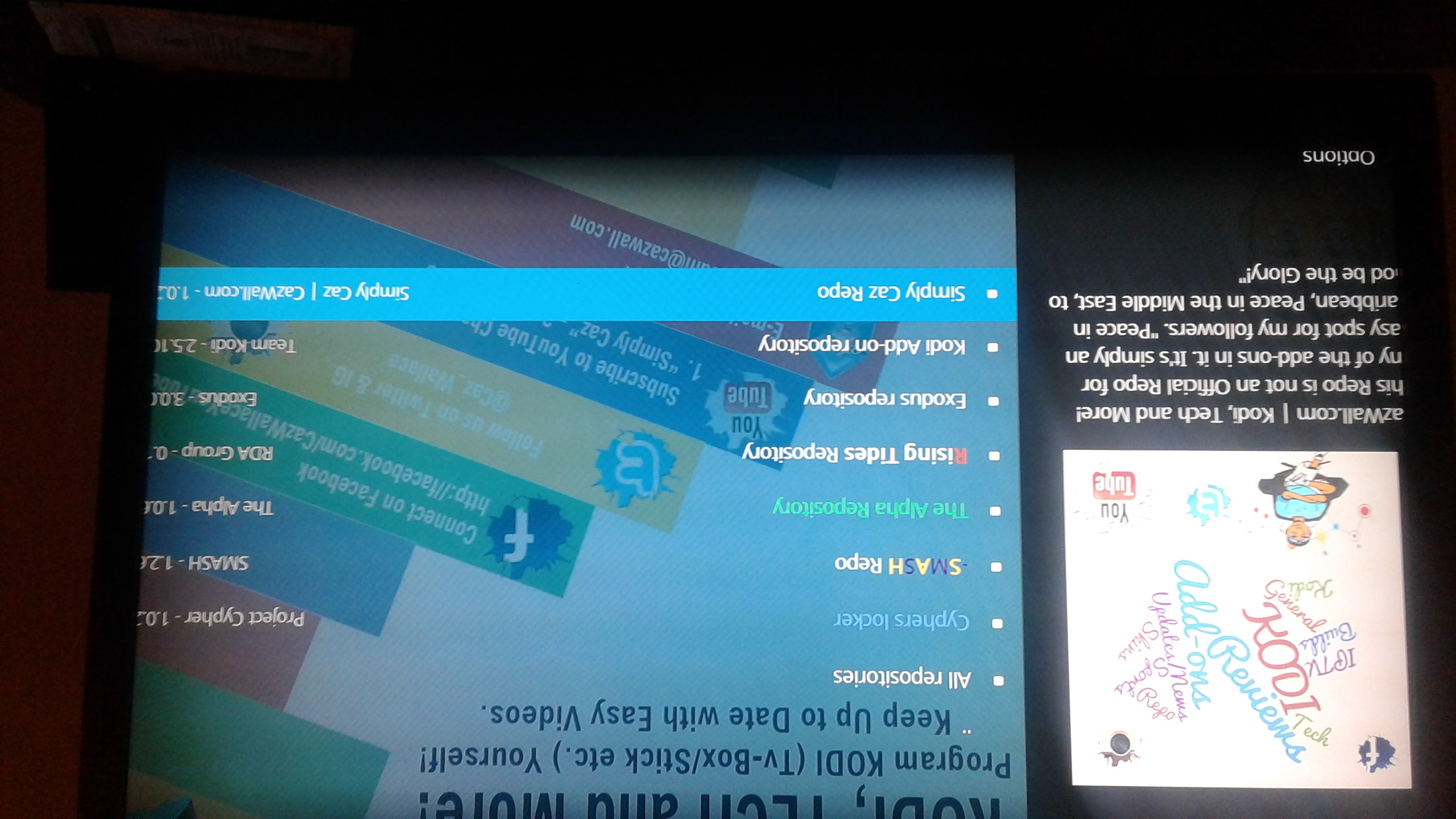
 might be late response but hope all works out
Also have been swayed to terrarium many of kodis ppl are going there from what i hear and i love it
I’ve also checked out Terrarium and plan on writing a post about it.
Just checking in with you, did you ever do a post on terrarium? Still living it, my only issue is you can’t play previews on movies, I read somewhere that you have to go to apptoid and get an older version of youtube to get it to work, idk. I just go to youtube app and watch trailer if i need to but its a pain exiting out instead of just clicking trailer, other than that it’s much better than exodus
Yes, I did write a post on Terrarium. It’s here… https://kinkeadtech.com/terrarium-tv/ Let me know what you think.
You gave a fair and accurate review, I agree the commercials are a nuisance but at least they are extremely short and in some cases can be skipped immediately. I dont know about the favorites you talked about, I just know I can pick and save favorites. Did you find any info on watching movie trailors and 1 last question, do you have to leave unknown sources on?
Bad pics but found in settings of terrarium, but I dont get this kind of stuff lol
Mike, I found that Trakt integration and connected it, but then I found it was only used for scrobbling watched status, but it did not bring in my “lists”. Find out more about Trakt lists here… https://kinkeadtech.com/complete-guide-ultimate-kodi-setup/#trakt
I haven’t messed with trailers. These days, I tend to watch more TV series and less movies.
Technically, I don’t think you need to leave unknown sources on for the Terrarium TV app to work, however, the app has a self-updating feature which would stop working if you turned unknown sources off.
Thanks for the response, i recently installed ipvanish so all should be good, I think it may have been your post that helped on the vpn issue and with it being in the amazon ap store it was easy ty
You’re welcome!
I’m having trouble after installing caz and other add on repositories. The message I keep getting is script.module.addon.common version 2.0.0 could not be satisfied. I’ve tried reinstalling kodi and nothing.
Caz repo was shut down. You will need to deactivate or remove that repo from your Kodi. You should deactivate any repos that are not working.
Thanks for letting me know, that makes sense. Do you know what repo is working at the time? I keep trying different ones and I keep getting the same message. :(
Smash repo is working for me now.
I just tested it myself and I’m not having that issue. I just downloaded a new skin from the official Kodi repo, and it worked fine. Since your comment is from last week, I wonder if it’s still happening for you, or maybe it was just an outage of some kind. If it’s still happening for you, then I wonder if there is some kind of blocking going on with your device. When you opened the URL in your browser, was it on the same device or a different one?
The only way I’ve been able to install anything is through the ares wizard. All the sources I’ve added for numerous add-ons cannot connect to network. I’ve triple checked the url, formatted my fire stick a couple times and I still cannot do anything with the zip files. Through ares I downloaded covenant, only a handful of movies and t.v. shows only from the last 2 or 3 years have any streams available and there are usually a couple from solar movies/ gvideo or one movies/ gvideo. When I try to update covenant I have the dependency error. I’ve spent hours reading online and watching YouTube videos and nothing has worked.
Have you looked in the logs to see which dependency add-on is giving you the error?
i am not sure how to find the urlresolver on my windows 10 pc. please help
You can find URLRsolver in Kodi 17 by going to Settings > System Settings > Add-ons > Dependencies > URLResolver.
Hi Nathan, I’m receiving the following error ” Kodi the dependency on version could not be satisfied” and unable to rectify I’ve uninstalled numerous times and nothing pls help
Have you checked the logs to see what might be the problem? Which add-on are you trying to install and from which repo?
Any and all addons don’t work I’ve tried on a firestick n it’s all fine but
On my Sony Bravia its showing “dependency version could not be satisfied” kodi version is still 17.3 n using the same steps that work on the firestick n nothing working.
Hope this helps
It worked! For me it was “liveresolver” I think it’s similar
Thanks, great tip!
Awesome! You’re welcome!
Okay here is my problem..I factory restarted my box..then went back and download kodi went good no problems with that. I put in the hyper link for simplycaz hit enter…went back and installed from zipfile…then install from resposatory..all went like it should but I can not install any add ons it says at the top the name of whatever it is then…dependency error located at and give me a address..I am clueless on how to fix it it seems like nothing is working any help would be appreciated thanks!
I had same issue tonight. I added url resolver but its not launching when trying to install from zip file. Ideas?
Are you trying to launch URL Resolver? It’s more of a behind the scenes add-on and doesn’t have anything to launch. There’s only a settings area.
I thought Caz repo stopped carrying most add-ons.
Trying to install sportsdevil
Ditto
Check the logs to see if it’s a different dependency.
The traffic spike is probably because many people want to watch F4M streams of Meyweather vs. McGregor fight, but can’t because F4MTester won’t install. And they all are trying to find a solution to this problem on your website, just like what I am doing right now.
I got f4m to install but nothing will load
Thanks. I haven’t used F4M. I’ll have to check it out.
I keep getting this error:
ERROR: CAddonInstallJob[plugin.video.SportsDevil]: The dependency on script.module.livestreamer version 0.0.0 could not be satisfied when i try to install sportsdevil from
Try deactivating all other repositories besides the one you used to install SportsDevil.
We are trying to re-install exodus after attempting to watch the Mayweather and McGregor fight . Something happened in our exodus was removed . We keep getting this error
Did you find the stream? PLZ and thank you :)
I’m was setting up a box for my mom…the wifi went out and when it came back it was stuck wouldn’t finish down loading so I did the factory rest and then got everything down loaded fine it just won’t let me install any add on’s it get that “failed to install dependency” its aggravating.
Same thing I’m gettting
Kodi wouldn’t launch so we uninstalled and reinstalled it. Nothing will download from cazrepo anymore and I read that it may be shut down? Nothing will reload from media repos (smash) either- just says failed to install a dependency….. is there a repo that is working so we can get exodus or covenant?
Exodus is dead. Get Covenant. https://kinkeadtech.com/covenant-kodi/
If I try to install sportsdevil or any other add on it gives me “the dependency on script.module.dateutil version 0.00
Try deactivating all other repositories besides the one you used to install SportsDevil.
I was able to get the Colossus Repository but whenever I try to install anything I get a “Failed to install a Dependency” error
I downloaded the URL Resolver but it still won’t let me install anything. I’m at a lost. Any suggestions?
Same here! I downloaded Colossus, and am trying to install Covenant. I get this error every time I try- The dependency on script.module.addon.common version 2.0.0 could not be satisfied.
Same issue here too! I am getting the same “dependency on script.module.addon.common version 2.0.0 could not be satisfied” when trying to install Covenant. Have tried to re-install Kodi multiple times. Same issue with Kodi 17.3 and 17.4.
I would love to know if there’s a fix for this! We need our shows back!
Ok so after spending about 6 hours to try and fix the issue I gave it a break. I just went back yesterday (a week later) and tried installing Covenant again, and it worked! I did nothing else…
Yeah, I think the servers were overloaded last weekend because everyone was trying to setup their Kodi for the UFC fight.
Try deactivating all other repositories besides Colossus.
I tried the manual from Zip file this afternoon and still got the error message “failed to install dependency”
I hangs at 1% download then stops about 30 secs in and gives me that message.
Try deactivating all other repositories besides the one you used to install your add-ons.
Interesting, official Kodi servers must have been down or they were being blocked. Are you still having the issue?
Thanks for the update!
Which repo are you using to install SALTS?
I knew how to install the browser on fire stick and have posted about that in most of my Fire TV posts. I thought you wanted to watch trailers in Kodi? Why switch to the browser on the FireStick when you can just watch trailers on your phone if you’re deciding on what to watch?
Ahh we havent conversed in a while, you forgot I switched to terrarium on my television & couldnt get movie trailers, i didnt know i had to download a browser
Hello Kinkead Tech..my name is Liliana. I would truly appreciate your assistance in helping me set up my Kodi platform for Italian television. I am wondering if we can do remote assistance and I will pay you for your help and time. I had Kodi working perfectly on my old pc, but that just went dead this evening.
Looking forward to hearing from you. .
Thank you in advance,
Liliana
Liliana, I sent you an email.
Can you give a step by step on downloading the URL resolver zip file please?
What device do you have?
4 life android smart stick
So, that had a browser, right? Use the browser to download that file. Then in Kodi, go to the Manage add-ons screen, and select install from zip file, and browse to that file.
Hello Nathan,
Thanks for this post.
I have been trying to get icefilms to run. It was running before the summer, but now I get: “error, check log”. One dependency seemed to be urlresolver, and I used your method to update it, but icefilms is still not working. I am wondering if the addon itself is down and it is not something I can fix. Do you know if icefilms is still working?
Thanks for your help.
I haven’t heard of people using icefilms recently. I think it may have gone down. You should try another add-on like Covenant.
Thanks for the reply Nathan. Pity that icefilms has gone down. The thing I really liked about it was that when downloading tv shows, the file name included not just the season and episode number, but it also included the name of the episode. I haven’t found a way to do that in covenant. Do you know if that is possible in covenant?
Thanks.
I don’t use the download feature because streaming works fine for me. Does it name the downloaded file with only the show, season, and episode?
Yes, that is correct. Covenant’s file name is only show, season, episode, but not title of episode. Whereas icefilms, when it was working, would also include the episode title in the file name.
i just received my fire stick today and i’m trying to download the url resolver and i keep getting this message “Couldn’t retrieve directory information. This could be due to the network not being connected. Would you like to add it anyway?” I am connected to the internet so i don’t know why it’s giving this message. and when i click add it anyway nothing happens when i try to install from zipfile.
If you’re using a Fire Stick to download the URL Resolver zip file, then you would need to search the Amazon app store for an app called “Downloader”. You can use that to browse to that URL to download the zip file. Then you can “Install from zip file” in Kodi and find that file.
HOWEVER, if you just received your Fire Stick today, then why are you starting off with this? You should be using a repository that has access to these dependencies to download automatically behind the scenes. This post came about when Fusion / TVAddons went down… then these dependencies needed to be installed manually… until alternative repos showed up.
Been trying g to troubleshoot this for 2 days and I keep coming to a halt.
Trying to fix my kodi using only the fire stick. Not connected to a PC or android
So I uninstalled kodi and now can’t seem to reinstall it. Not only that all I can see is a link to kodi 18 when I want kodi 17.3
Also note that under video add ons it shows that I do t have any video add ons at all.
When I followed a tutorial on you tube I finally got all the way to opening a zip file under add ons and it failed. Can’t even remember the reasoning.
Anyway, I seriously can use your help.
You literally just explained to me in 2 minutes what I’ve been doing wrong for a whole month. THANK YOU!
Awesome! I’m so glad it helped you. Be sure to subscribe and follow for more tips. Thanks!
I’m still having that issue where I’m trying to I stall the pyramid and it tells me failed to install a dependency. I did try your bit.lg but when I go to install from zip file it will let me get past that point. Please help me.
Help I cannot get anything on my kodi firestick. No movies or anything just the basic bubble screen showing the main 5 sub titles. I have been trying for 7 hours to get exodus, which has died so tried to install colossus but that keeps coming up with dependency error.
Can someone please give me an idiots guide to enable me to watch anything
Have you disabled or uninstalled all the old repositories? That usually clears up the Failed to Install a Dependency error.
error on dependency when trying to install covenant I have tried everything please help
See my other comment. Let me know if that doesn’t help.
Hi I have problem installing arenavision ezy
Ok, have you checked your logs to see what kind of error messages show at the bottom after you see the error in Kodi?
still receiving the failed to install add on from zip file on my fire stick. any other suggestions?
Which add-on are you trying to install from zip? All my tutorials have you install a repo from a zip, an then you install add-ons from the repo.
Do you know how to download/get/fix the dependency xmbc.gui 5.12.0 ?
I haven’t seen that one before. What version of Kodi do you have?
I have Kodi v17.6 & tried multiple add-ons that would not load and gave me the same error “Failed to install Add-on from zip file. The dependency on version could not be satisfied”. I deleted the add-ons that didn’t work but still no luck. I tried repository.xvbmc, kdil, fusion, superrepo, and still got the same error.
I am having the same problem. did you find a fix??
nope. I stopped using the firestick completely
Hey, thanks for a fix for this problem but I ran into a problem. I put the link in downloaded but once it finishes you say to put it in a place where you can find it in Kodi. I have no idea how to do this. Can you give me the instructions step by step how to get it to Kodi where I can use the open zip file. Thanks so much.
Tammy Vernon
it wont even let me update any add ons.. keeps coming up with ‘the dependency on script.module.cetri
I’ve never heard of that one. I would try deactivating everything I could.
Quick question – have all the Kodi Builds been closed down? I upgraded to 17.6 and went to load a build like Wookie etc and none work, they just show errors , the file paths I’m entering are correct, would be very great full for any help :-)
Hello Nathan.. I am writing you because I am having trouble with an addon. It is too long to explain here. I am willing to pay for remote assistance. My name is Liliana and my email is: [email protected].
Please contact , I would appreciate it very much. Thank you,
Liliana
Despite having UK Turk running fine on several decices I kept getting a Check Log message on my Dell Venue 5130.
Having installed the log reader from within Kodi itself it pointed to a missing URL resolver component. I followed the instructions in: How to Fix “Failed to Install a Dependency” Error in Kodi by Kinkead Tech which helpfully provided a link to the necessary zip file. All good now! Thanks!
Mike Farnham
Great! You’re welcome!
Hi I have a Sony Bravia Android TV and Kodi has been running fine on it until it automatically updated to version 17.6, now all of the add ons have vanished and when I try and install anything (tried various repositories that are still open) I get the message that it failed as the ‘dependency on version could not be satisfied’. I have tried clearing the kodi cache and uninstalling/ re-installing kodi but nothing works. All of the ‘fixes’ I can find suggest installing other add ons to fix dependency issues but that doesn’t work for me as I keep getting the same message when I try this. Any help would be greatly appreciated.
kind regards,
David
What repositories do you have installed?
Hi, my kodi stopped working. I’ve reset everything and now can’t install any addon, I have 0. Already tried the most common fusion and mrblamo. All addons disappeared one day, and the sources were all there but didnt show the “install from repository” option. After reset cant install any arr on – “failed to install dependency”… Any tips? I have a blank kodi
There’s another person in these comments having the exact same issue as you. Do you have an Android TV device? My suggestion would be to uninstall all repositories and then only reinstall one and try installing add-ons from that.
I installed a fresh copy of Kodi17.6 and after that I wanted to install addons, but nothing it prevents me from installing. Whatever I’m trying to do, I still have the same message: Failed to Install a Dependency “Error. Sorry my English is not very good I am from Croatia.
Uninstall all repositories and then only reinstall one and try installing add-ons from that.