
Covenant not working as well as it used it? Ever since the Colossus Github was shut down, Covenant hasn’t been maintained, and it’s been giving us fewer and fewer links.
Are you ready for the next latest and greatest Kodi add-on?! You’ve come to the right place!
I started using the new best unofficial Kodi streaming add-on called Neptune Rising. I’ve already done a side-by-side comparison with a specific episode and got 71 sources with Neptune Rising vs 15 sources with Covenant!
In this tutorial, I’ll show you how to install Neptune Rising on your Kodi box.
Neptune Rising Kodi Add-on Details and Status
| Last Activity: | Status: | ||
| Add-on: | Neptune Rising (1.4.7b) | Aug 7, 2018 | Online |
| Repo: | Blamo Fork | 20180807 | Online |
| File Source: | https://kinkeadtech.com/repos (KinkeadTech) | Online | |
| GitHub Username: | jasonbuechler | ||
| Working? | |||
Other add-ons in the Blamo Fork repo:
See all of the best Kodi streaming add-ons →
How to Install Blamo Fork Repo Using the GitHub Browser
This is the easiest way to install Neptune Rising if you already have the GitHub Browser add-on from TVAddons / Fusion.
If you want to use the GitHub Browser to install the Blamo Fork repo, then follow my tutorial on how to install the GitHub Browser. After you have the GitHub Browser add-on installed, you can easily install the Blamo Fork repo simply by searching for the GitHub username:
jasonbuechler
After you have installed the Blamo Fork repository, move on to learn how to install the Neptune Rising add-on from the Blamo Fork repo.
How to Install the Blamo Fork Repo from the KinkeadTech File Source
- Go to Settings (cog icon) > File Manager
- Select Add Source

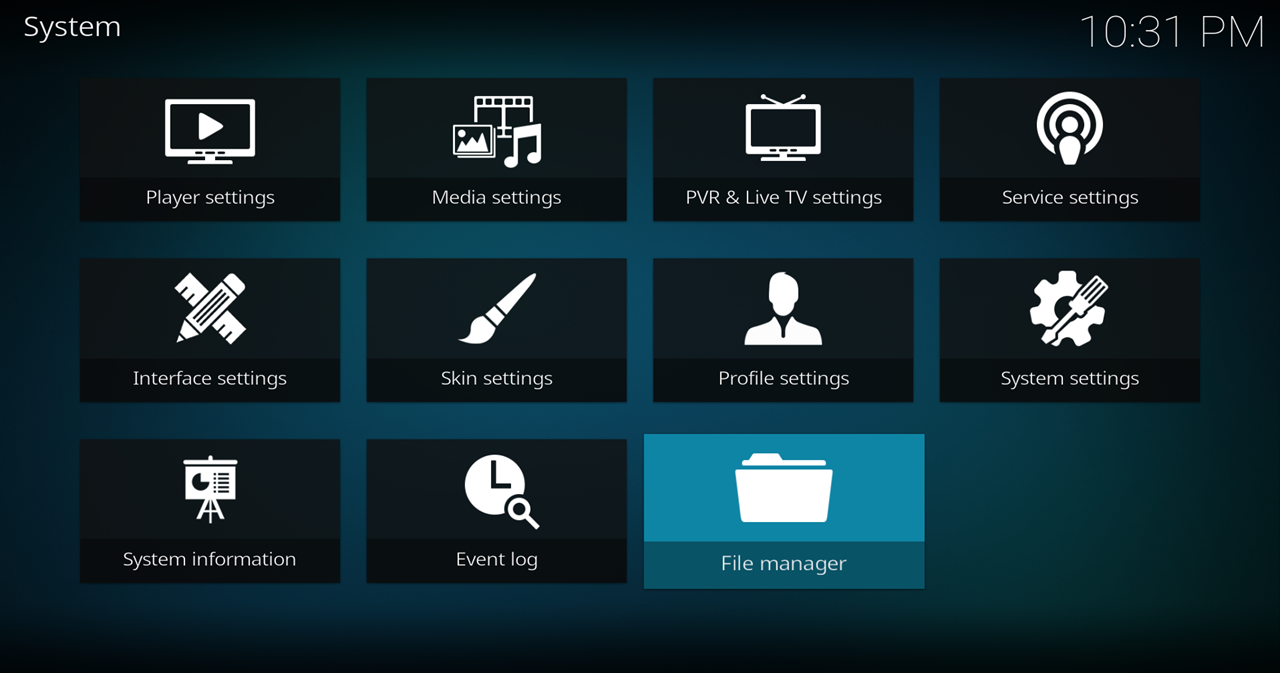
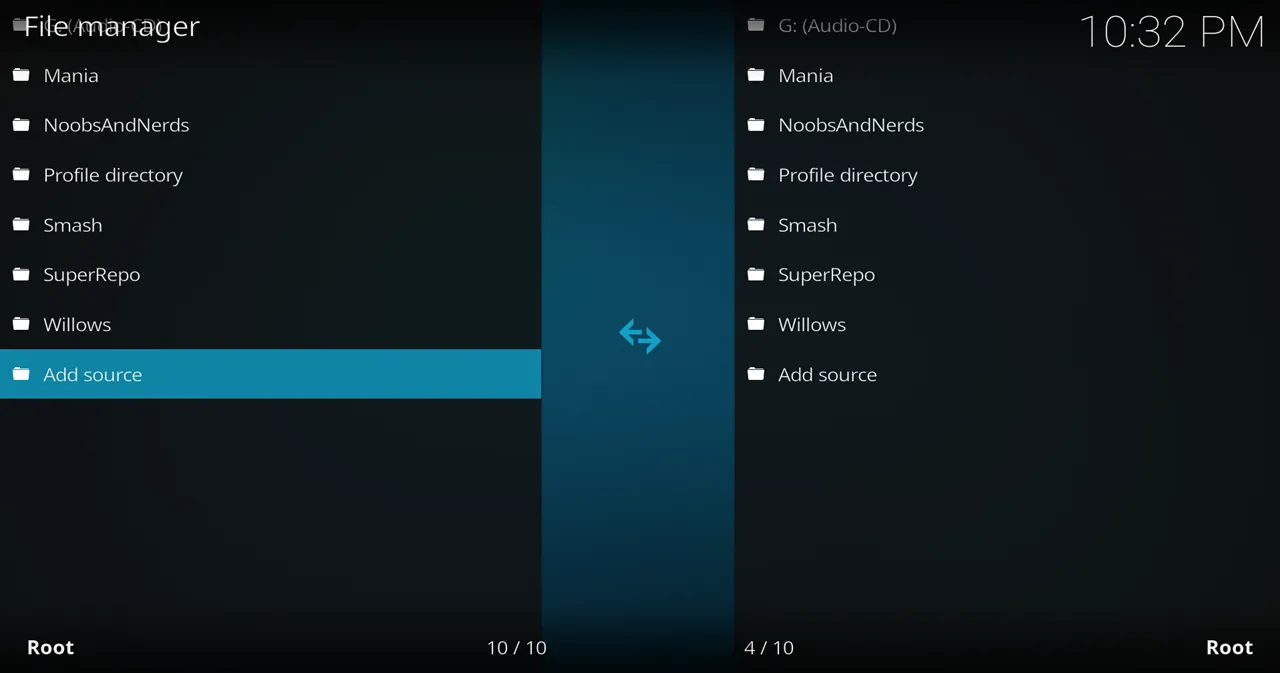
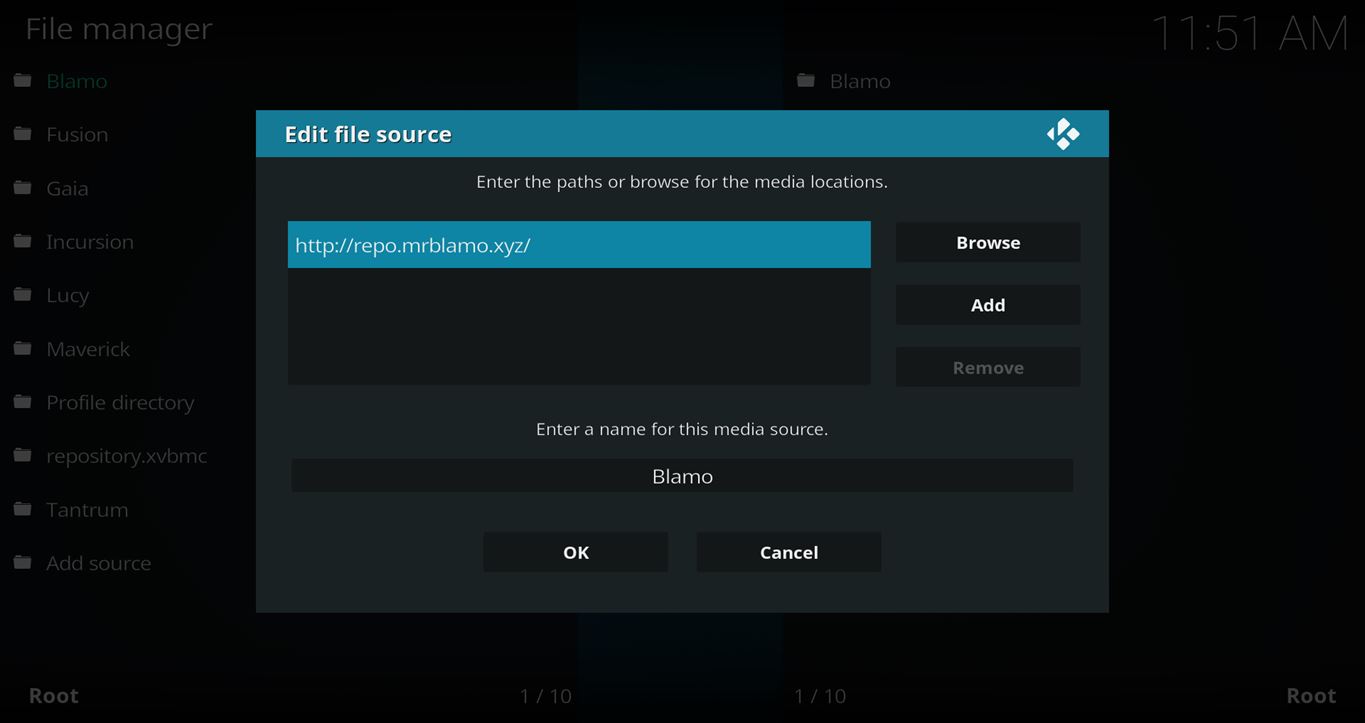
- Click on the <None> box and type in the URL of the repo server, exactly like this (case-sensitive):
https://kinkeadtech.com/repos
Hint: If you’re on a phone and the URL is too long, swipe sideways.
- Give it a name in the box below (name it KinkeadTech)
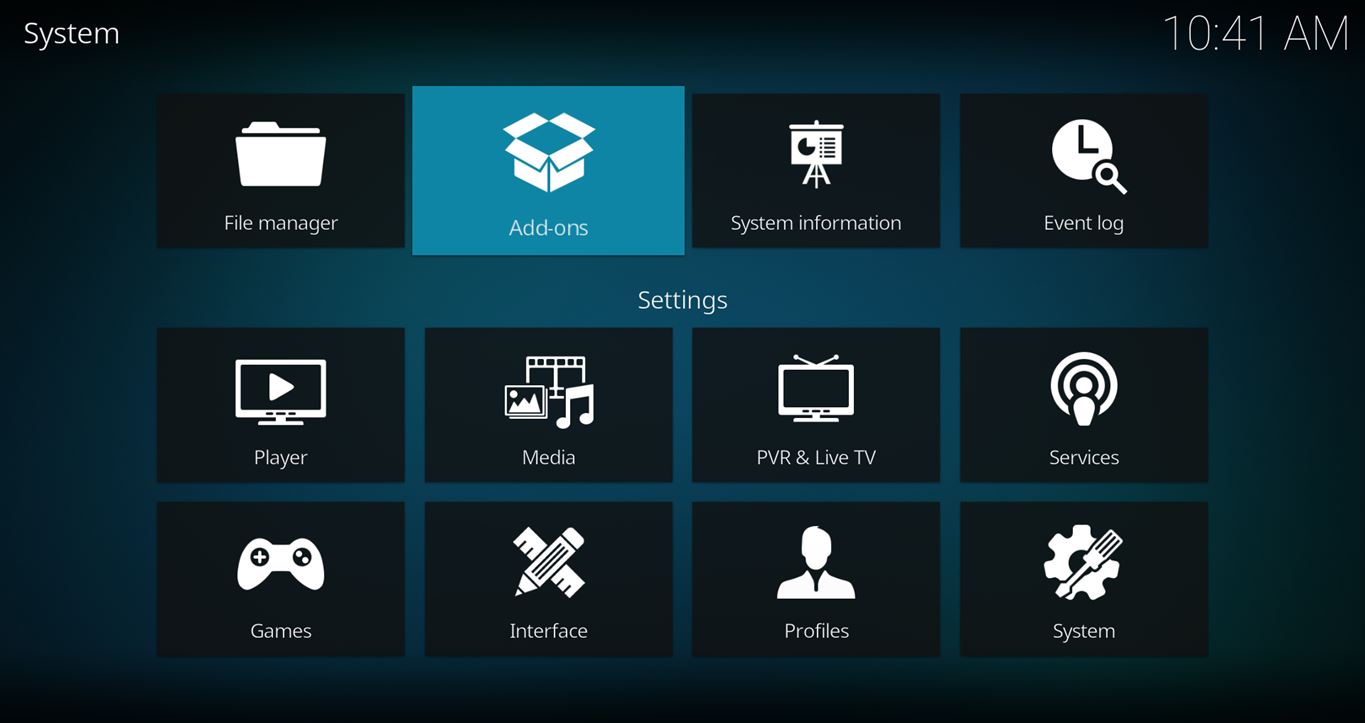
- Now, go to the Settings > Add-ons > Install from Zip File > KinkeadTech > repository.blamo-x.x.x.zip


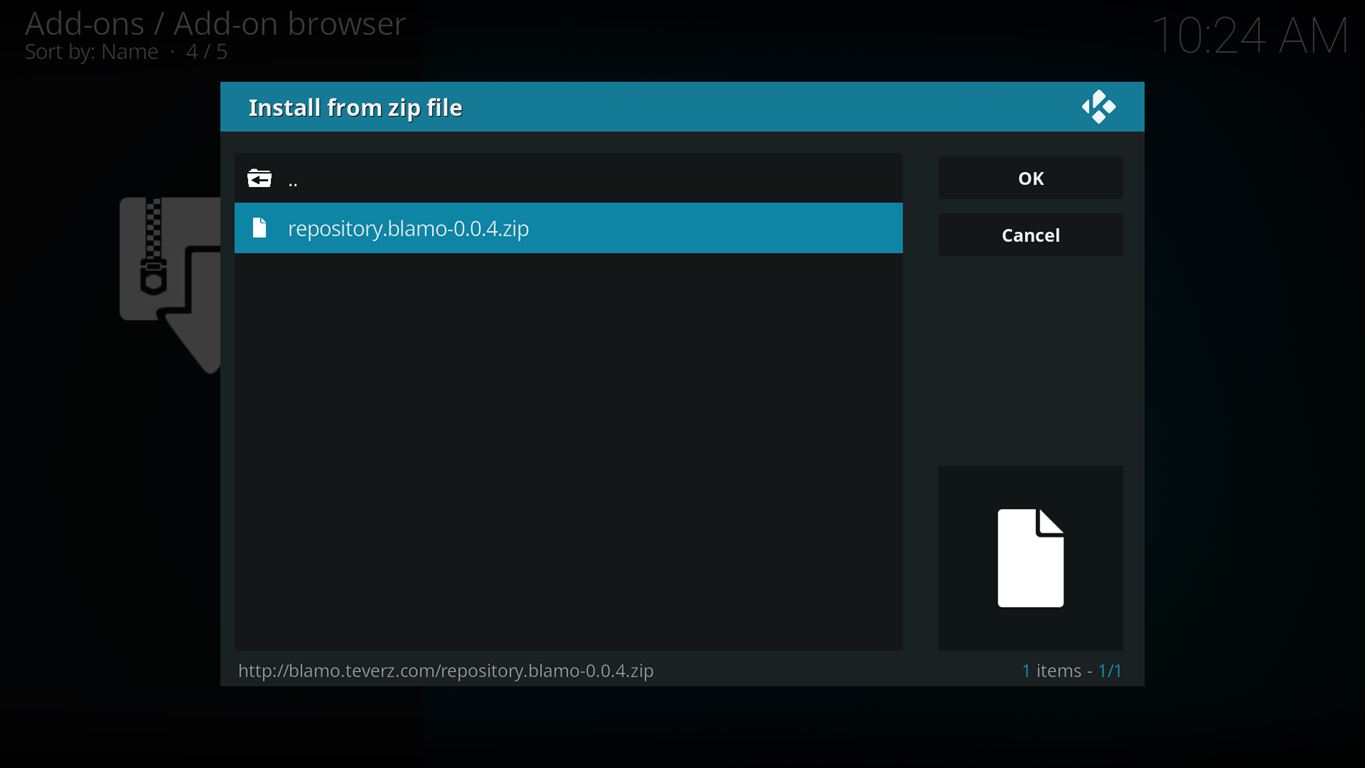
How to Install the Neptune Rising Add-on From the Blamo Fork Repo
- After you have the Blamo Fork Repo installed, go back to the Settings > Add-ons screen and select Install from Repository > Blamo Fork Repo > Video add-ons > Neptune Rising > Install


- Install Neptune Rising and enjoy!


Any Questions? Let me know
Thanks for coming to Kinkead Tech to learn how to install Neptune Rising on your Kodi. If you enjoy my tutorials, please subscribe to my weekly email.
If you run into any issue when trying to install Neptune Rising, please let me know in the comments below. I love to help. Thanks.


Oh, no. It’s down. I just updated the post.
Thanks for letting me know about that new link. I updated the post.
Hi, I am stuck. I go to add file source, I add the path, I name it, I hit ok and nothing happens. Please help. Thanks you
It should just add a new item to the list on the left side. Just move on to the next step.
Installed Blamo (MrBlamo) and followed instruction I reach Install from Repository > Blamo Repo > Video add-ons > Neptune Rising > Install. I get 2 errors. 1.) Universal scrappers failed to install 2.) Neptune Rising failed to install dependencey. How do I fix this
They were having trouble with the servers. You should be able to try again. http://www.tantrumtv.com/2018/02/19/blamo-and-tantrum-repos-updates-and-fixed/
Search features usually rely on the add-on’s server which could go down. I use Trakt to add shows to my lists so I don’t have to search for them. That might be a good way to go. See this tutorial for more details… https://kinkeadtech.com/complete-guide-ultimate-kodi-setup/
Having issues getting past the “Install the Neptune Rising Add-on from the Blamo Repo” step. Neptune Rising does not appear as an option for me.
What options are showing for you?
Installed Neptune Rising. Everything works fine, up until I make a choose a sever then it acts like it is working for a few min, and just stops. no error message, nothing. Will do the same thing over and over.
Switch to Placenta and it works fine, but I would really like to have Neptune Rising functioning properly.
Installed Neptune Rising. Everything works fine, up until I make a choose a sever then it acts like it is working for a few min, and just stops. no error message, nothing. Will do the same thing over and over.
Switch to Placenta and it works fine, but I would really like to have Neptune Rising functioning properly.
I installed Neptune but I can’t get any movies to play. It goes thru the motion but no errors and no movie plays.
Ana, have you looked through these tips? https://kinkeadtech.com/kodi-streaming-issues/
How long does it take to download? It seems stuck at 5%
It shouldn’t be taking very long at all. Did you end up getting it to work? If not, I would suggest trying a VPN in case your ISP is blocking the server of one of dependencies while installing Neptune Rising.