
Due to some of my tutorials like How to Merge Kodi Streaming Add-ons into the Video Library and Sync Genesis TV & Movie Libraries Across Multiple Kodi HTPCs, I get a lot of questions from people who are using something besides Windows. They are usually asking where to find the path to the Kodi userdata folder. Since I didn’t want to clutter up my tutorials with all of the separate directions for various operating systems, I’ve kept them only relating to Windows.
So how do you find the userdata folder in Kodi if you are using a different OS? Here you go!
Android
Android/data/org.xbmc.kodi/files/.kodi/userdata/
iOS
/private/var/mobile/Library/Preferences/Kodi/userdata/
Linux
~/.kodi/userdata/
Mac
/Users/<your_user_name>/Library/Application Support/Kodi/userdata/
OpenELEC
/storage/.kodi/userdata/
Windows
Start – type %APPDATA%\kodi\userdata – press <Enter>
Windows 10 App Store version
Kodi Krypton installed from the Win 10 App Store puts user data in…
[c:]\Users\[user]\AppData\Local\Packages\XBMCFoundation.Kodi_4n2hpmxwrvr6p\LocalCache\Roaming\Kodi\userdata\


[…] UPDATE: Find the userdata folder on different operating systems. […]
[…] That "certain folder" where those pointer files are stored defaults to …./userdata/addon_data/plugin.video.genesis/TVShows (Learn about the path to the /userdata/ folder) […]
Ok, so I know I have had a lot of questions lately but I want to learn all I can about streaming and home theater.
Now some shows in Genesis when I push the “options” btn I get “add to favorites” and sometimes u c “add to library”. My
question for u is what is the diff btwn these two, and where is this library located (using Kodi on a strmng box). I have looked for
this “library” for about two 1/2 mths now and cannot find it.
Anyone else out there using “Genesis” on something besides a pc?
Mary
[email protected]
Mary, this post shows where your userdata folder is. The “Add to library” defaults to putting the files in addon_data/plugin.video.genesis within that userdata folder as a have mentioned in a few of my posts. Have you read them?
Can you not find your userdata folder? What operating system does your streaming box run?
You asked me if I can find my “userdata folder”, I cannot. I am not even sure if I have one. When I like a show I can save it
to “favorites” either as a Movie, or a TV show.
I do not know what operating system the Xuum runs on. I do not know where I would go to see what it is, and support
at Xuum is very poor.
Is my “favorites folder” and my “userdata folder” the same thing?.
I tried recently going to an area of “Facebook” so that I could meet some other people into streaming but
never got any e-mails back. It has been said that one can find “anything” on the internet…so where does
a beginner go (like me) to learn everything there is to know about streaming?
Neil Simon’s “The Goodbye Girl” is out there to stream, so I still hold out hope of finding Neil Simon’s “Chapter Two”.
It is romantic, do u like romantic movies?
Right now I am watching “Breaking Bad”, not romantic at all, but entertaining to say the least.
Thank you,
Mary
If there is anyone out there (besides Nathan Kinkead0 that could teach me
how to stream (using a Xuum), I could really use some help (no offense Nathan,
your advice column is helpful, but I am still so totally lost on some things).
Thank you,
Mary
[email protected]
I believe the Xuum is similar to an Android however, the Xuum does not have “data” listed,
so I do not know where/how to start.
This is what the Xuum has…
Movies
TV Shows
World TV
Sport
Kids
YouTube
Navi-X
Maintenance
Programs
System
Exit Kodi
Favorites
Pictures
Music.
So how can I find my “userdata folder” if there is nothing that
says “Data”.
If I ever do find this folder, what/how can I manipulate in it (that is very easy to do/access)?
Would this help me to find some of the shows I cannot otherwise find?
Thank you,
Mary
Mary,
The items you listed are menu items on your Kodi Home Screen. The “userdata” folder is a folder on the computer’s hard drive (or device’s internal storage).
You can browse to that folder by going to the submenu under System and select “File Manager”. In there, your “userdata” is actually labeled “Profile Directory”. Within that folder, you will see folders like “addon_data”, “Database”, “keymaps”, etc.
Now, the place where I reference the userdata folder on my tutorial, https://kinkeadtech.com/2015/03/how-to-merge-kodi-streaming-add-ons-into-the-video-library/ , you actually will go to Videos > Files > Add Videos and then when you click the “Browse” button, you will be offered many ways to browse your hard drive or network paths. That’s when this post is helpful to know depending on which operating system you use (in your case, Android), where you will be able to find your userdata folder after you select “Root filesystem”.
I hope this helps.
Ok, Hello again…
Now I can find the “Profile” directory and I can see “addon_data”, “Database”, and “keymaps”. i see “library”, but alas as I click on this nothing happens :-(
I do not see where is “Video”??? So I cannot go to Videos> Files > Add Videos > etc. I cannot find where you do this.
I simply want to view the Movies/TV shows/Documentaries that I had when in “Salts” and I am given the option of “add to library”.
I need a little bit more of your help, please.
Thank You,
Mary
[email protected]
Videos> Files > Add Videos > etc. is done from the Kodi home screen. I’m not really sure how to help you, Mary, besides asking that you re-read this post slowly and carefully… https://kinkeadtech.com/2015/03/how-to-merge-kodi-streaming-add-ons-into-the-video-library/
I have a major problem, i was setting up the build “the Beast”, i altered the the link by accident to the background images, it was for example special://userdata/background_picsphonix now it is C;UsersAppDataRoamingKodiuserdatabackground_piccsphonix Can you tell me where the info is held, what xml file its in so i can change it back, whilst it still works on a PC when i create my own wizard the images are not shown if i transfer to another device and have to go in manually and set them up. Thanks for reading
Good work!
I have the same issue running an MXIII android box. I lost my backgrounds and cant figure out where to find the special:// folder.
Which folder under special://? That is a protocol which could refer to many different locations depending on what it’s followed by. See this wiki page that might help… http://kodi.wiki/view/Special_protocol
Ya I can’t find the user data file. Only goes to file
I replied to your other comment about showing hidden files.
Thanks for the help dude. Kodi is now streaming flawlessly to my new chromecast!
You’re welcome!
[…] Due to some of my tutorials like How to Merge Kodi Streaming Add-ons into the Video Library and Sync Genesis TV & Movie Libraries Across Multiple Kodi HTPCs, I get a lot of questions from people who are using something besides Windows. They are usually asking where to Kinkead Tech […]
We are trying to get to Timbuktuu & all you gave by way of directions is “Turn left at Albuquerque”? There are more turns to make to get to Timbuktuu! LOL
Mackfielder, this post is NOT directions to Timbuktuu. I have many Kodi tutorials for that which dig into detail. But instead of duplicating across all of those posts all that is involved in helping people find their UserData folder, I made this post (left at Abq) and use it as a linked reference from all of those tutorials.
What are you trying to figure out? Maybe I can help point you in the right direction.
[…] These settings will go in the advancedsettings.xml file that should be in your Kodi userdata folder. […]
[…] The first thing I did after getting this error message repeatedly was to check the Kodi error logs. The error logs are in a kodi.log file in the “temp” folder in your userdata folder. […]
[…] your Kodi device, navigate to the folder just above your Kodi userdata folder and go to /addons/plugin.video.exodus/resources/lib/modules and open the trakt.py file in a text […]
[…] the Kodi error logs. The error logs are in a kodi.log file in the “temp” folder in your userdata folder on Android, or in the root of the folder just above that on […]
i don’t have application support for kodi
I’m not sure what that means.
Oops! A folder got stripped out of my post somehow. I updated it. It should have said…. /Users//Library/Application Support/Kodi/userdata/
when I am in my username, there is no library folder, as shown above in the photo (sorry it wasn’t cropped, this one should be better)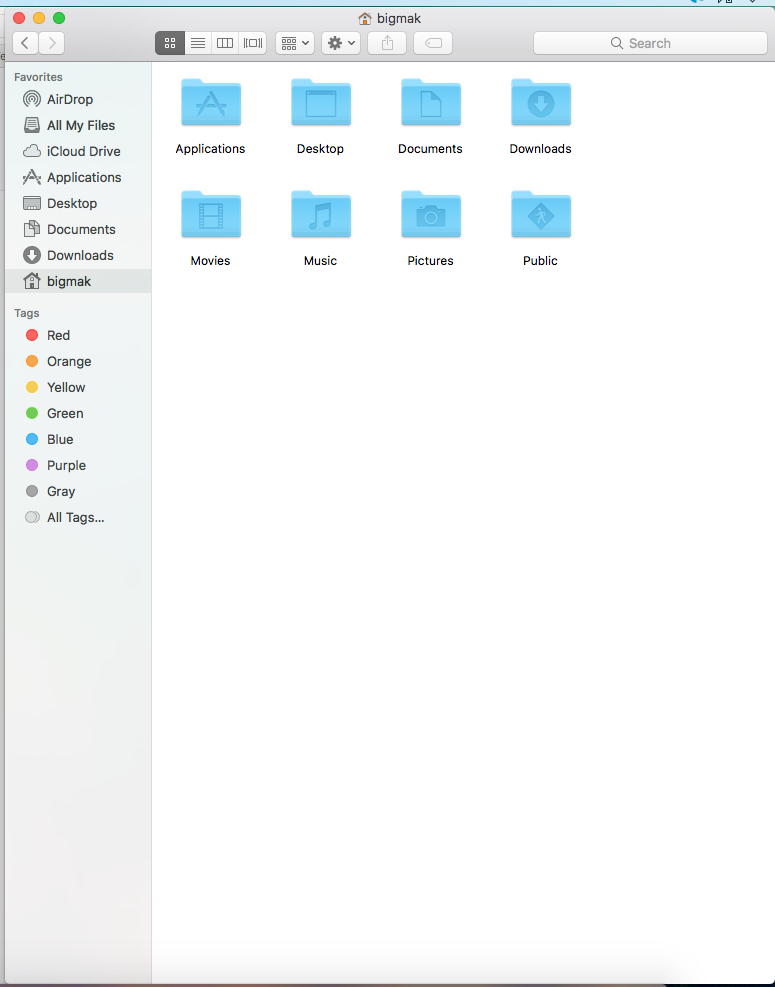
Ah, that folder is apparently hidden. Here’s how to get access to it… https://www.noterepeat.com/articles/how-to/70-mac-os-x-accessing-hidden-library-folders
No, all you need to do is create a new file from scratch and name it advancedsettings.xml and then open it in a text editor and put in the code just like I did. Then, after you save it, you can push your new file to your FireStick’s Kodi Userdata folder using adbLink.
I know its only a poor little o’le firestic but where do PUT in the address to find “data directory” to find out how to get to addons foderrr to get rid of PVRcrap? SORRY!!
Not sure exactly what you’re trying to do, but the Fire Stick should have the same location of the userdata folder as Android listed in this post. They don’t make it easy to access it though. I suggest using adbLink from your main desktop computer or laptop to access the files in your FireStick’s userdata folder remotely.
adbLink is the same program I use to install and update Kodi on a Fire Stick. It’s the easiest way in my opinion. https://kinkeadtech.com/install-kodi-amazon-fire-tv-stick/