I noticed this new add-on in the Blamo repo called Aragon Live (and heard someone mention it), so I tried it out. I have to admit, this one has blown me away!
Since then, it went away for a while after Blamo shut down. However, there is another GitHub repository that is still hosting the add-ons.
Why Aragon Live is Awesome
Aragon Live is an add-on for Kodi that gives you access to stream hundreds of channels of live TV right out of the box. I went through the sections and clicked on several channels (probably 20 so far), and every single one played flawlessly… very impressive.
I’ve tried lots of live streaming add-ons, and I haven’t seen anything that works as smoothly as Aragon Live.
One think I really like is that Aragon Live is not a scraper add-on which would give you a list of link to try for each channel. Instead, you click on the channel, and it just starts playing without another step.
Sections in Aragon Live
- Documentary (25 channels)
- Kids (20 channels)
- Movies (60 channels)
- Music (12 channels)
- News (23 channels)
- Sports (138 channels)
- UK & USA Channels (178 channels)
Aragon Live Kodi Add-on Details and Status
| Last Activity: | Status: | ||
| Add-on: | Aragon Live (1.0.3) | Aug 7, 2018 | Online |
| Repo: | Blamo Fork | Aug 7, 2018 | Online |
| File Source: | https://kinkeadtech.com/repos (KinkeadTech) | Online | |
| GitHub Username: | jasonbuechler | ||
| Working? | |||
Other add-ons in the Blamo Fork repo:
See all of the best Kodi streaming add-ons →
How to Install Blamo Fork Repo Using the GitHub Browser
This is the easiest way to install Aragon Live if you already have the GitHub Browser add-on from TVAddons / Fusion.
If you want to use the GitHub Browser to install the Blamo Fork repo, then follow my tutorial on how to install the GitHub Browser. After you have the GitHub Browser add-on installed, you can easily install the Blamo Fork repo simply by searching for the GitHub username:
jasonbuechler
After you have installed the Blamo Fork repository, move on to learn how to install the Aragon Live add-on from the Blamo Fork repo.
How to Install the Blamo Fork Repo from the KinkeadTech File Source
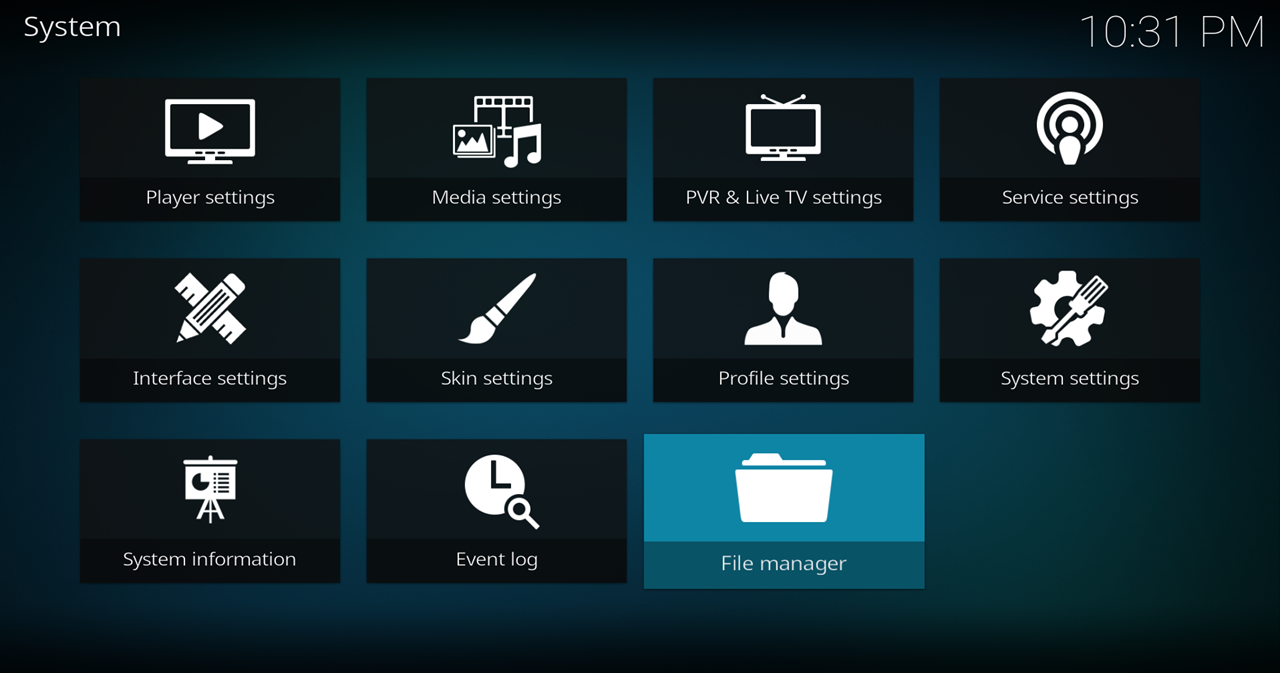
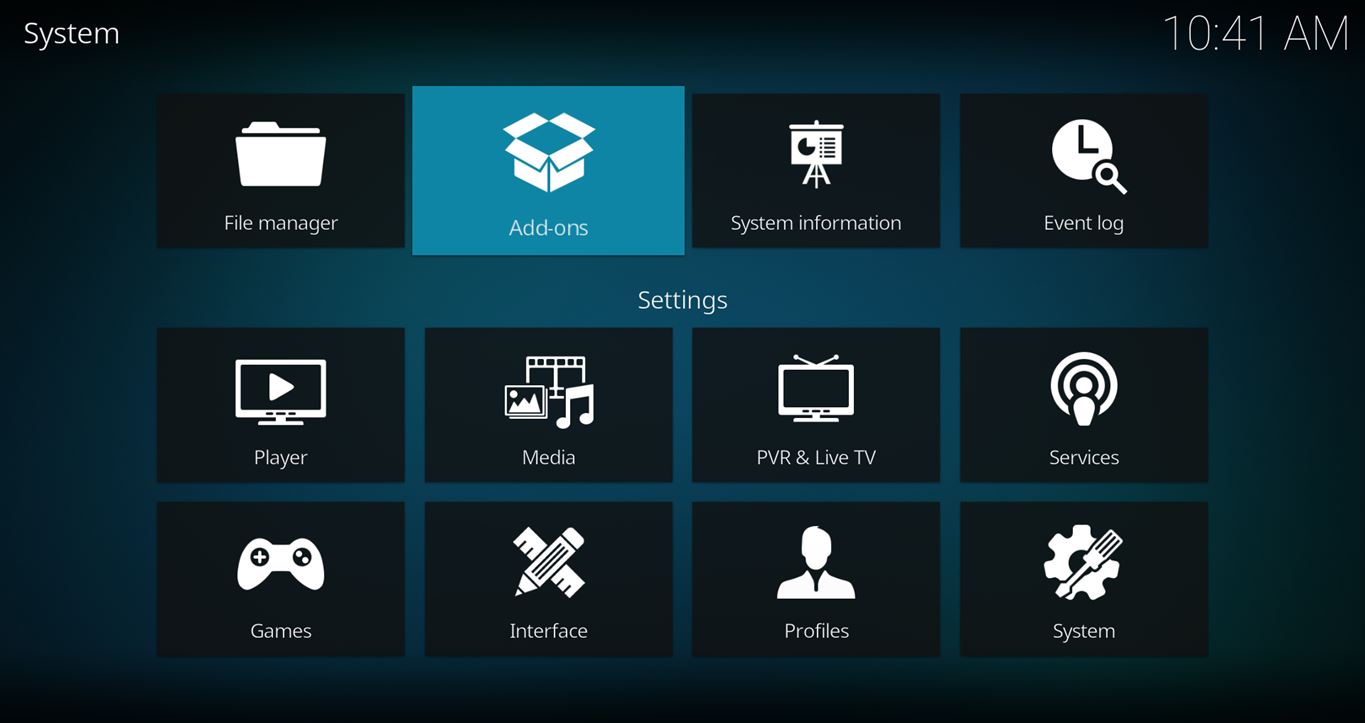
- Go to Settings (cog icon) > File Manager
- Select Add Source

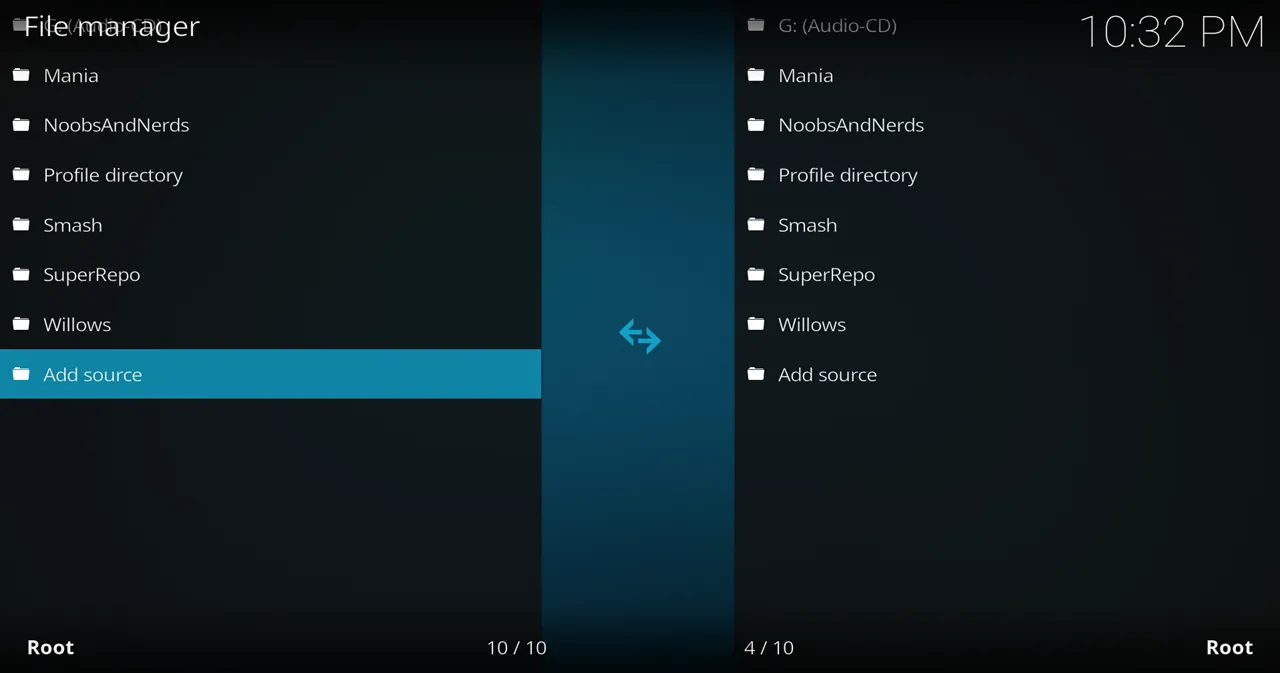
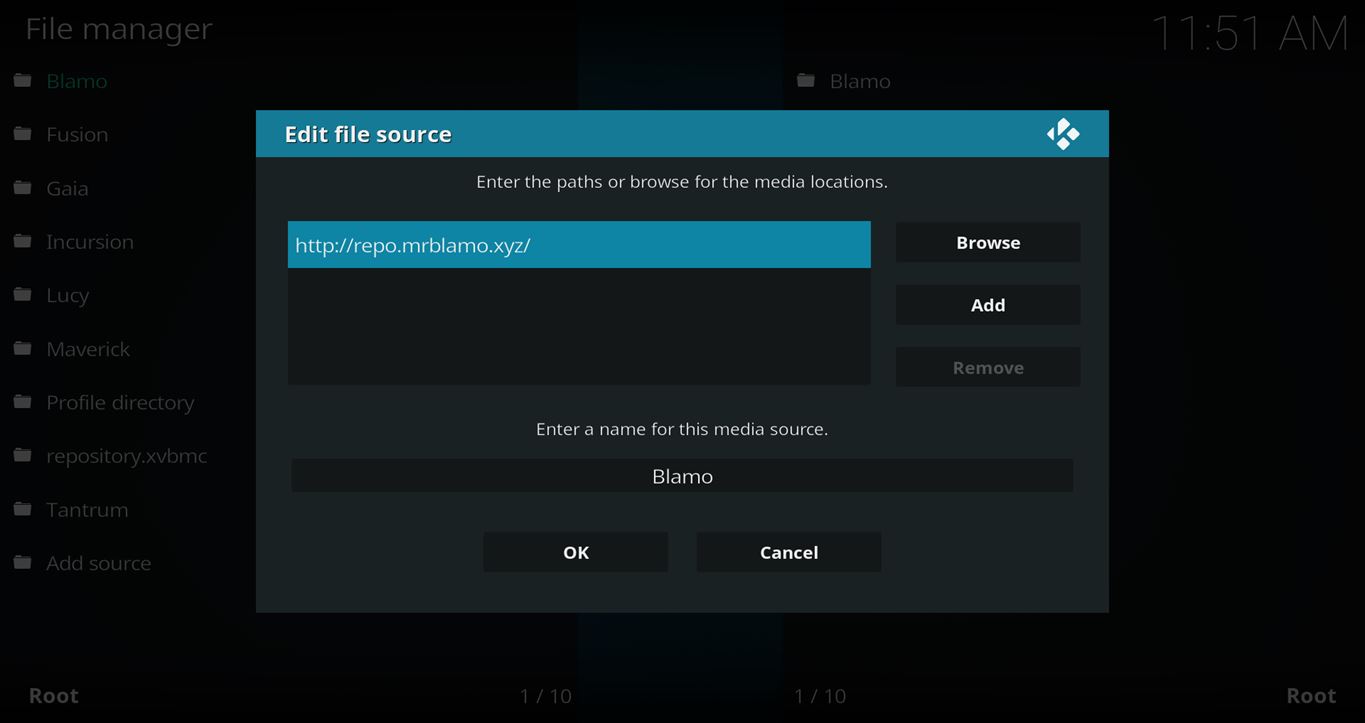
- Click on the <None> box and type in the URL of the repo server, exactly like this (case-sensitive):
https://kinkeadtech.com/repos
Hint: If you’re on a phone and the URL is too long, swipe sideways.
- Give it a name in the box below (name it KinkeadTech)
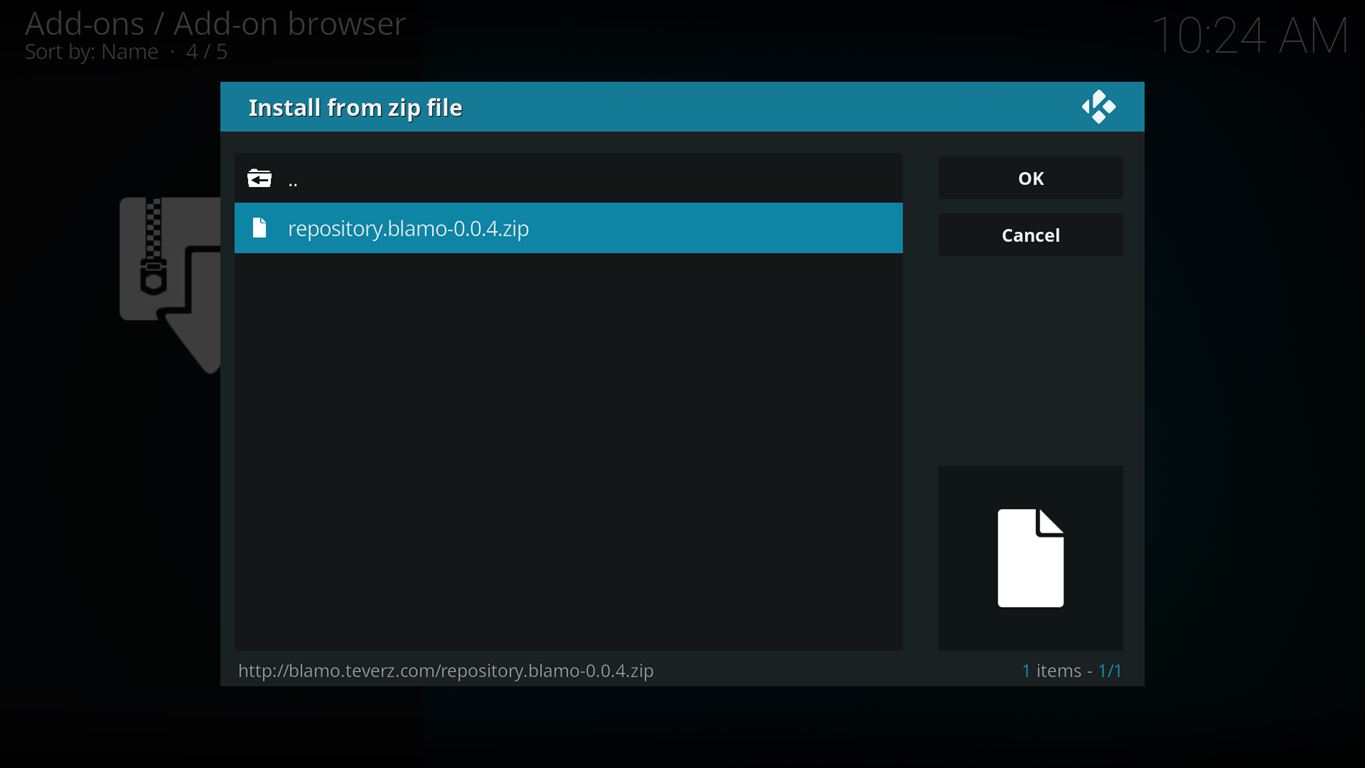
- Now, go to the Settings > Add-ons > Install from Zip File > KinkeadTech > repository.blamo-x.x.x.zip


How to Install the Aragon Live Add-on From the Blamo Fork Repo
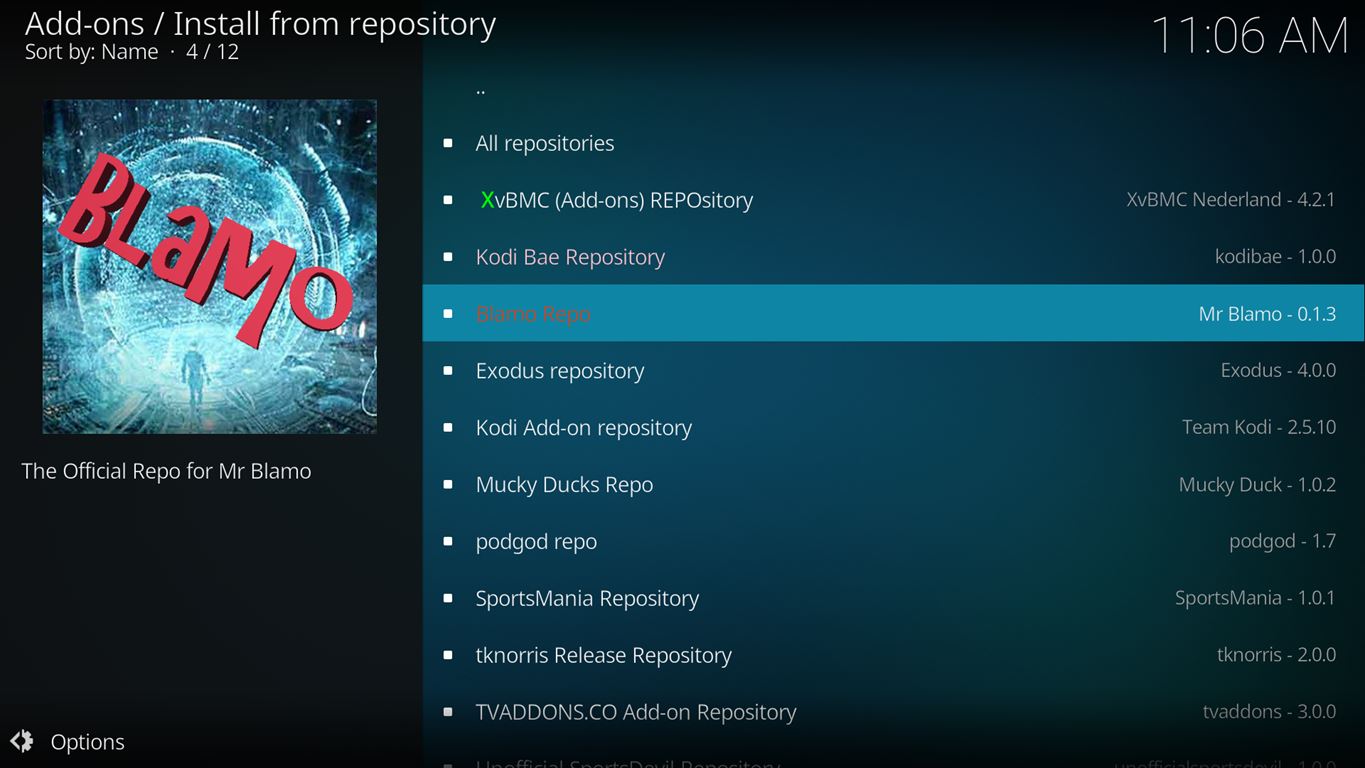
- After you have the Blamo Fork Repo installed, go back to the Settings > Add-ons screen and select Install from Repository > Blamo Fork Repo > Video add-ons > Aragon Live > Install


Screenshots of Aragon Live
Here are some screenshots showing the content of the Aragon Live add-on.


Any Questions? Let me know
Thanks for coming to Kinkead Tech to learn how to install Aragon Live on your Kodi. If you enjoy my tutorials, please subscribe to my weekly email.
If you run into any issue when trying to install Aragon Live, please let me know in the comments below. I love to help. Thanks.


I like it. Thanks Nathan!
I had been using Modbro for some time however after about an hour I need to restart everything as the voice and video become unsynchronnized.
I don’t have that problem with Aragon.
One plus I wish I could find is a guide…
I found a TV listings app from in the Play Store and set the region to Philadelphia.
If you have found a reasonable guide to complement this I would love to know.
cheers.
Great idea. I’ll look into that. I know there have been some TV guide add-ons that interfaced with other add-ons before. That would be great to go with Aragon!
Hi!!! Just signed up..I have to put it out there..I’m 65 ..even tho hip..not extremely tech savvy YET. My question is one that has been bugging me for a year. I signed up for the Directv Now all last June 2017.. for live tv streaming. I have ART internet and a 2nd gen firestick. Well every month my data usage kept going up & up till they were billing me extra money for too much usage. So I signed up for Unlimited. Well surprise..the data went back down to normal after that. Come on..is that highway robbery or what? My ??? is…does live streaming tv..no matter who it is from..going to make your data usage go way up?? And if so..what exactly makes that happen? Changing the channel?? Or turning it off & on ?? WHAT??! I need a real honest answer from someone because you know I didn’t get one from ATT. Thank you so much. I am dumping that app on the 23rd. I’m over them!!!!!
Yes, that sounds right. Streaming live TV will use internet. Changing channels a lot will use more internet than keeping it on one channel. This is because when you change the channel on live streaming, it will try to quickly buffer ahead, downloading the next 10, 20, 30, or more seconds so that it plays smoothly without interruption even if there is network congestion or wireless interference. Does that make sense?
Unfortunately…YES!!! haha. So is that the future for consumers?? Love streaming is going to mean Data wars?? And it’s ridiculous how it cost so much…well since they can’t get us to pay big cable bills anymore it’s going to be the data huh? Could I please ask your advice on a reasonably priced VPN for my firestick?? Can’t seem to find any besides IPVanish. Thank you so much for helping me to learn. I definitely pass the knowledge forward.
IPVanish is my favorite VPN and the one I recommend. It’s a great time to get it because it’s 60% off right now. https://kinkeadtech.com/ipvanish
O have added besides Aragon: Galaxy, Numbers, and PlayerKlub. It’s only $5 a mtg …I have found Galaxy really great for movies!!
I have added Aragon and yet cannot view ANY channels listed. Can advise why? am i missing anything. I have FM Tester to latest version and Sports Devil to latest. Thank you
It’s not working for me anymore either. I can’t even get into any of the menus to see the channels. It says “Mobdro error”
I do love this app, but the Blamo doesn’t work for me at all. Is there another one that works to get this app back? I miss having this on my box & would love to get it back.
The file source is down, but you can install the forked repo using the Github Browser.
Github archive does not have aragon live.
Drat!
Yes it does.
https://imgur.com/a/6NPYaOh
https://github.com/jasonbuechler/MyBlamo/tree/master/zips/plugin.video.aragon