
The IT Kodi add-on is a fork of the once very popular, but now defunct, 13Clowns add-on. The t2k repo forked it when 13Clowns went down and has since been maintaining it by removing things and fixing things.
Here is a look at the main menu of IT…

IT Kodi Add-on Details and Status
| Last Activity: | Status: | ||
| Add-on: | IT (5.0.38) | Offline | |
| Repo: | t2k | Offline | |
| File Source: | https://t2k-cloud.co.uk/Repo/ (t2k) | Offline | |
| Working? | |||
See all of the best Kodi streaming add-ons →
How to Install the t2k Repo from the t2k File Source
The t2k File Source is currently OFFLINE!
If you find a new file source for this repo, please let me know in the comments. Thanks!
- Go to Settings (cog icon) > File Manager
- Select Add Source

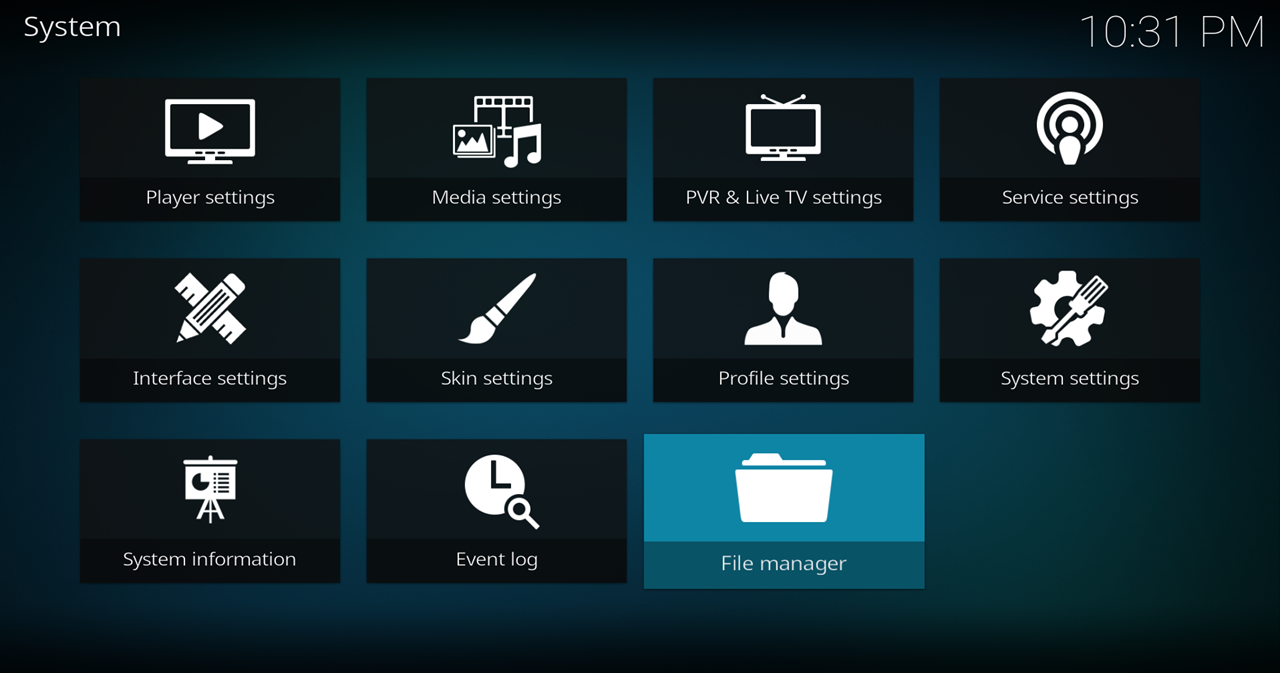
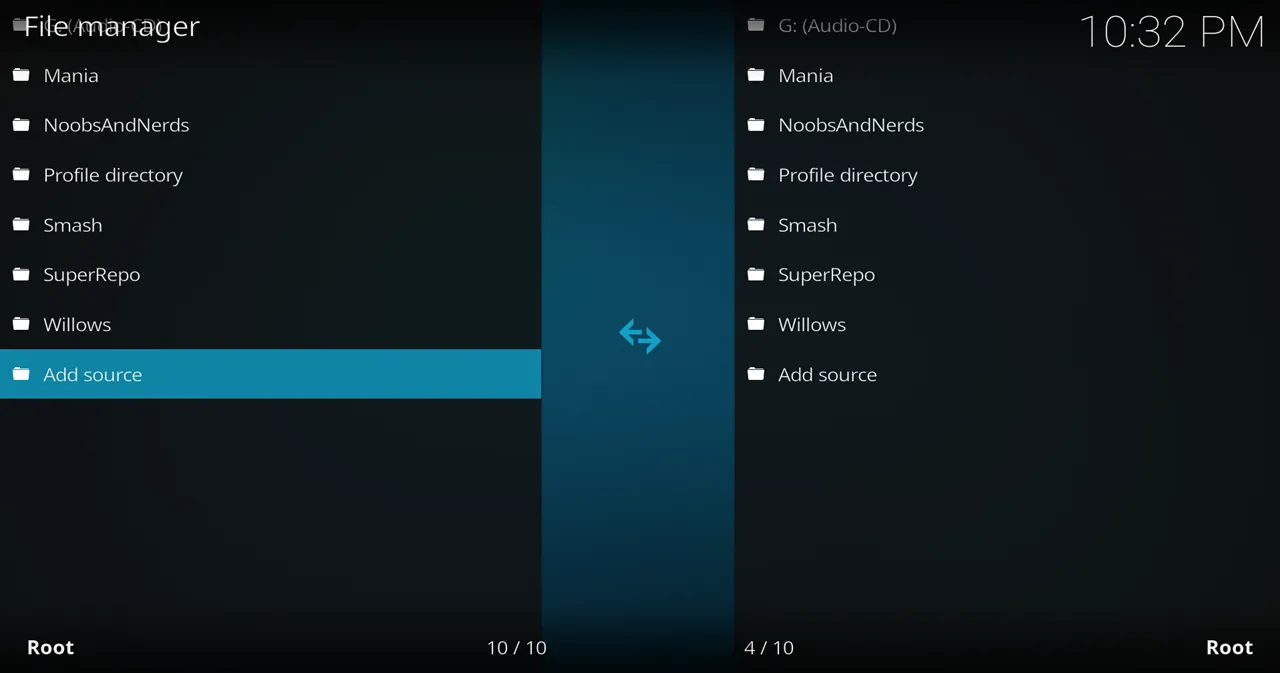
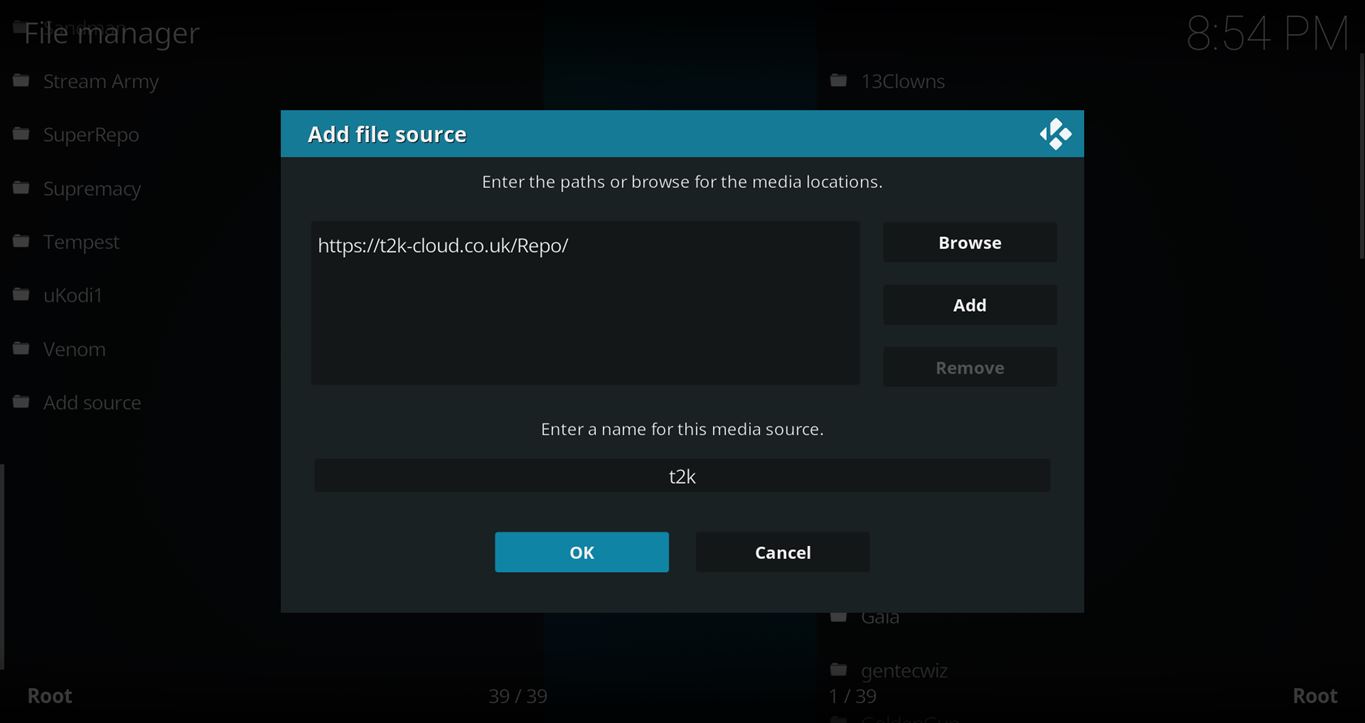
- Click on the <None> box and type in the URL of the repo server, exactly like this (case-sensitive):
https://t2k-cloud.co.uk/Repo/
Hint: If you’re on a phone and the URL is too long, swipe sideways.
- Give it a name in the box below (name it t2k)
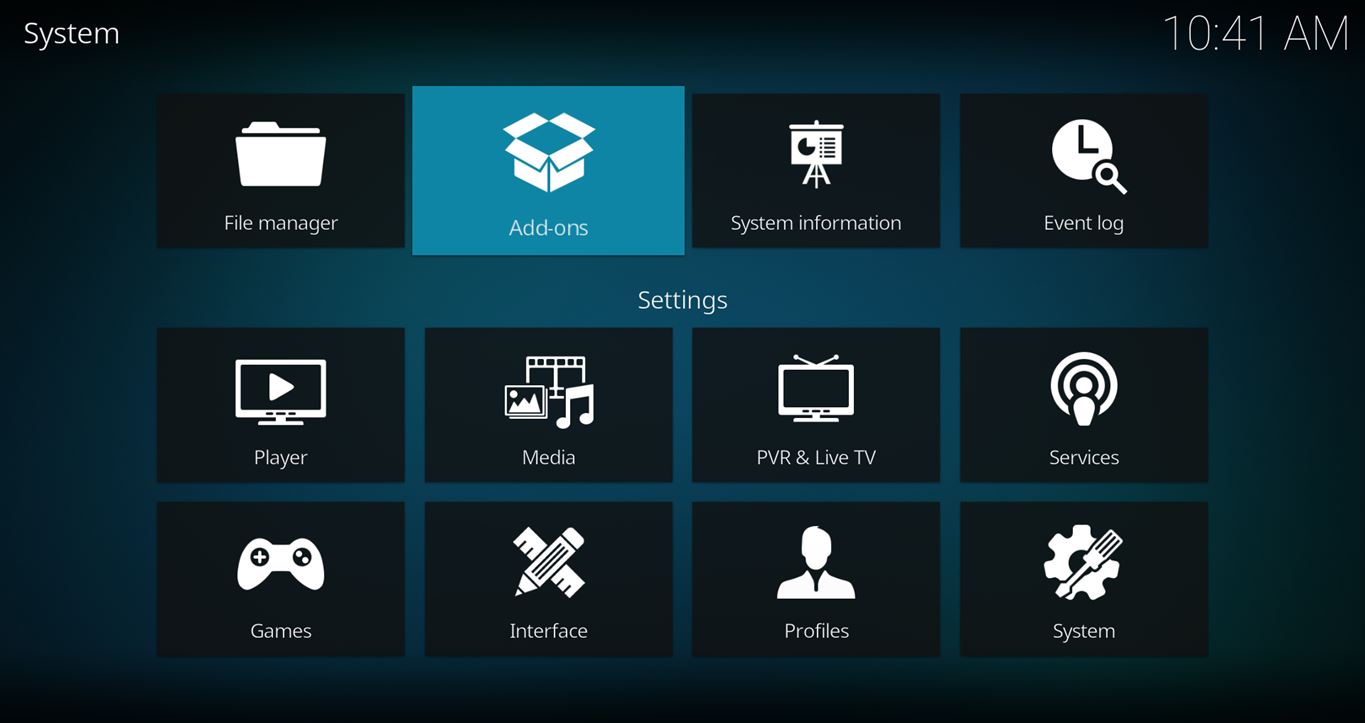
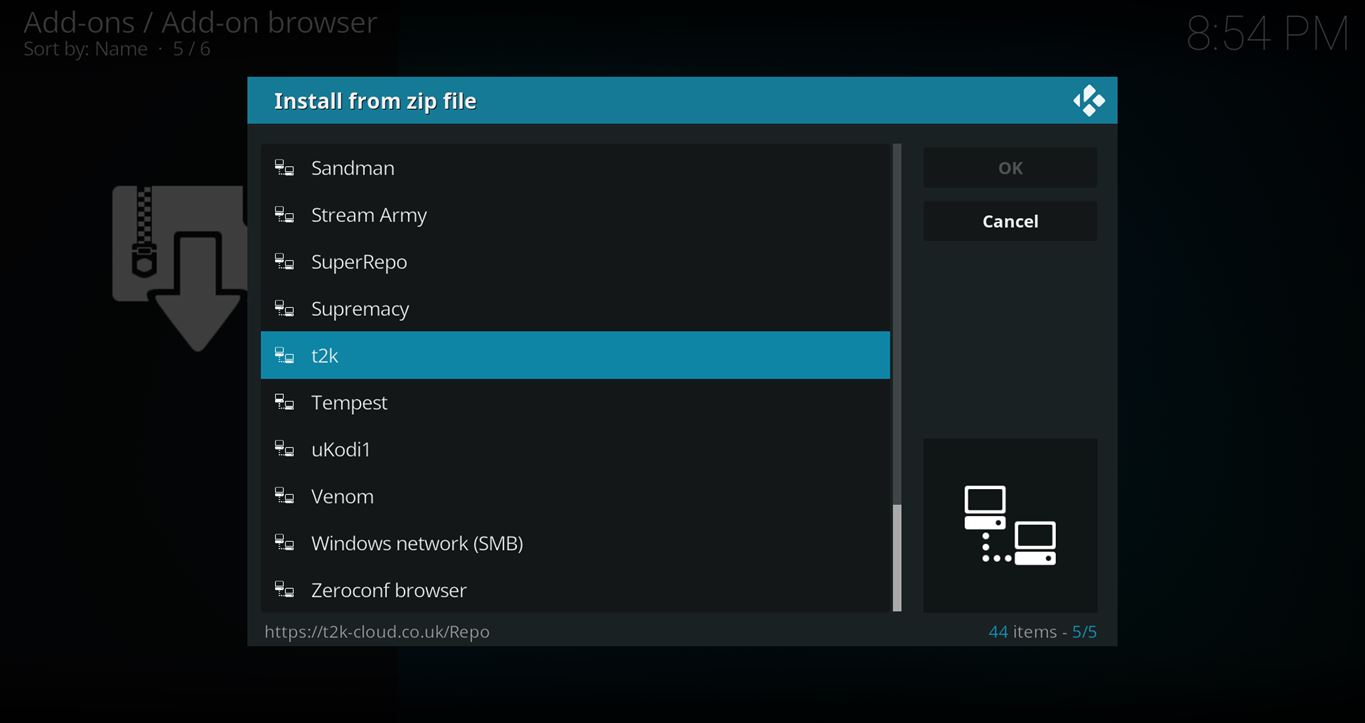
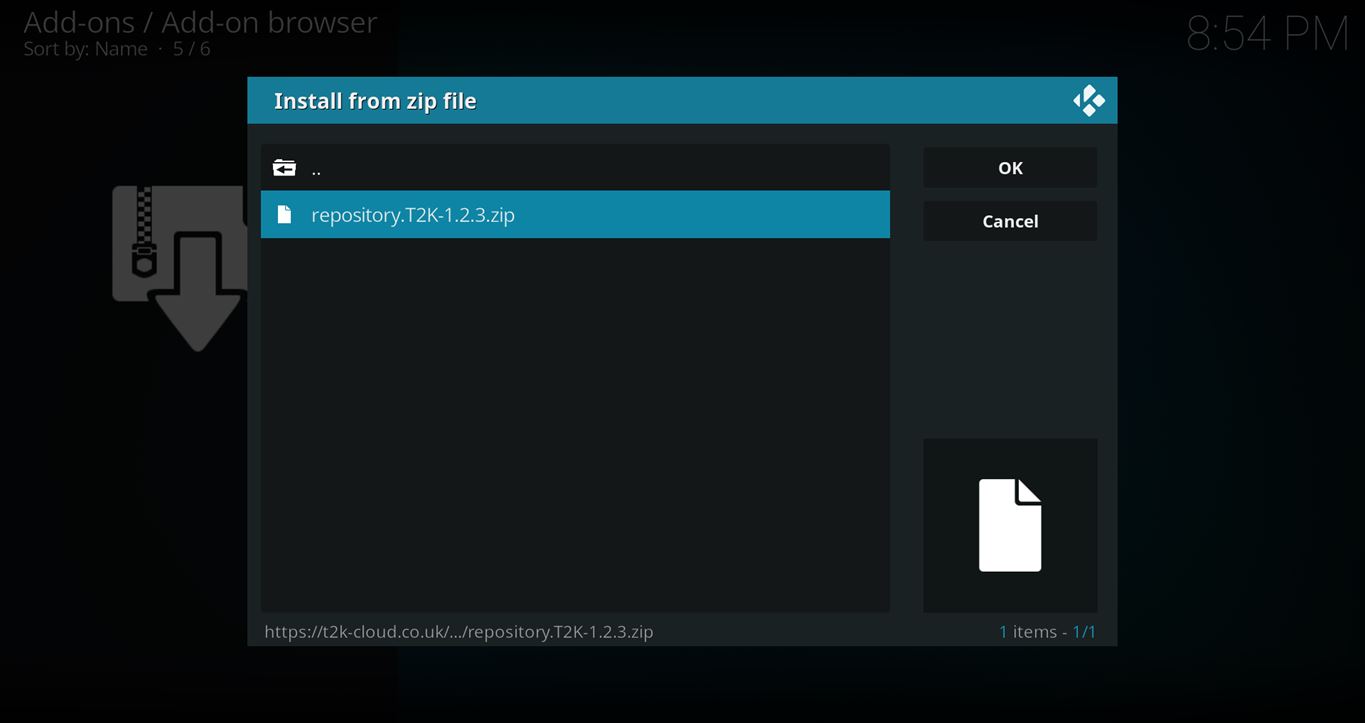
- Now, go to the Settings > Add-ons > Install from Zip File > t2k > repository.T2K-x.x.x.zip

How to Install the IT Add-on From the t2k Repo
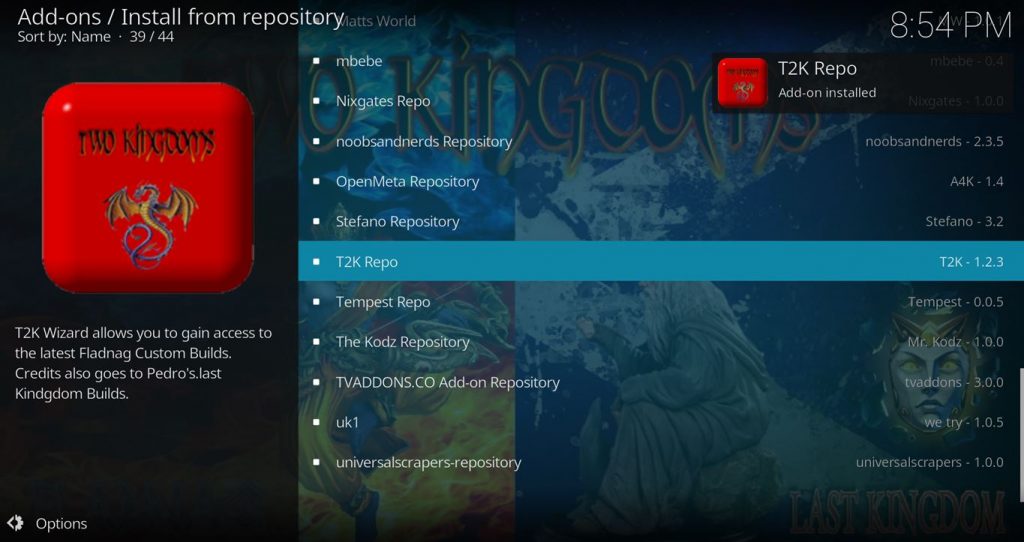
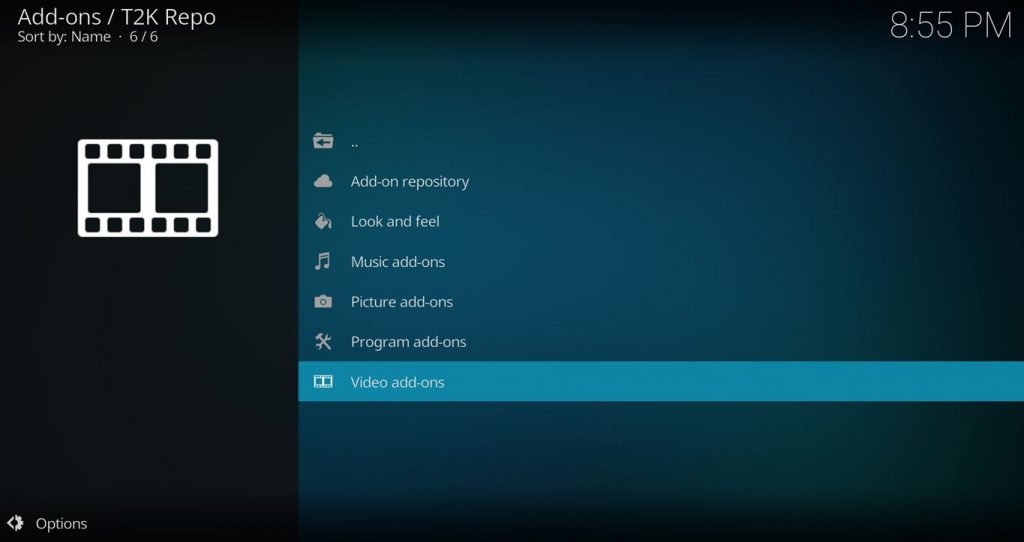
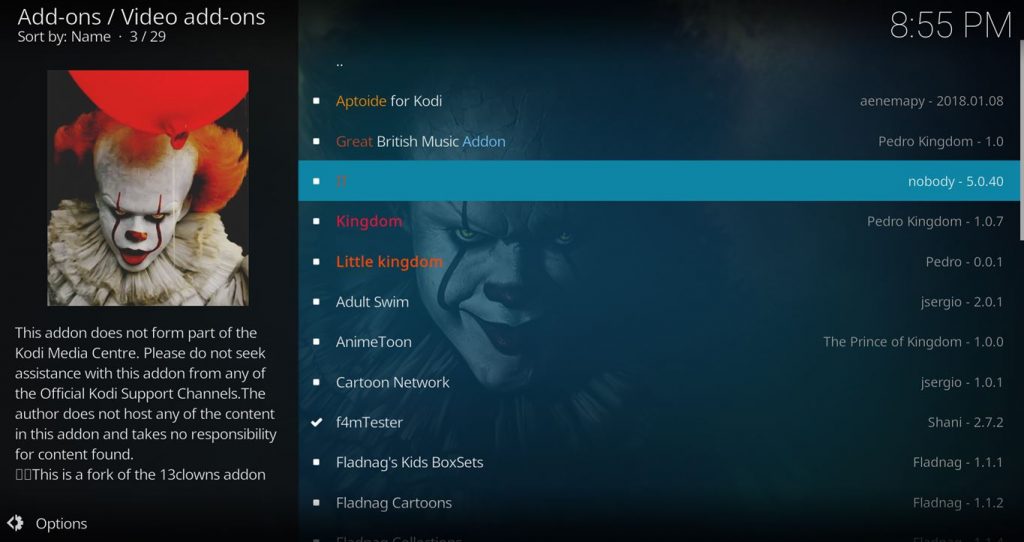
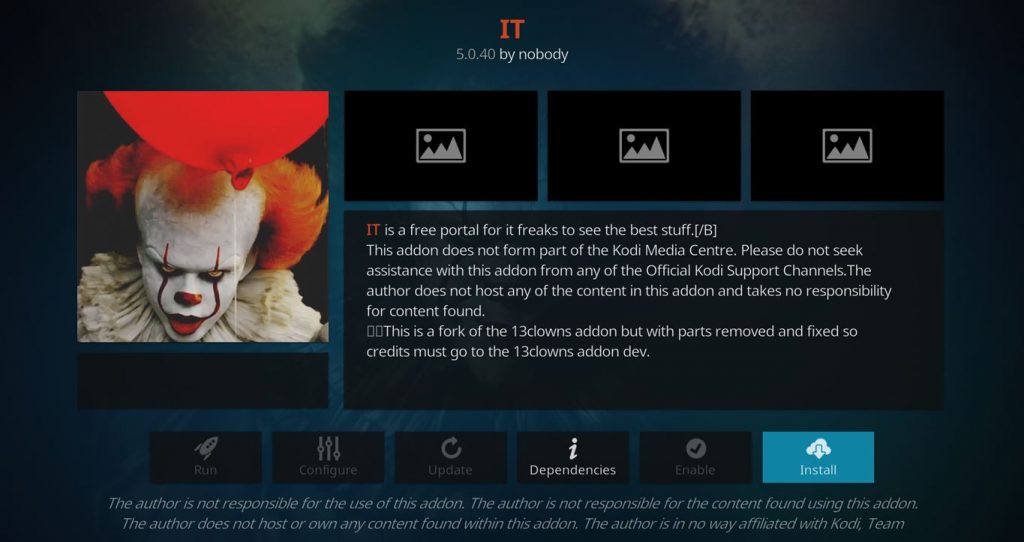
- After you have the t2k Repo installed, go back to the Settings > Add-ons screen and select Install from Repository > t2k Repo > Video add-ons > IT > Install
Any Questions? Let me know
Thanks for coming to Kinkead Tech to learn how to install IT on your Kodi. If you enjoy my tutorials, please subscribe to my weekly email.
If you run into any issue when trying to install IT, please let me know in the comments below. I love to help. Thanks.


South Indian addon for swadesi & Deccan delight addon for October.2019
Please help
What? I don’t know what you’re asking or how it’s relevant to this post. I’d love to help any way I can.
Doesn’t work, not worth the effort. Should be taken down from here.