
The Gaia Kodi add-on was a big “up & coming” streaming add-on when it first came out in Spring 2018. Since then, I’ve been both excited and disappointed in Gaia. The worst issue was being so darn slow. Well, they’ve have a couple major updates since then, and they have made a lot of changes and improvements.
Being a fork of the Bubbles add-on, the emphasis of Gaia is having an insane amount of bells & whistles. This “next generation” Kodi add-on makes Exodus and all of its forks look a bit primitive.
Gaia streams movies, shows, documentaries, and short film from a much wider variety of sources including hosters, usenet, and even torrents. Gaia is optimized for premium services like Premiumize, OffCloud, Real-Debrid, EasyNews, and now their very own premium link scraper called Orion.
Since Gaia version 5, they really seem to have borrowed a lot of the features from Seren, like the full-screen scraping progress overlay…

… and their new Binge Watching feature which is basically Seren’s Next Up feature.
Now, Gaia brings much faster menu speed than previous iterations, better scrape times, better external hoster support, and many more changes! New Scraping and Source select window, and reconfigured context menu. Best way to see all the changes is to try it yourself!
IMPORTANT NOTE: When using Kodi streaming add-ons like Gaia, I always recommend you use a VPN. To learn more, read my 4 Reasons Why Kodi Streamers Need a Kodi VPN.
Gaia Kodi Add-on Details and Status
| Last Activity: | Status: | ||
| Add-on: | Gaia (5.6.0) | Nov 17, 2019 | Online |
| Repo: | Gaia | 20191117 | Online |
| File Source: | https://kinkeadtech.com/repos (KinkeadTech) | Online | |
| GitHub Username: | gaiaorigin | ||
| Working? | |||
Other add-ons in the Gaia repo:
See all of the best Kodi streaming add-ons →
How to Install Gaia Repo Using the GitHub Browser
This is the easiest way to install Gaia if you already have the GitHub Browser add-on from TVAddons / Fusion.
If you want to use the GitHub Browser to install the Gaia repo, then follow my tutorial on how to install the GitHub Browser. After you have the GitHub Browser add-on installed, you can easily install the Gaia repo simply by searching for the GitHub username:
gaiaorigin
After you have installed the Gaia repository, move on to learn how to install the Gaia add-on from the Gaia repo.
How to Install the Gaia Repo from the KinkeadTech File Source
- Go to Settings (cog icon) > File Manager
- Select Add Source

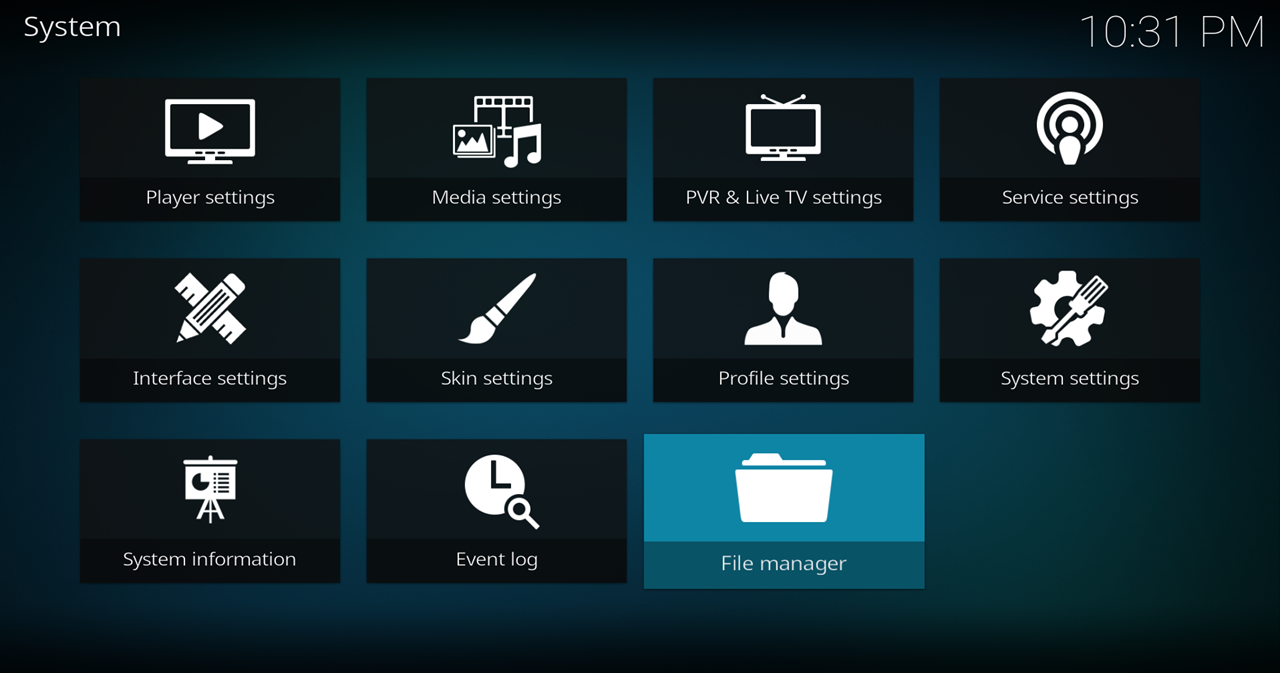
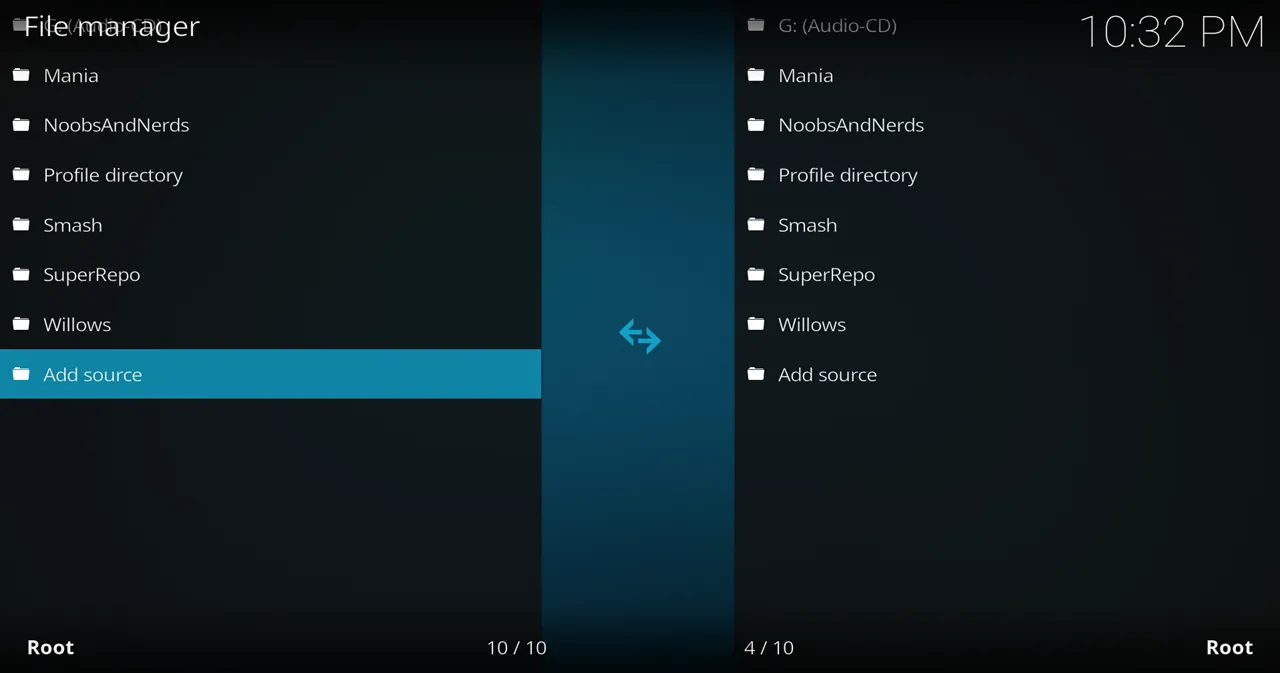
- Click on the <None> box and type in the URL of the repo server, exactly like this (case-sensitive):
https://kinkeadtech.com/repos
Hint: If you’re on a phone and the URL is too long, swipe sideways.
- Give it a name in the box below (name it KinkeadTech)

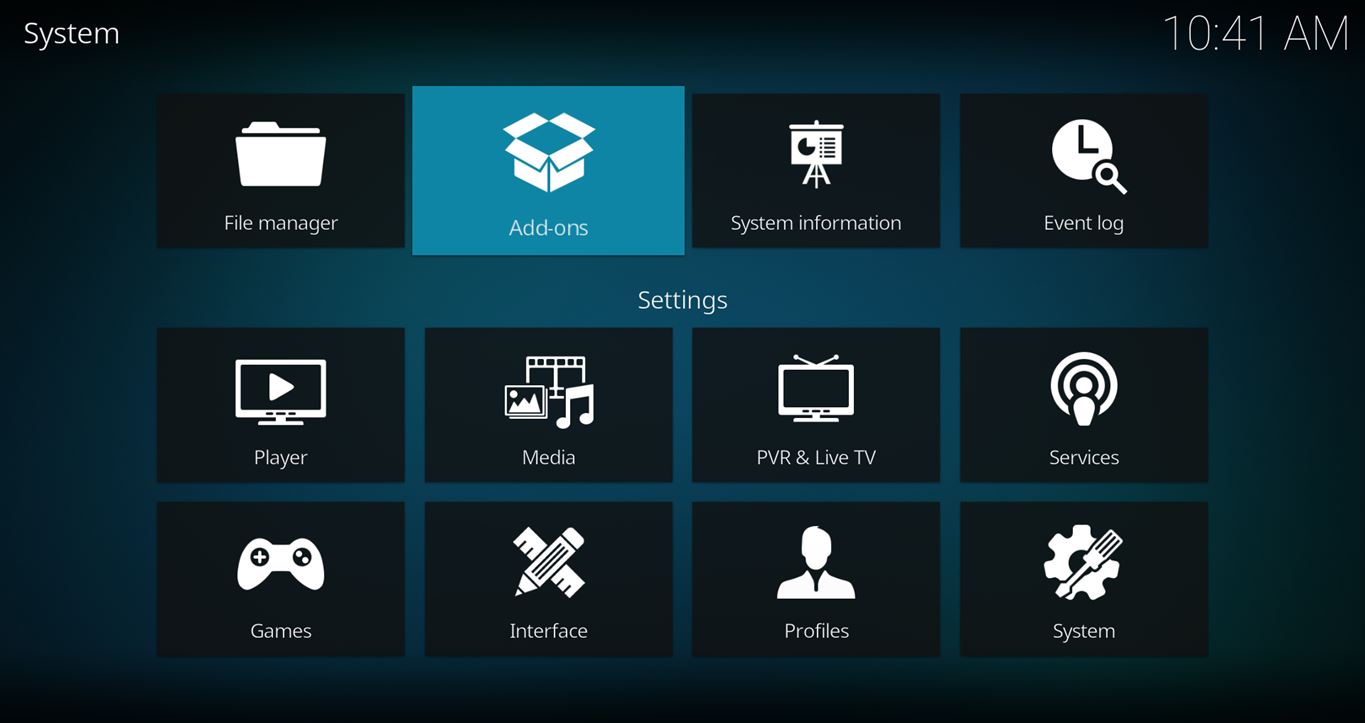
- Now, go to the Settings > Add-ons > Install from Zip File > KinkeadTech > repository.gaia-x.x.x.zip


How to Install the Gaia Add-on From the Gaia Repo
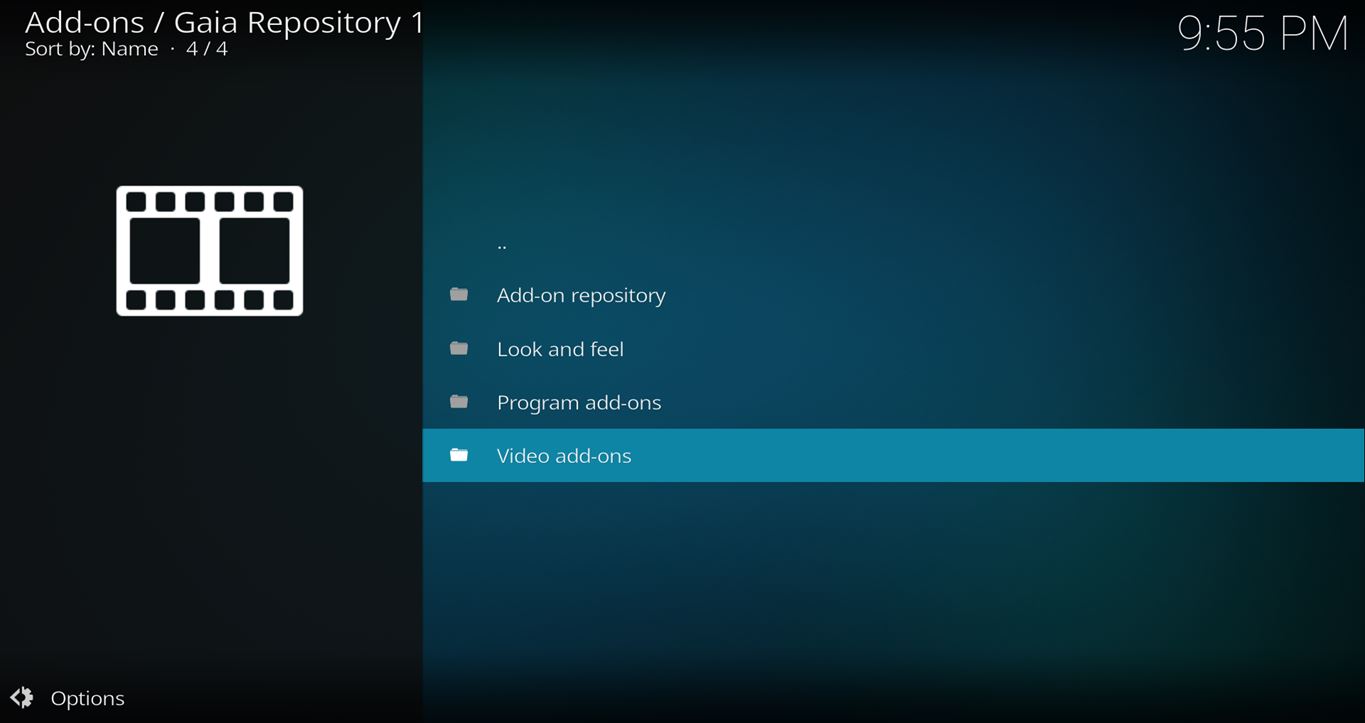
- After you have the Gaia Repo installed, go back to the Settings > Add-ons screen and select Install from Repository > Gaia Repo > Video add-ons > Gaia > Install



How To Configure Gaia for Kodi
Again, there are a ton of settings in this add-on, and early on, there was a huge tutorial here showing you how to set it up, but now I’m happy to report that the Gaia setup wizard does a pretty good job at setting up things with optimal settings while asking you which settings you prefer one way or another.
I did the setup wizard, chose Reaper Settings, connected Trakt and Real-Debrid, and it worked pretty well after that.
Give it a try and let me know how it goes.
Any Questions? Let me know
Thanks for coming to Kinkead Tech to learn how to install Gaia on your Kodi. If you enjoy my tutorials, please subscribe to my weekly email.
If you run into any issue when trying to install Gaia, please let me know in the comments below. I love to help. Thanks.



Thanks for the instructions but I get “Gaia – Installation Failed”
They hit a daily server limit. You should be able to try again tomorrow. https://www.reddit.com/r/Addons4Kodi/comments/81untz/gaia_not_installing_error/
At about 10% downloaded I get a “failed to install dependency” notice
It was down for me too since right after I blogged about it last week. But, I just successfully installed it on another device just now, so looks like it’s back up.
i have setup Gaia following your instructions. When I go to shows/Favorites/Trakt/Collection I get a “Gaia Nothing was found message” I have reconfigured the settings with the exception of the Scraping Tab since I cant find it. I know that my Trakt account is setup and in Covenenat is complete. Can you help me access my Trakt account?
Do any of the other menu items under Trakt work? Or, did you only try Collection? If none of them are working, you should try to reauthorize Trakt in the Gaia settings. It’s working fine for me on multiple devices.
No Menu items under Trakt are working. I have re-authorized Trakt in the Gaia settings with no change. Aside from “not seeing” my Trakt account Gaia works perfectly. Should I re-install Gaia?
I’m not sure what to suggest. I set it up on 3 different devices and it worked fine on all of them. I’m not sure if reinstalling Gaia would do anything. Have you used Trakt in other apps? Did it work in those? If not, I wonder if there’s something wrong with your Trakt account.
Trakt works perfectly in Covenant & Incursion. My Trakt account seems to be as normal as it ever was.
That so strange. Have you tried resetting the authorization and then authorizing again instead of just re-authorizing? I’m not sure that will do anything, but worth a shot. If it still doesn’t work, then I would probably reinstall Gaia, and then maybe use the setup wizard instead of going through all the advanced settings.
Did that and I started to have some other issues with my device. I got a Nvidia Shield and all works perfectly now. Thank you for all of your help
Cool.
Feel Stupid, Rebooted & found Scraping Tab. Problem still remains with Trakt
I setup Gaia but for some reason it does to show any streams for any shows. It goes thru the process and shows that it has found but it does not list it for me to choose one. Can you help? I can see everything in incursion or Neptune no problem.
Does it have autoplay turned on? If you turn that off, then it will list the links for you to choose from.
I was not offered a set up wizard?
You can get back to the wizard in Gaia > Tools > Settings > Wizard
I would like to know how to uninstall Gaia ?
do you really need debrid for gaia.
Real-Debrid make a huge difference in quality and bandwidth. You will be much happier with it than without it. Premiumize is another option with costs more money but many people say it’s totally worth it.
I received a message from gaia on 7-2-19 to upgrade gaia to version 5.0.3. Can you tell me how to do the upgrade. I have premium real debrid.
If you already have Gaia installed, then it should get automatic updates, unless you turned automatic updates off. Go to the add-on information screen and there is a toggle for automatic updates for that add-on. There is also an update button right there, so you can take care of the update yourself.
It only updates to 5.0.1
How do you force update to 5.0.3?
Do you have an old Gaia repository installed? Try to reinstall your repository using the instructions in this post and see if it will update then. My Gaia add-on is now on 5.0.7.
What you are not mentioning is that the Beta Zip File must be used.
I didn’t think I used a beta repository when I installed it, but maybe they labeled one like that now.
I have tried installing several times aways get error?
See the first section on this page which is usually how I resolve an error installing a new add-on… https://kinkeadtech.com/failed-to-install-dependency/
Anyone knows how to update to 5.4.2?
Keeps only updating to 5.0.7 for me.
You might have the old repository installed. Uninstall the Gaia repo, and then reinstall it using the instructions here.