
The Eithusan Kodi streaming video add-on allows you to watch Bollywood Hindi and Tamil movies from Einthusan.com.
Here is the main menu of Eithusan to give you an idea of what it has…

Here is the first page of Hindi > Years > 2019…

NOTICE: As of April 2020, many are reporting in the comments that this add-on is not working anymore. It is able to install, but fails to play anything. They must have changed something on their website’s end, but the Kodi add-on hasn’t been updated to accommodate. I’m not finding a new version of this add-on anywhere, but if any of you find it, please let me know in the comments.
Einthusan Kodi Add-on Details and Status
| Last Activity: | Status: | ||
| Add-on: | Einthusan (1.4.7) | Aug 20, 2019 | Online |
| Repo: | Reasons | Jul 2, 2018 | Online |
| File Source: | https://kinkeadtech.com/repos (KinkeadTech) | Online | |
| GitHub Username: | reasonsrepo | ||
| News: | Version 1.4.7 – 19 August 2019 – Changed domain from .tv to .ca | ||
| Working? | |||
See all of the best Kodi streaming add-ons →
How to Install Reasons Repo Using the GitHub Browser
This is the easiest way to install Einthusan if you already have the GitHub Browser add-on from TVAddons / Fusion.
If you want to use the GitHub Browser to install the Reasons repo, then follow my tutorial on how to install the GitHub Browser. After you have the GitHub Browser add-on installed, you can easily install the Reasons repo simply by searching for the GitHub username:
reasonsrepo
After you have installed the Reasons repository, move on to learn how to install the Einthusan add-on from the Reasons repo.
How to Install the Reasons Repo from the KinkeadTech File Source
- Go to Settings (cog icon) > File Manager
- Select Add Source

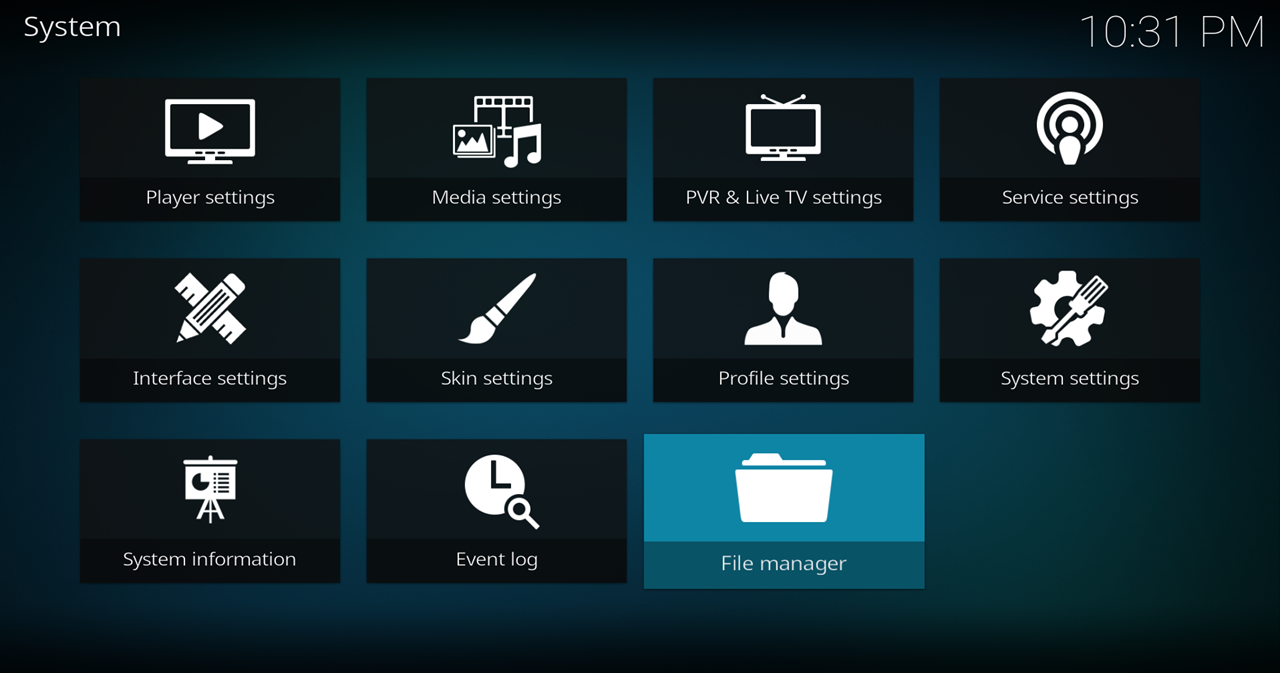
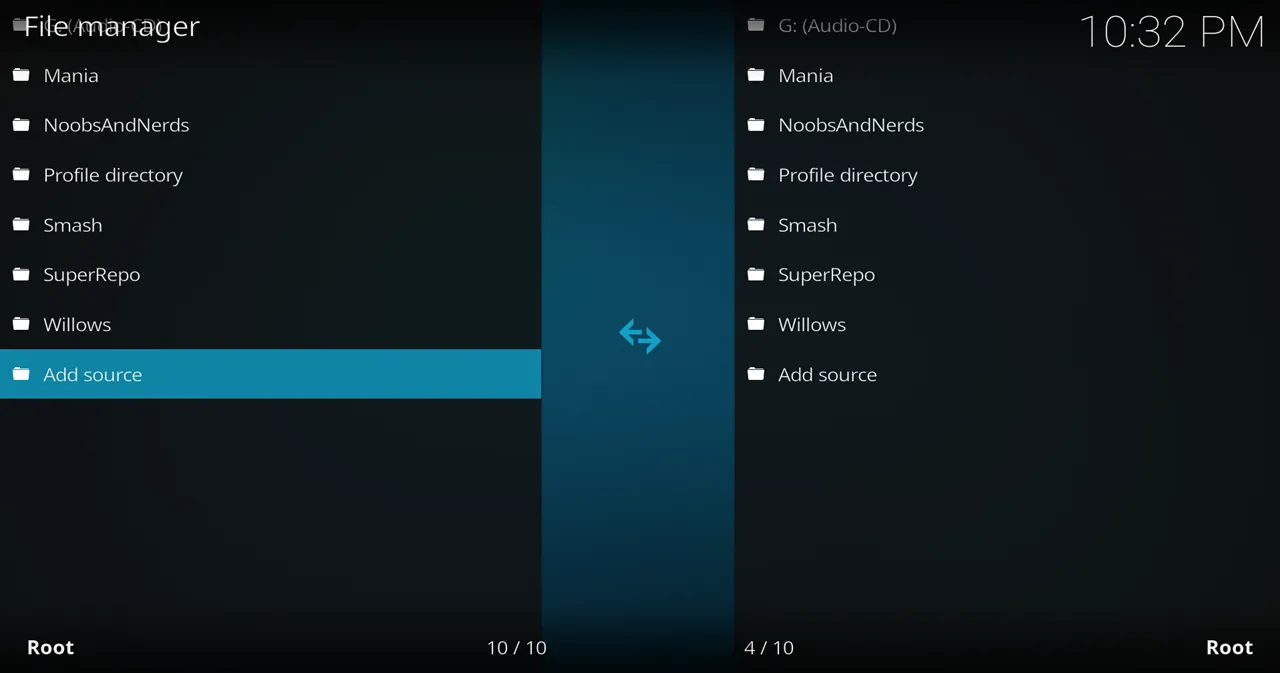
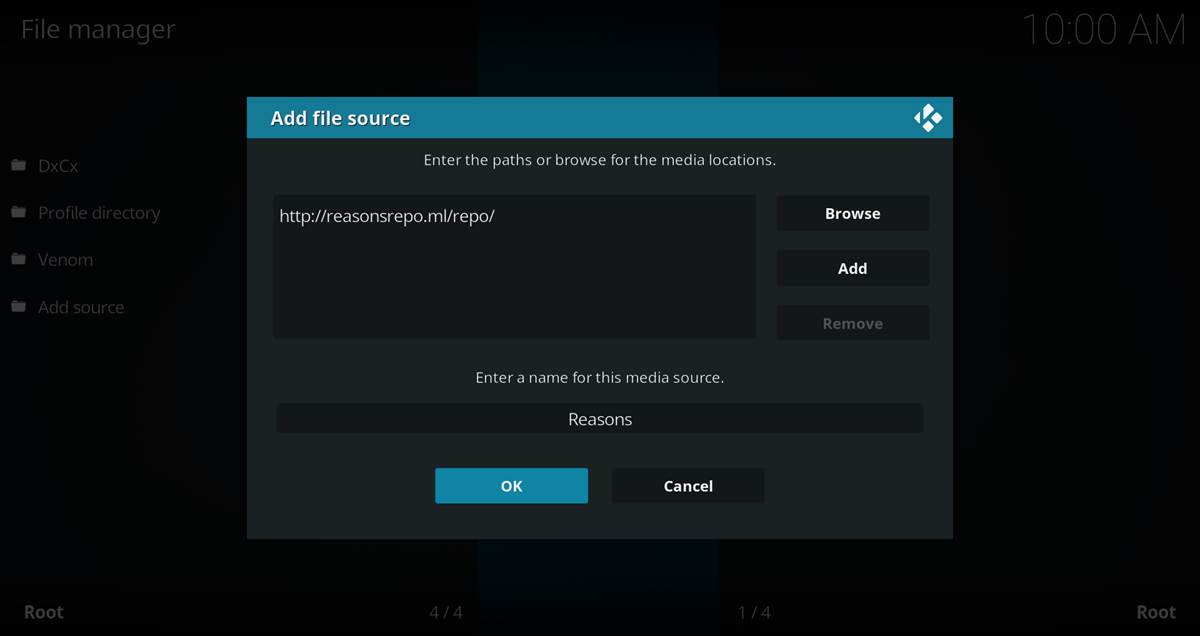
- Click on the <None> box and type in the URL of the repo server, exactly like this (case-sensitive):
https://kinkeadtech.com/repos
Hint: If you’re on a phone and the URL is too long, swipe sideways.
- Give it a name in the box below (name it KinkeadTech)
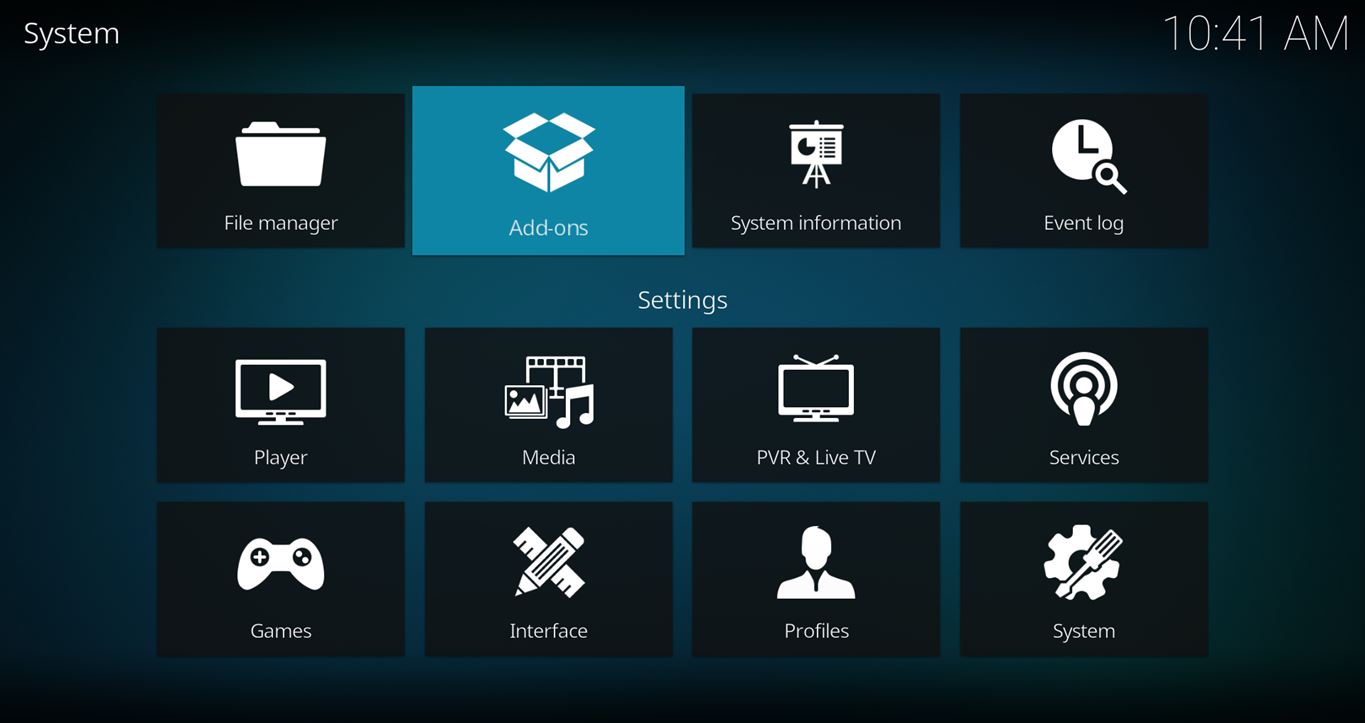
- Now, go to the Settings > Add-ons > Install from Zip File > KinkeadTech > addons > repository.reasonsrepo-1.0.1.zip

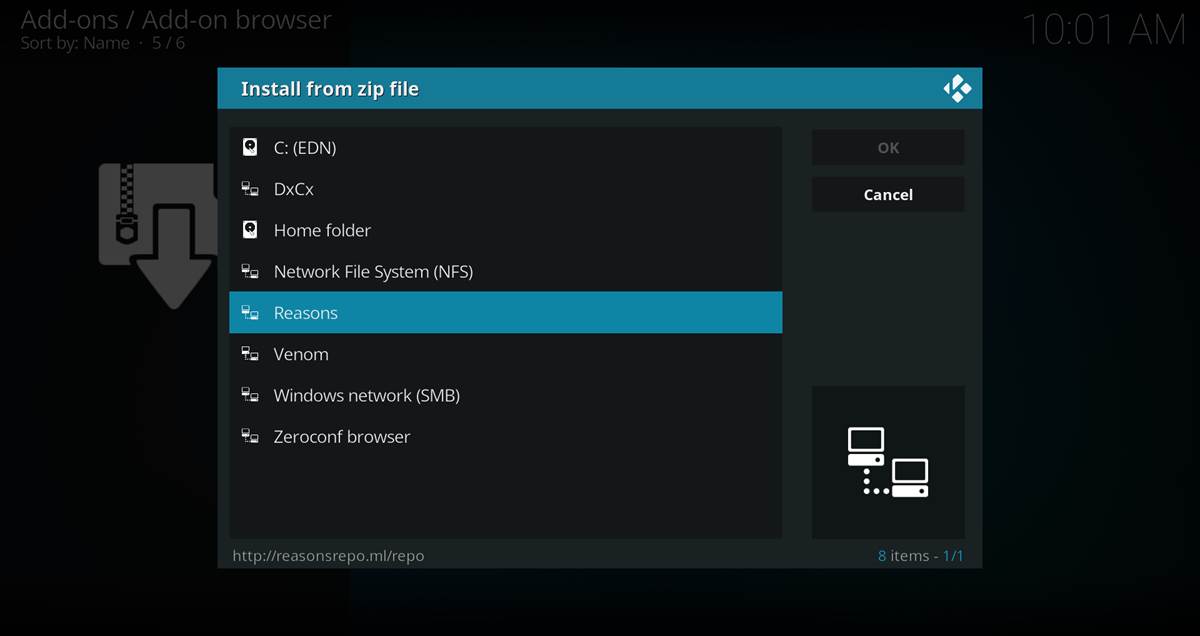
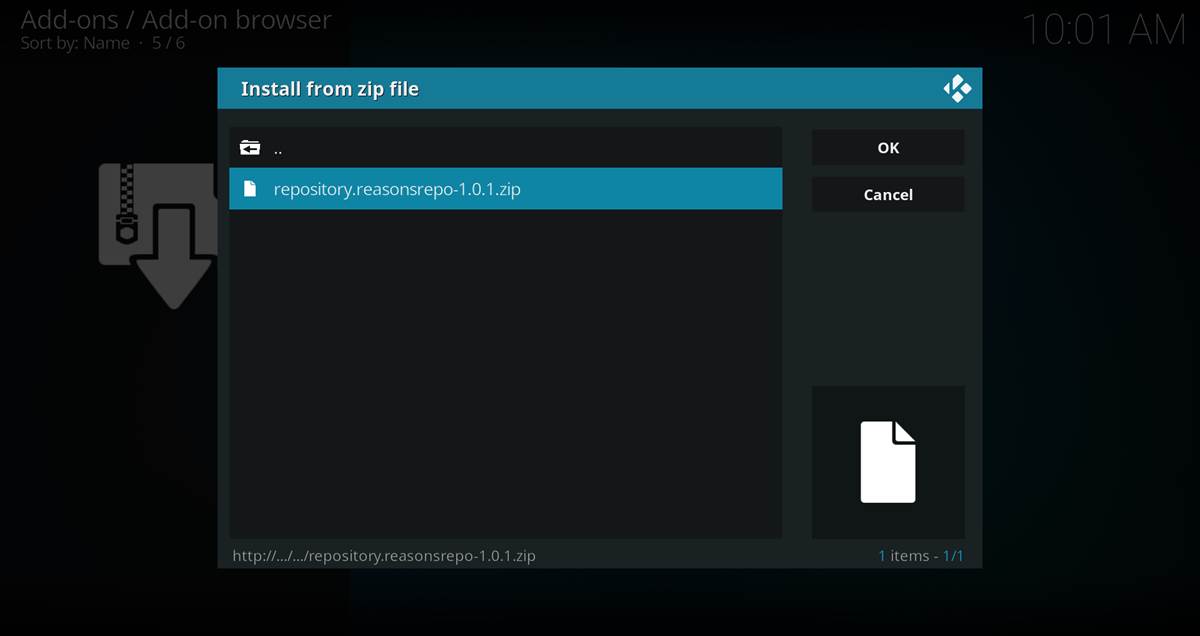
How to Install the Einthusan Add-on From the Reasons Repo
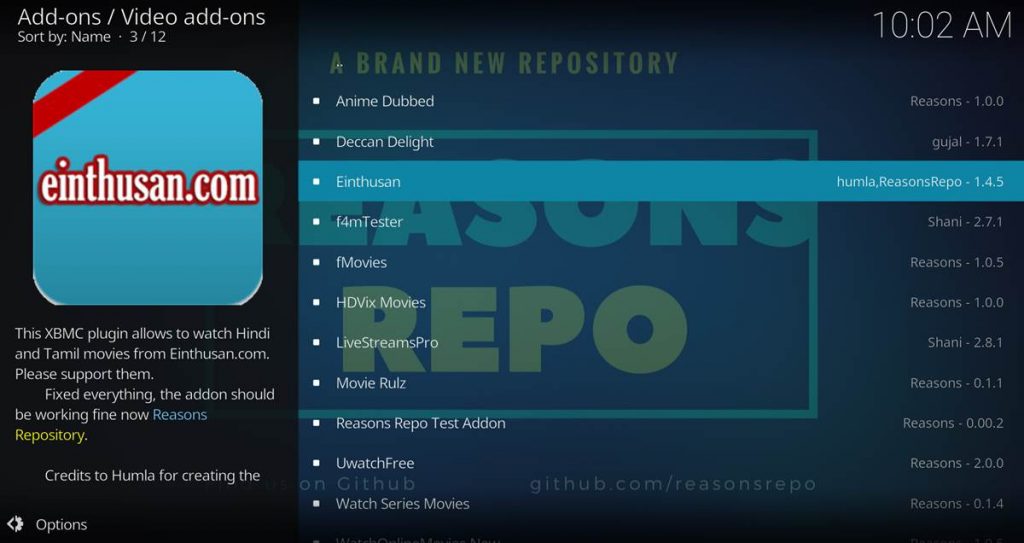
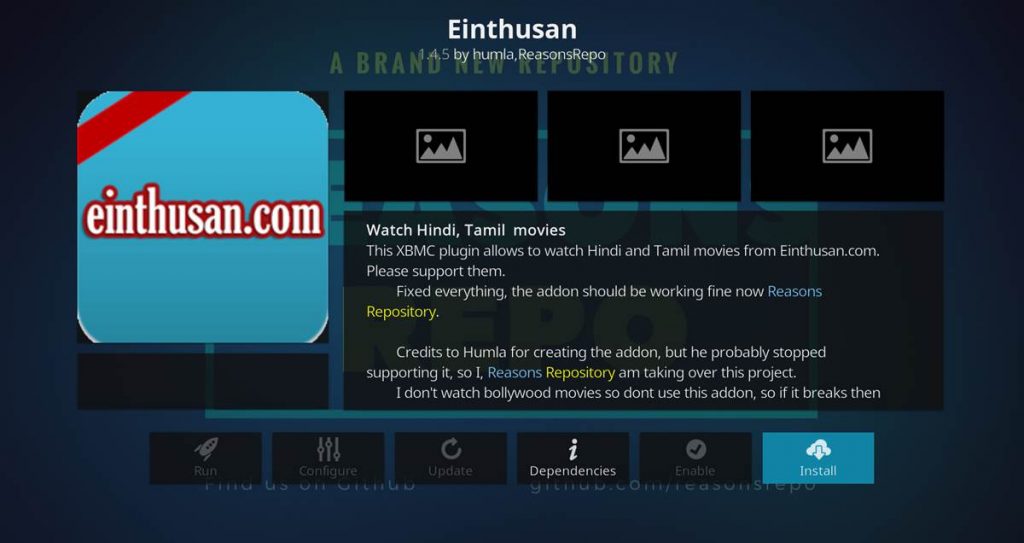
- After you have the Reasons Repo installed, go back to the Settings > Add-ons screen and select Install from Repository > Reasons Repo > Video add-ons > Einthusan > Install
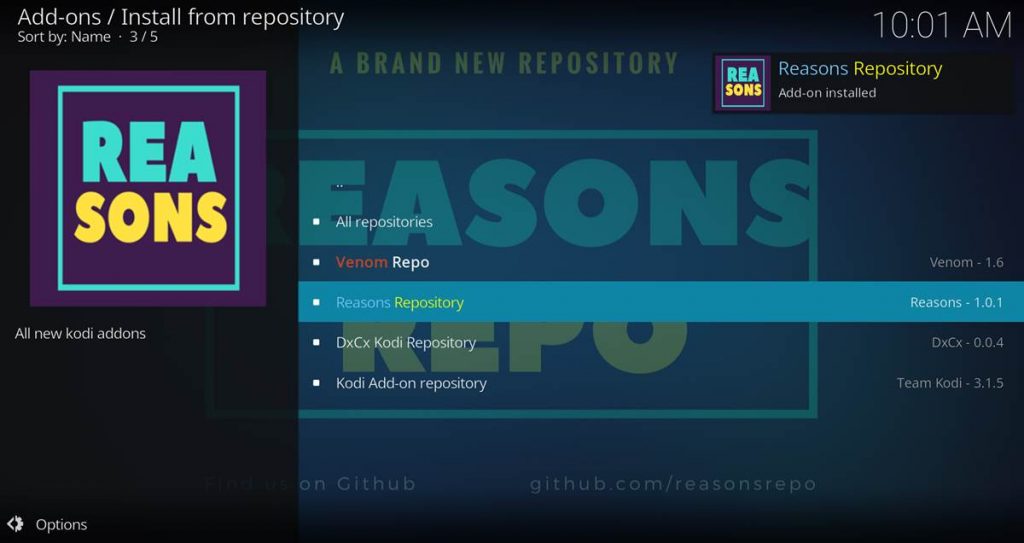
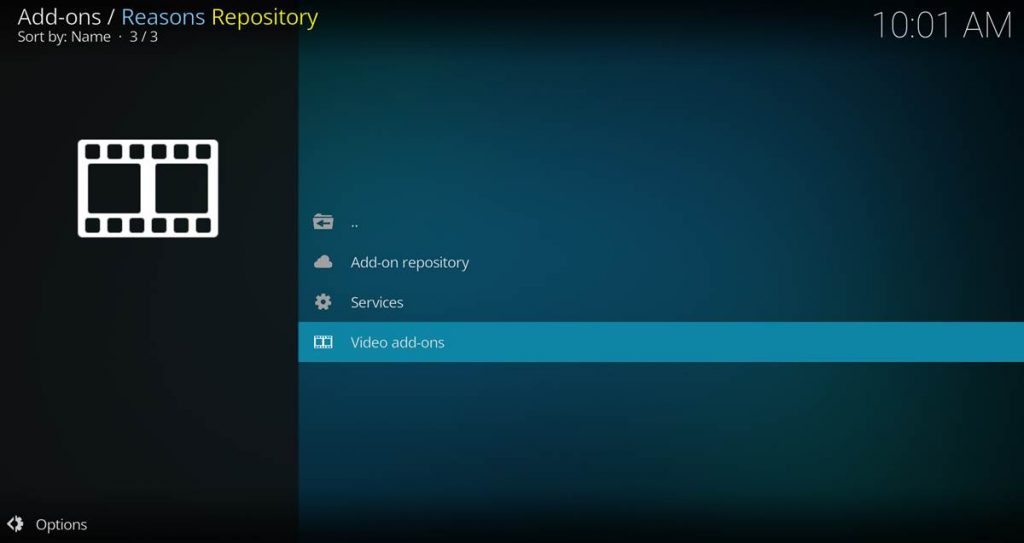
Any Questions? Let me know
Thanks for coming to Kinkead Tech to learn how to install Einthusan on your Kodi. If you enjoy my tutorials, please subscribe to my weekly email.
If you run into any issue when trying to install Einthusan, please let me know in the comments below. I love to help. Thanks.


After entering Reasons repo source and clicking on install from zip file, reasons repo directory is empty. Any solution??
Looks like it’s hitting an error, 429 Too Many Requests
Ram, there is a new file source. I updated the post.
Hi my name is Raj,
My Einthusan addon is not working, i tried removing and putting it back, but no results, and the reasons source is empty, so no zipfile,
can anybody help me pls? I realy am addicted to this Addon,
thnx in advance,
Raj
Raj,
The Reasons Repo is now offline. But, you can still install via the GitHub Browser.
Raj, there is a new file source. I updated the post.
Where and how do i find tne source, and how do install at my kodi device,?
Or is it in the reasons repo, wich you have put the new source?
There’s a new file source for the Reasons repo which I’ve updated in this tutorial. So, just follow this tutorial, and you should be all set. Let me know if you have any trouble.
Hi
This add-on was working fine before like in July but does not work anymore. I followed your instructions and the add-on is updated to 1.4.7. I am able to click on Hindi then Recent and then Recently posted. I can see the movies but when I can click on any one of them, I get an error message “Play back failed. One or more items failed to play. Check the log for more information about this message”. In the backgroud, I get a red X and it says Einthusan error. Check the log for more information.
Please help me fix this issue. Thanks
I am using the a4k link on this post, but the file is empty. Is there any other file source?
I just checked it again, and don’t see anything empty it looks like everything is there. If you open the URL in your browser, do you see the directory listing? If not, it may be blocked with content filtering from your router or ISP. If that is happening, you should try using a VPN or you will have problems with Kodi.
hi sir
when i tried to play einthusan on amazon fire as well as in my computer, when i click to play a particular movie, it says that einthusan error. Please look for the log file. What is the problem? I was getting well in the month of January, 2020.
Can you please provide a solution for this problem.
I installed this addon in Firetv Leia latest version. Einthusan lists files. However get error when I play them. Some index out of range error in script with latest einthusan zip.
Einthusan not working. Giving error
Einthusan is not working….. i tried number of time with reasons repo
Hello, try Eintamil Repo for Einthusan Addon