
I’ve talked before about how SALTS is the Best Genesis Alternative for Kodi and also how to set up Kodi SALTS Library Integration Using a Subscription List. But, now I’m getting back to the basics for those of you that would like a clear instructions on how to install the SALTS add-on in Kodi.
Plus, on top of that, I’ll show you how to set up Real-Debrid integration so that you can get the most out of SALTS.
If you don’t already know how awesome Real-Debrid is, having a Real-Debrid subscription and having it hooked up to SALTS is night and day difference because Real-Debrid is a bundle subscription that gives you unlimited HD streaming from lots of hosters which makes your Kodi streaming experience a lot more reliable, hassle-free and enjoyable. Get your Real-Debrid account here.
How to Install the SALTS Add-on in Kodi
Here’s a video tutorial. You can watch that or just scroll down to see set by step instructions with screenshots.
- Go to the Setting sub-menu and select “Files Manager”
- Add a source and type the path “http://fusion.tvaddons.ag” and then give it the name “Fusion”.
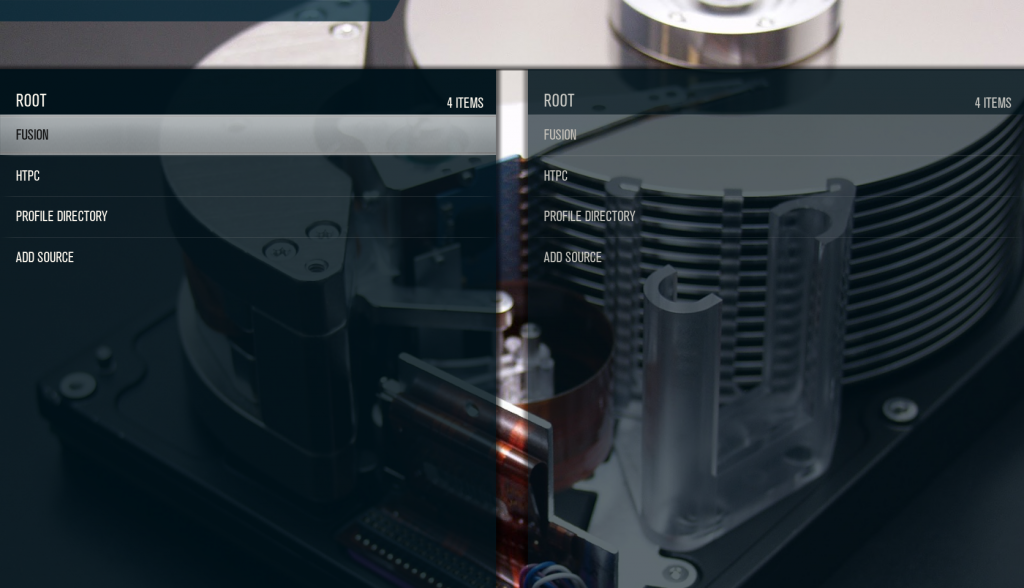
- Go to Settings > Add-ons > Install from Zip File > Fusion > XBMC-Repos > English > repository.tknorris.release-1.0.2.zip

- Go to Settings > Add-ons > Install from Repository > Tknorris Release Repository > Video Add-ons > Stream All The Sources
How To Install Real-Debrid for SALTS
- Sign up for an account at Real-Debrid.com and subscribe for a certain number of days.

- In SALTS, go to Settings > URL Resolver Settings > Universal Resolvers, and under Real-Debrid, turn on “Enabled” and set the Priority to 90. Save.
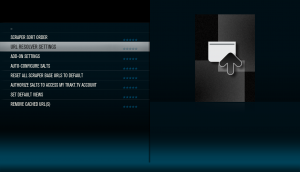
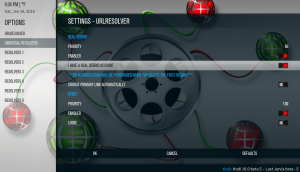
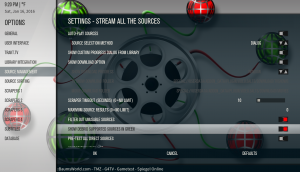
- Go search for a show in SALTS and play an episode. You should see new links in green. (If not, check the Source Management page in the SALTS add-on settings since there is an option for “Show Debrid supported sources in green”). Play one of the green links.

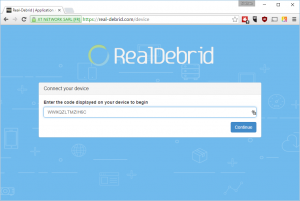
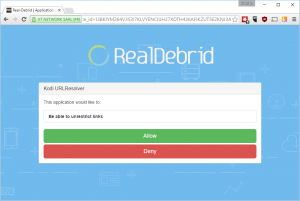
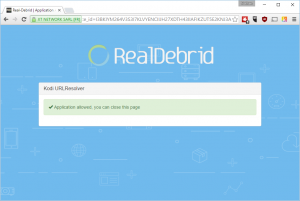
- You will then see a prompt to go to http://real-debrid.com/device and enter a code. Enter that code into the web page and click “Allow” on the next page. Your video will automatically start playing in Kodi.



Set up SALTS Library Integration
Now, if you want to take this experience to the next level by merging your favorite shows from SALTS into your Kodi video library you need to check out this tutorial! This library integration feature makes it so newly aired episodes of your favorite shows can appear right on your home screen (using a widget) or on the Recently Added page.
Keep Your Kodi Streaming Private
Better safe than sorry! I always recommend to Kodi users who are streaming with unofficial add-ons like this to play it safe and use a VPN. A VPN will encrypt all of your data in and out of your home theater PC or even your entire house. It also relays your data through a VPN server which you can pick from all over the world or make it random.
The results?
- Servers where you download from will not know where you are geographically (great for accessing geo-blocked content on Netflix and other services)
- Your ISP (Internet Service Provider) will not be able to tell what you are downloading or where you are downloading it from.
I personally use IPVanish and it works great out of the box and also has a nice interface for you to be in complete control over managing what server you connect to and other settings. They also have 400+ servers around the worlds with great speed so you won’t see any drop in bandwidth speed.
Enjoy the Next Generation of Kodi Streaming With SALTS and Real-Debrid!
If you have any issues setting this up, please leave me a comment below and I’ll try to help. Thanks!
Oh, and if you would like a simple weekly email update of new tips and tutorials, get on my email list here…


Dear Nathan, i followed your steps closely however I cannot change my priority to 90. I then continued not knowing how imperative the 90 issue is and followed with the prompt code message.
i could not enter the code either.
Can you please explain.
It sounds like you have an old skin that doesn’t support entering numbers. Try changing to a different skin and give it another try.
Sorry,
How many many days should we subscribe to Real-Debrid??
However many days you feel comfortable purchasing. If you’re hesitant that you will use it, then pick a small number of days. But if you’re pretty sure you are going to be using it a lot, go with more days to save in the long run.
[…] Update Jan 2016: I've now moved on from Genesis and I'm using SALTS now and really liking it! Check out my post about what I like about SALTS as well as my SALTS installation tutorial. […]
Can SALT be installed easily on an Amazon Firestick?
Yes, if you have Kodi running on a Fire Stick, SALTS should work on it just fine.
I just want opinions
Updated the post with a tutorial video… enjoy!
I lost my autorization code and now when i click on the link it comes up “link resolve failed”.
Is there anyway to get a new code for my device?
Sometimes you just get that error on some links, but if you need to, you can uninstall an reinstall the URL Resolver add-on.
subscribe for a certain number of days? how much is it per day? (US)
Sign up for a free account, and then click on the Premium button to see the prices. It’s different depending on how many days you pay for at once.
[…] SALTS add-on already has this instegration, and it's awesome! It has actually made me think that I no longer […]
After I added Fusion and clicked it to make sure it worked it says could not connect to network server. But my Internet connection is working. What does that mean
Myesha, did you type it in correctly? It should be…
http://fusion.tvaddons.ag
i’m using kodi salts and real debrid on an m8s android box and not on my computer. i’ve paid for 30 days.
the first time I use kodi to stream a movie it asks me to enter an activation code on real debrid’s web site. do I need to enter the activation code while I have kodi open or can I close kodi and go to another browser on the android box and enter it? I’m not aware of a web browser within kodi itself to enter the code. Is their one?
I tried exiting out of kodi and entering the code on a browser that comes with the android box but when I went back into kodi the movie did not start playing.
also do I need to enter an activation code for every movie I want to stream or only the first time?
thanks
Go ahead and try entering the code on a separate computer. I think it might work.
[…] How to Install Kodi SALTS with Real-Debrid […]
Salts is much slower in menus then genesis…i have salts genesis exodus and realdebrid and salts is the slowest one..
Good point, Alen. So do you prefer Exodus over SALTS because of menu navigation speed?
[…] I’ve talked before about how SALTS is the Best Genesis Alternative for Kodi and also how to set up Kodi SALTS Library Integration Using a Subscription List. But, now I’m getting back to the basics for those of you that would like a clear instructions on how to Kinkead Tech […]
[…] using an unofficial Kodi add-on like SALTS or […]
[…] using an unofficial Kodi add-on like SALTS or […]
[…] two favorite add-ons are SALTS (Stream All The Sources) and Exodus. I've written installation tutorials for each one, so check out those links if you […]
[…] How to Install Kodi SALTS with Real-Debrid […]
Real-debrid works on iPad but on my apple tv 4 I get url resolver error ??
Have you done all the steps to authorize Real-Debrid on both devices individually? If it is authorized, I’m not sure what else might be going on to cause it to not work.
Hello, I am trying to add the fusion source and every time I click on it kicks me out back to home screen. How do I fix this?
Woah, I’ve never seen that before. I assume you tried restarting Kodi, right? If that doesn’t work, I would probably try reinstalling the latest version of Kodi.
There is NO free option anymore. Also it wont accept my payments.
There never has been a free option. Yes, you could sign up for an account for free and take advantage of their happy hour, but outside of that, it was always a paid service. Sorry to hear you’re having issues with their payment system. You should contact them or possibly your bank in case it was incorrectly flagged as fraud.