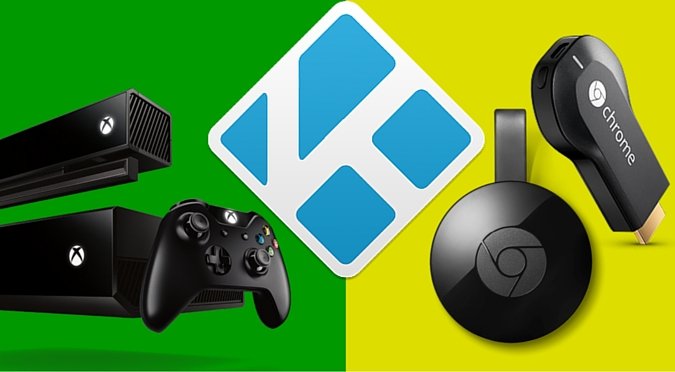
One thing I’ve heard many people ask about is if there is any way to stream Kodi to Chromecast, Xbox One, Apple TV, Amazon Fire Stick or any other DLNA capable video streaming device.
Well, if you use Kodi on Android, I’m excited to share that it is possible, and it’s actually pretty easy and completely free! Here’s how.
https://www.youtube.com/watch?v=3GdSsMmDCb8
Android Apps and Files You Will Need
- ES File Explorer
- Kodi for Android from the Google Play Store (auto-updates) or from Kodi.tv (manual)
- LocalCast
- PlayerCoreFactory.xml File
Setup Kodi on Android to Play Videos to LocalCast
All you need to do is take that xml file and place it in userdata folder.
In order to do that follow these steps:
- Download the xml file to your Android device using your browser, it should go in to a Download folder.
- Open ES File Explorer, and go into the settings and check the box to show hidden files.
- Go into the Download folder and copy the xml file that should be there.
- Go to /Android/data/org.xbmc.kodi/files/.kodi/userdata/ and paste the xml file there.
Play Kodi Videos to Stream to Chromecast, Xbox One, Apple TV or any other DLNA Device
Go ahead and try it out. When you play a video in Kodi on your Android device, it will open LocalCast to then let you choose which device to stream it to. Enjoy!
How to Stream Kodi Video Add-on Content (like Exodus, SALTS, etc) to Chromecast or other DLNA devices
At first, I thought it was impossible to stream a video off of an add-on like Exodus or SALTS, however, it is possible!
Note that not all sources will work using this method as some source providers include metadata in the stream URL which LocalCast will not be able to interpret (constant loading or connecting message).
Before trying to cast, always launch LocalCast first, click on cast button (yellow, bottom right), and connect to the DLNA renderer you want to cast to.
Troubleshooting Tips
If playing a video in Kodi doesn’t open LocalCast, try the following:
- Check that the playercorefactory.xml file was placed in the userdata folder correctly.
- Check that the playercorefactory.xml file downloaded properly and is complete. Try deleting it and downloading another copy.
- Check that the playercorefactory.xml file is spelled correctly.
- Check that LocalCast was installed properly.
Read the following if you have trouble with a non-stop “Loading” message in LocalCast when trying to stream to Xbox One:
- Completely shut down your Xbox One.
- Completely shut down your Android streaming device.
- Connect to your router’s admin control panel (192.168.1.1 or 192.168.0.1 and look-up your default admin login if you don’t know it).
- Go into advanced settings and reboot your router.
- After router has rebooted, power on your Xbox One and Android streaming device.
- Run the LocalCast app to make sure it connects to your Xbox One.
- Run the Xbox Video app on your Xbox One.
- Run the Kodi app on your Android streaming device and play a video.
If you’re having trouble trying to stream from a video add-on like Exodus or SALTS, first verify you can cast local media from your streaming device
- In SALTS go to movies, trending movies, pick a random movie, hard click to get menu, select “Play Trailer” (trailers have always worked for me since they are hosted in google repositories which do not send invalid metadata in stream URL)
- If the trailer was cast and displayed successfully then your configuration is correct, problem is with source stream URL (try another source)
- To view all sources in SALTS when auto-run is enabled: hard click movieshowetc., pick “Select Source”
- If using IceFilms, you can disable metadata from add-on menu
My Recommendation to Kodi Users
I always recommend to Kodi users who are streaming with unofficial add-ons to play it safe and use a VPN.
A VPN will encrypt all of your data in and out of your home theater PC or even your entire house. It also relays your data through a VPN server which you can pick from all over the world or make it random. Here’s what that does…
- Servers where you download from will not know where you are geographically located (great for accessing geo-blocked content on Netflix and other services that you might want to Chromecast)
- Your ISP (Internet Service Provider) will not be able to tell what you are downloading or where you are downloading it from.
I personally use IPVanish and it works great out of the box and also has a nice interface for you to be in complete control over managing what server you connect to and other settings. They also have 500+ servers around the worlds with great speed so you won’t see any drop in bandwidth speed.


Is there any way to stop automatically casting from kodi once installed? Thanks
You’d have to remove the xml file from the userdata folder to put Kodi back to it’s default player.
thanks, The family weren’t happy when I went upstairs to watch football and it turned the downstairs telly over!
Is there not a more user friendly way of switching between device screen and localcast on the fly? I wish there was a prompt right when you select the video in Kodi to choose whether you want to watch it on the device or cast the video.
That would be really cool. I don’t know of a way to do it, but anyone out there know how to develop a solution like this?
Hola, realice todos los pasos y me funciono el problema esta en que cuando reproduzco una serie solo transimite el audio y no aparece la imagen. Que puedo hacer o por que pasa esto?
Great post Nathan. Quick question does the Xbox one need to be on the same Wireless network as my android? I was USB tethering my data with the Xbox. Localcast doesn’t seem to pick up my Xbox.
Yes, it would have to be on the same network.
Nathan, great info. I have downloaded kodi on my windows pc. I also have an xbox one and i keep getting the message that there are no files in the xbox media player. what am i missing?
Have you followed all the instructions, turn on upnp sharing in the Kodi settings and have libraries of shows, movies, or music setup in Kodi?
Yes, I have enabled upnp in the kodi settings. Where do I find the kodi library? When I find, do I save movies, etc into the library? Anything other possibilities? Thanks
To add a library, you need to add a video source that points to physical video files on a hard drive.
Also, can I use wifi or do i need to use a hdmi cable? Does it matter?
I’m not sure what you’re asking about. This tutorial is all about streaming video over wifi via DLNA.
I followed your directions and when i went to stream from kodi to my chromecast a message came up and said “something went wrong. Something about a codec or format chromecast doesn’t support or not available e.g. the internet stream was deleted. What do i do please?!? Anyone …
Are you casting a video file that is stored locally? You can’t cast video content from streaming add-ons because they are just pointer files that the DLNA player doesn’t know what to do with. You could, however, use a download option and then cast that file.
Is there any possible way to stream Kodi Exodus to Chromecast via a mac laptop without the use of the “cast screen/window (experimental)” option in Chrome?
I don’t think so. There are several comments here asking similar things. All these Kodi video add-ons work in a very similar way, and the problem is that the video file is just a stream file that only that add-on can play.
/.Kodi/userdata doesn’t appear in files for some reason.
In the settings for that Android file manager app (ES File Explorer it look like?) there is a setting to show hidden files.
How do I cast a movie in 16:9 ratio with that method, because right now it 4:3, but when I change it on KODI playback settings it does not work.
Kodi playback settings won’t affect it. You’ll have to control playback settings on the device you’re DLNA streaming to.
Okay but do you know some other upnp player that have this function, because Localcast only have zoom, but not ratio settings. Thanks!
I don’t. I think it might be more having to do with the technology rather than the app.
Okay thank for taking time to response, it is much appreciated!
If you’re not using an Android device, is there a way to do this with Kodi running on Mac OS X?
[…] One thing I’ve heard many people ask about is if there is any way to stream videos from Kodi (formerly XBMC) running on Android to something like a Chromecast, Xbox One, Apple TV, Amazon Fire Stick or any other DLNA capable video streaming device. Well, Kinkead Tech […]
You are a GOD thank you so much. I’ve been watching kodi on my galaxy note 4 for ages but finally able to stream through my xbox one. Thank you!!!
You’re welcome!
[…] How to Stream Kodi to Chromecast, Xbox One, DLNA Devices […]
It is possible to cast streams from video add-ons such as SALTS using this method, however there are some missing config steps.
Also note that not all sources will work using this method as some source providers include metadata in the stream URL which LocalCast will not be able to interpret (constant loading or connecting message).
Missing steps, which I would recommend to enable when trying to do any casting from Kodi:
– Launch Kodi, click on System
– Select Services
– Select UPnP / DNLA
– Verify all options are enabled
– Select Web server
– Enable allow remote control via HTTP
– Select Remote Control
– Verify all options are enabled
– Open LocalCast
– Click on cast button (yellow, bottom right)
– Click Change button
– Verify DNLA renders s enabled, click OK
– Restart streaming device
Before trying to cast, always launch LocalCast first, click on cast button (yellow, bottom right), and connect to the renderer you want to cast to.
To troubleshoot verify:
– Follow initial troubleshooting steps in article
– Verify you can cast local media from your streaming device
– In SALTS go to movies, trending movies, pick a random movie, hard click to get menu, select “Play Trailer” (trailers have always worked for me since they are hosted in google repositories which do not send invalid metadata in stream URL)
– If the trailer was cast and displayed successfully then your configuration is correct, problem is with source stream URL (try another source)
– To view all sources in SALTS when auto-run is enabled: hard click movieshowetc., pick “Select Source”
– If using IceFilms, you can disable metadata from add-on menu
SamM, thanks for the tips!
Yea thanks, works with exodus too.
Hi there, I’m trying to stream exodus from my pc to my smart TV via
DLNA but In the tv. In the tv app it detects Kodi ok but it only shows
My videos and My Music which are the local libraries in my PC linked in
Kodi. How do I access Exodus ? The Add-on option doesn’t show up in
the TV …
Thanks
This tutorial won’t work for your case. Is there no way to plug the PC into the TV via HDMI cable? I can’t think of any other way that would have decent quality.
Yes I could connect via hdml but the whole point was to do it wireless …
Thanks anyway
Hi Nathan. I am an amateur technology enthusiast and not a very rich savvy one at that. But your instructions to show Kodi movie streams on Apple TV was a godsend. How do I revert back to watching a movie on my Android smart phone if so desired?
Cheers,
Ken
Just rename the PlayerCoreFactory.xml to something else and restart Kodi.
Works on my Chromecast but not Panasonic Blu-ray. The error is cannot play. Maybe I need a closer look at the XML file. Would love to stream exodus with the Blu-ray as well as Chromecast. Thanks for the article. I tried cast screen which the audio cut out. Localcast with XML file to Chromecast works, with exodus.
Thanks for the post!
When using this method to stream kodi from an android device to a chromecast, where is the source streamed from? Is the source link established from localcast so that if you have pia set up on kodi, it wouldnt matter as the data from the localcast app wouldnt be going through it? Also when the android device has a vpn connection established via the pia app, it cannot connect to the chromecast.
Are you able to advise how to get this method working whilst still using the pia service?
Thanks :-)
Snooze, great points. However, I believe that having a device using a VPN for private internet access should still allow it to connect to other devices on the LAN.
Regardless, the feature you get with this tutorial was more of a “look what I can do”, but it’s not really the most ideal setup for your regular TV watching. This is because all of the data is streaming through the Android device into the Kodi app and then from LocalCast to the DLNA renderer. It’s much more efficient to have a HTPC or Kodi box that streams it and just displays to the TV via HDMI.
Thank you for an amazingly concise tutorial. It is a pleasure to read and follow and best of all worked exactly as you described. Now if I could find such clear instruction somewhere, to root and upgrade my android device I’d be a very happy camper. Thanks again
Derekdc, in my experience in rooting many Android devices over the years, the go-to place to look is at http://forum.xda-developers.com
[…] How to stream kodi to chromecast, xbox one, dlna devices Easy and free: stream videos from kodi (xbmc) running on android to chromecast, xbox one, apple tv, or any other dlna capable video streaming device.. […]
I like to jump between tv and phone viewing. How can I stop it from casting to my xbox when I want to watch movies on my phone? Thanks
Hi Nathan, this is great! I followed everything and it worked! Streaming from an Android device to a LG smart TV. But no subtitles, video and audio ok. Anyone notice that? Any idea? Is the format/extension of the file (srt)?
Pedro, yes, the quality is not 100% because it is downloading it to your phone and then streaming it to the DLNA renderer. And, yes, it doesn’t include subtitles because that’s something that’s overlayed by the Kodi interface and not part of the actual file.
Just rename that XML file and it will go back to viewing on the phone.
I have a Raspberry Pi running Kodi and I’d love if it could function like a Chromecast in the sense that I could just cast from my phone to Kodi. Is this possible ??
Hi Nathan, very nice workaround, works fine! It works very well with exodus, does it work with other addons? And another question, is there a way i can apply this workaround to work with amazon prime?
What do you mean about working with Amazon Prime? Do you mean Fire Stick? Or do you mean streaming Amazon Prime Instant Video via DLNA?
yes stream amazon prime video via dlna…
There’s lots of stuff out there when I did a quick Google search. How’s this workaround? http://chromecasthelp.net/chromecast-amazon-prime-instant-video-android/
Is it possible to stream kodi videos to my smart tv from my windows 10 pc?
Do you mean using DLNA instead of just an HDMI cable?
Using dlna, I am getting a smart TV that doesn’t have Android TV, will I able to stream exodus movies directly to the TV?
Hi Nathan, ive followed all the instructions and can successfully stream from exodus via Kodi to an Xbox One, i am however struggling to stream to the apple TV as this doesnt appear in Localcast as an option, any ideas?
Hmmm, I don’t. Apple TV should be acting as a DLNA renderer to receive video casting from devices like yours running Localcast. I would recommend you check the settings on your Apple TV to see if the feature is disabled or something.
Hey Nathan. Great article, thank you for your efforts.I followed instructions for connecting to xbox. Worked perfect for the first tv show i tested with. I have since tried to watch something else but regardless of what i choose it only casts the first tv show i tested with (even when choosing different source and even using different programs on kodi) any ideas why and how to correct? Thanks
Interesting. Thanks for sharing your update.
Hello Nathan! Thanks for the video.. I’m having some issues following your steps. I open the Movies and Tv (formerly xbox video) on the Xbox and try to play a movie from my phone. When Local Cast launches nothing comes up in the device list. Do you know where I went wrong?
Hmm, maybe check your router to allow upnp broadcasting.
Thanks for your quick reply. I actually got it working minutes before you commented. All it took was for me to Uninstall and reinstall the local cast app
I have set up my LocalCast and everything works great from my android to my TV but when I want to watch on my phone when I’m away from my TV it keeps trying to connect to localcast and I can not watch on phone anymore? Any help?
You have to rename that xml file and then relaunch Kodi.
Every time?
Yes, any time you want to switch between those modes, you would have to name that XML file something different or rename it back.
Hello Nathan, i have problem with subtitle when streaming kodi on smart tv. In kodi all works great but when use tvcast video work but no subtitles.
That’s correct. Subtitles are a function of the Kodi player. But in this case, Kodi is handing off the video source to another player. Unfortunately, I don’t think there is any way to get subtitles when using this setup of casting to another device.
Ok, thanks
Hello, I have done this and it works perfectly. Is there any way to then watch kodi on my android phone locally after setting this up?
Yes, you have to rename that XML file to something different, then open Kodi again and it will play locally.
I did every step for kodi. I downloaded all apps necessary when I try to stream a movie from exodus local cast will not open at all what to do
Yatse paid version that includes streaming support does the work for me for both tv with chromecast, smart tv the last two years. The only caveat is subs can’t be pushed with the video stream as well.
For few it works but for most of indian channels i get handbrake error on my TV. Any ideas?
What do you mean by “handbrake error”. Is your TV running handbrake software? I’m not sure how to help. I know that sometimes the format of the video might be something that the TV doesn’t know how to handle.
Hi, great item.
I’m running kodi on a Lenovo A10 Android tablet I stream to my Samsung smart TV using the screen casting function, works great.
My problem occurs when I use a VPN. It seems that the screen cast function and the VPN can’t run together. I have searched high and low but can’t find any way around this other than using a lead.
Your article gave me a glimmer of hope but alas I can’t make it work.
Should I just bite the bullet and accept the only way forward is using a lead.
Thanks.
Which VPN are you using? I know that IPVanish has a setting to allow LAN traffic which is what you would need for that to work.
Hi and thanks for the response.
I run Airvpn on the Openvpn for Android app. There’s an option to allow LAN traffic in the settings which I have enabled so presumably the TV and Localcast are on the same network.
When I open a video stream everything seems to work correctly, Localcast shows my TV but I get an error message on the TV saying the file type is not currently supported. When I stream using the Cast screen function the same video file plays flawlessly. Go figure.
I’ve seen that error message. It varies depending on the stream. Some streams are in a format that the TV doesn’t recognize, or they come with meta data that the TV doesn’t know how to handle. But, other times the streams work fine on the TV.
Do I have to keep ES File Explorer downloaded in order for it to keep working? Or can I delete it once I’ve successfully done the steps? (I’m new to all this stuff, no idea how it works lol but thank u for making it simple for me!)
I could delete it. It is not dependent on ES File Explorer. It is only the tool to download an APK file to the Fire TV.
However, you might want to keep it installed for when you want to get an update. You’ll need to follow the steps again when new versions are available.
Having a dedicated streaming box (home theater PC) is really the best way to do it. This whole streaming over DLNA is more of a neat “look what I can do” type of thing, but not too practical. Read this… https://kinkeadtech.com/complete-guide-ultimate-kodi-setup/
Hi, good read thanks.
For the time being I’ve installed kodi on my phone, I fire up the VPN and connect to the TV using HDMI over MHL.
Works well, just frustrated that I couldn’t get it working on my tablet.
Thanks again and keep up the good work.
Hey Nathan, I feel I’ve done everything right, but I just keep getting the constant loading screen when trying to stream to xbox one. Says localcast is connected and when I play in kodi, localcast pops p but keeps loading. I’ve tried restarting several different times already. I don’t get it.
Ah, yes. Xbox and other DLNA renderers only know how to handle streams of certain types. Most Exodus streams work, but sometimes you do run into this issue.
I seem to get an error on my xbox it keeps telling me “that the file isn’t playable. That might be because the file type is unsupporred, the file extension is incorrect, or the file is corrupt.” It then gives me the following error code:0xc00d36c4
Yes, that happens sometimes because the steaming video files could be in various file formats, and your player may or may not be able to play them all.
This works great but unfortunately I can’t use ipvanish while trying to stream to an Xbox one since my device and Xbox have to be on the same network
I am using this to cast to a roku s.e., sometimes it works but a lot of the time I have to hit the play button on local cast and on my t.v. screen ( which is showing the local cast design) it says play slide show , and the nothing happens… Any idea how I can get it to stop registering as a slide show???
The video was registering as a slideshow? That’s weird. I wonder if it’s a format that it doesn’t recognize. Try some other formats or links to see if it’s always happening or just sometimes.
I did this exactly as listed and it worked 100% from the very first time on my XB1.
Awesome!
I have enabled so presumably the TV and Localcast are on the same network.
When I open a video stream everything seems to work correctly, Localcast shows my TV but I get an error message on the TV saying the file type is not currently supported. When I stream using the Cast screen function the same video file plays flawlessly. Go figure. Read https://www.techavy.com/kodi-on-chromecast/. For the time being I’ve installed kodi on my phone, I fire up the VPN and connect to the TV using HDMI over MHL.
Works well, just frustrated that I couldn’t get it working on my tablet.
Thanks again and keep up the good work.
I was looking for How i can Stream Kodi to Chromecast, greatfuly found your article and now i know how to do it, really appreciate
Glad to help!
I was looking for How i can Stream Kodi to Chromecast, greatfuly found your article and now i know how to do it, really appreciate
You’re welcome!
does this work for kodi 19.x version/s?