Since the latest version 6 of the Exodus add-on hasn’t been updated since June 2018 (at the time of writing this), there is a new fork of Exodus that is a great alternative. It’s called Exodus Redux.
Besides the original Exodus add-on, we’ve also seen all the Mr. Blamo add-ons go down, get moved to the Magicality repo which also went down. With so many add-ons going down or being abandoned, Exodus Redux is a great option.
Not only is Exodus Redux a great option, but it has now quickly become the most popular Kodi add-on at the beginning of 2019.
In this post, I’ll show you how to install the Exodus Redux on your Kodi.
NOTE: When using unofficial Kodi add-ons like Exodus Redux, always remember to protect your online privacy with a VPN.
Exodus Redux Kodi Add-on Details and Status
| Last Activity: | Status: | ||
| Add-on: | Exodus Redux (2.0.3) | Mar 13, 2019 | Online |
| Repo: | Exodus Redux | Nov 22, 2019 | Online |
| File Source: | https://kinkeadtech.com/repos (KinkeadTech) | Online | |
| GitHub Username: | I-A-C | ||
| Working? | |||
See all of the best Kodi streaming add-ons →
How to Install Exodus Redux Repo Using the GitHub Browser
This is the easiest way to install Exodus Redux if you already have the GitHub Browser add-on from TVAddons / Fusion.
If you want to use the GitHub Browser to install the Exodus Redux repo, then follow my tutorial on how to install the GitHub Browser. After you have the GitHub Browser add-on installed, you can easily install the Exodus Redux repo simply by searching for the GitHub username:
I-A-C
After you have installed the Exodus Redux repository, move on to learn how to install the Exodus Redux add-on from the Exodus Redux repo.
How to Install the Exodus Redux Repo from the KinkeadTech File Source
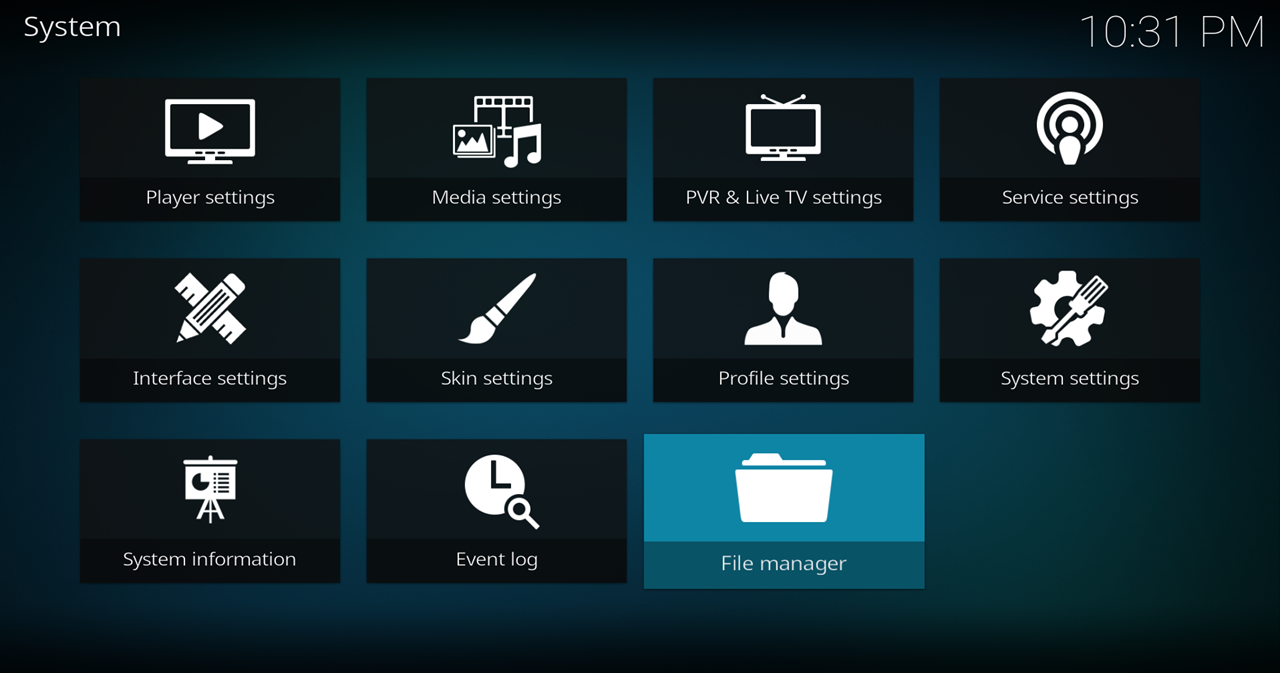
- Go to Settings (cog icon) > File Manager
- Select Add Source

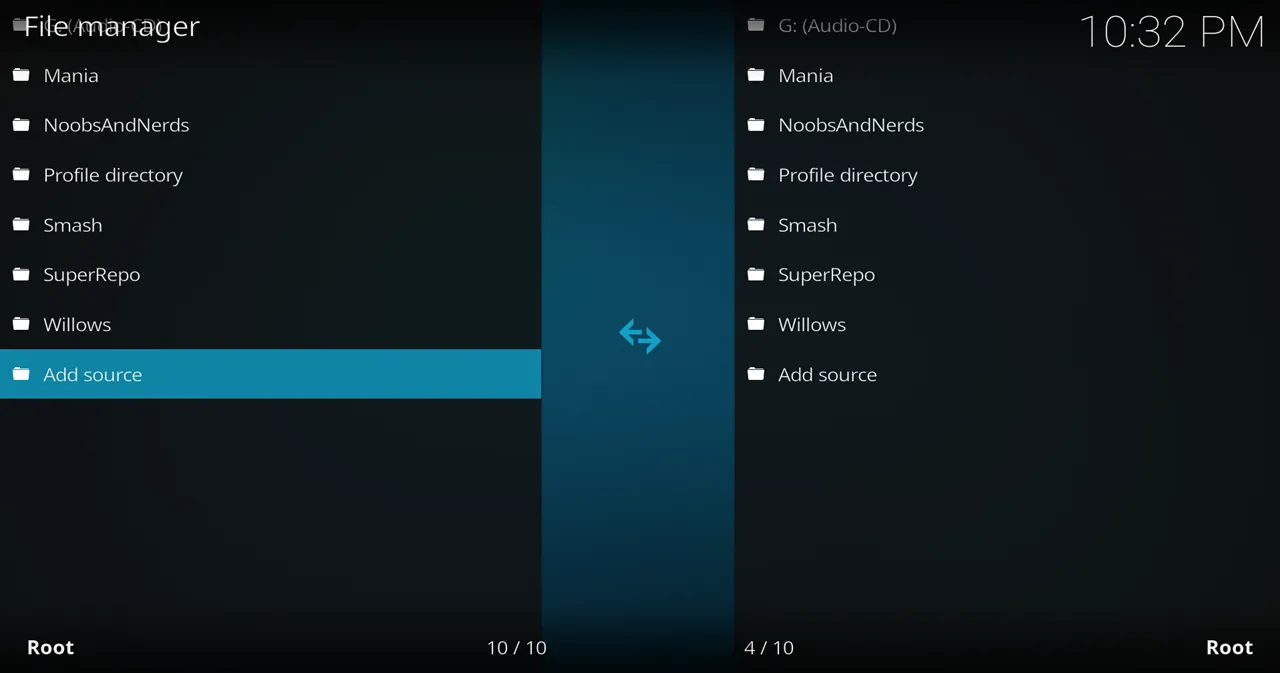
- Click on the <None> box and type in the URL of the repo server, exactly like this (case-sensitive):
https://kinkeadtech.com/repos
Hint: If you’re on a phone and the URL is too long, swipe sideways.
- Give it a name in the box below (name it KinkeadTech)
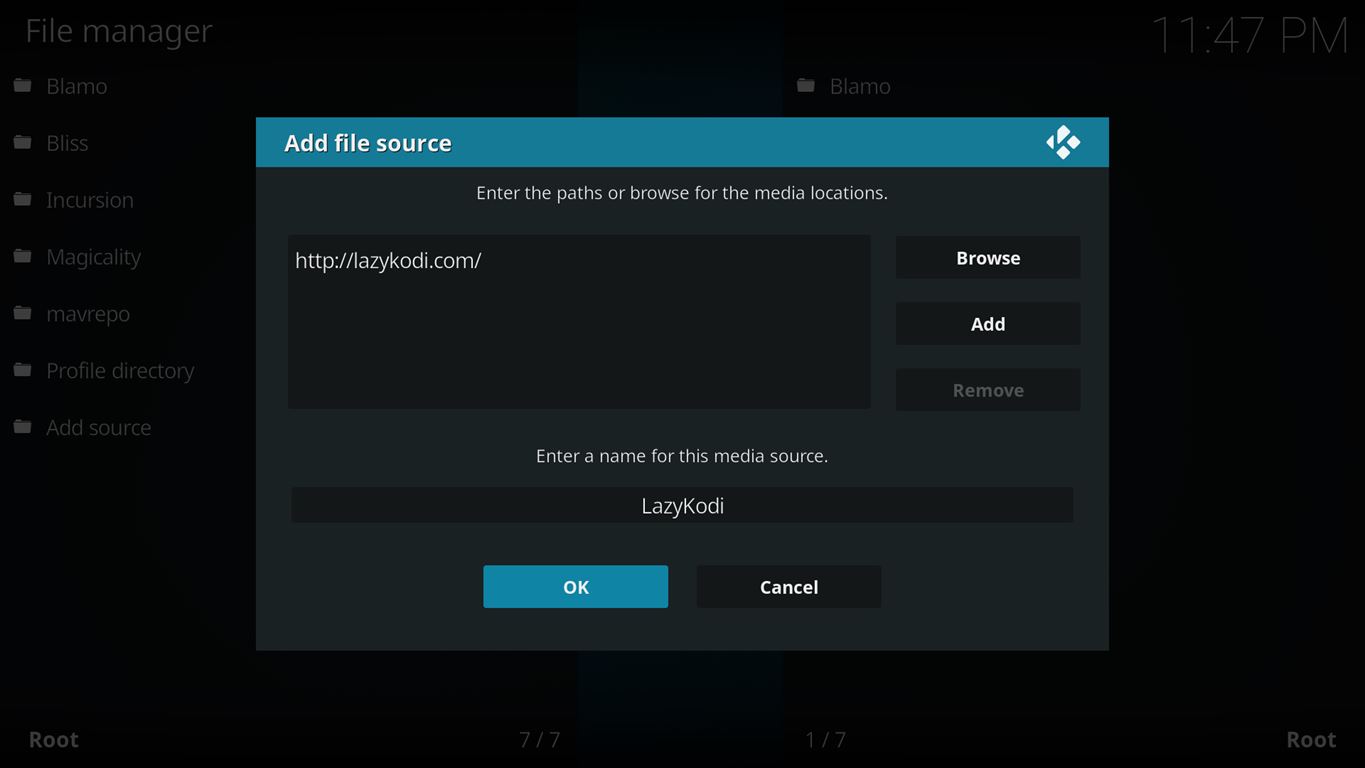
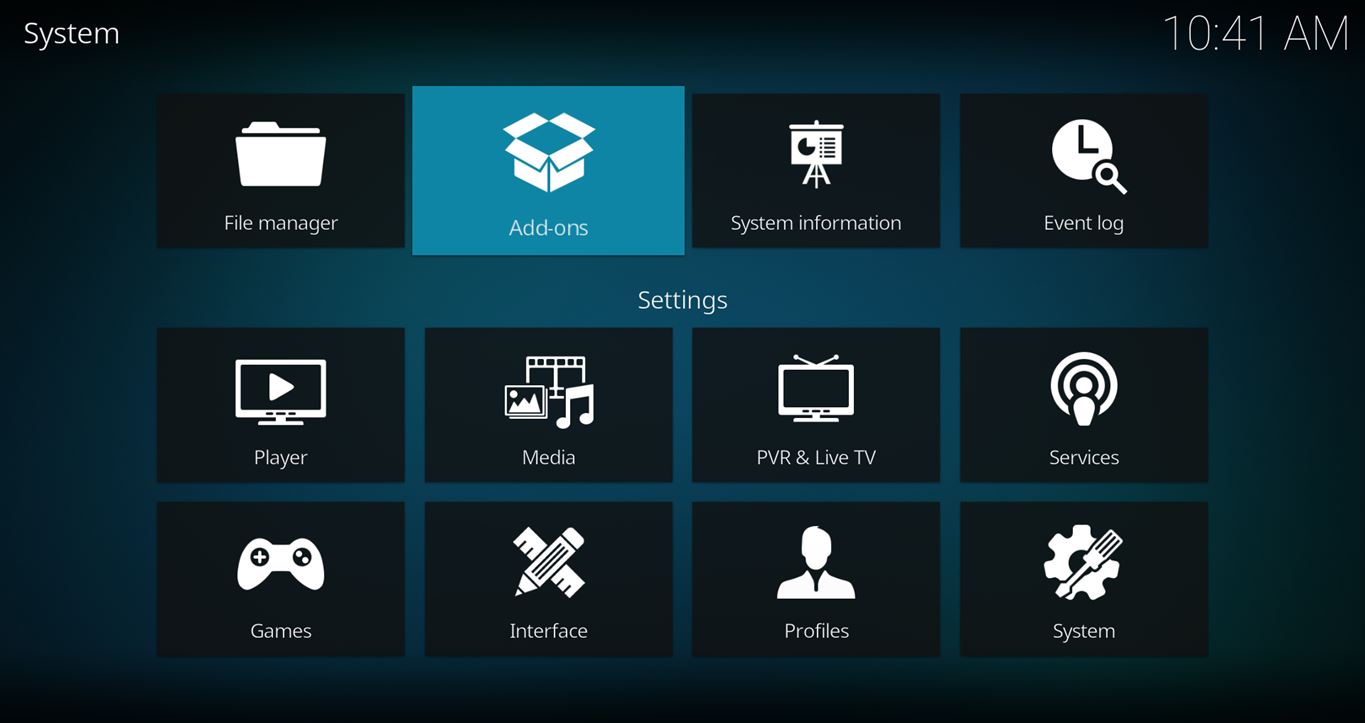
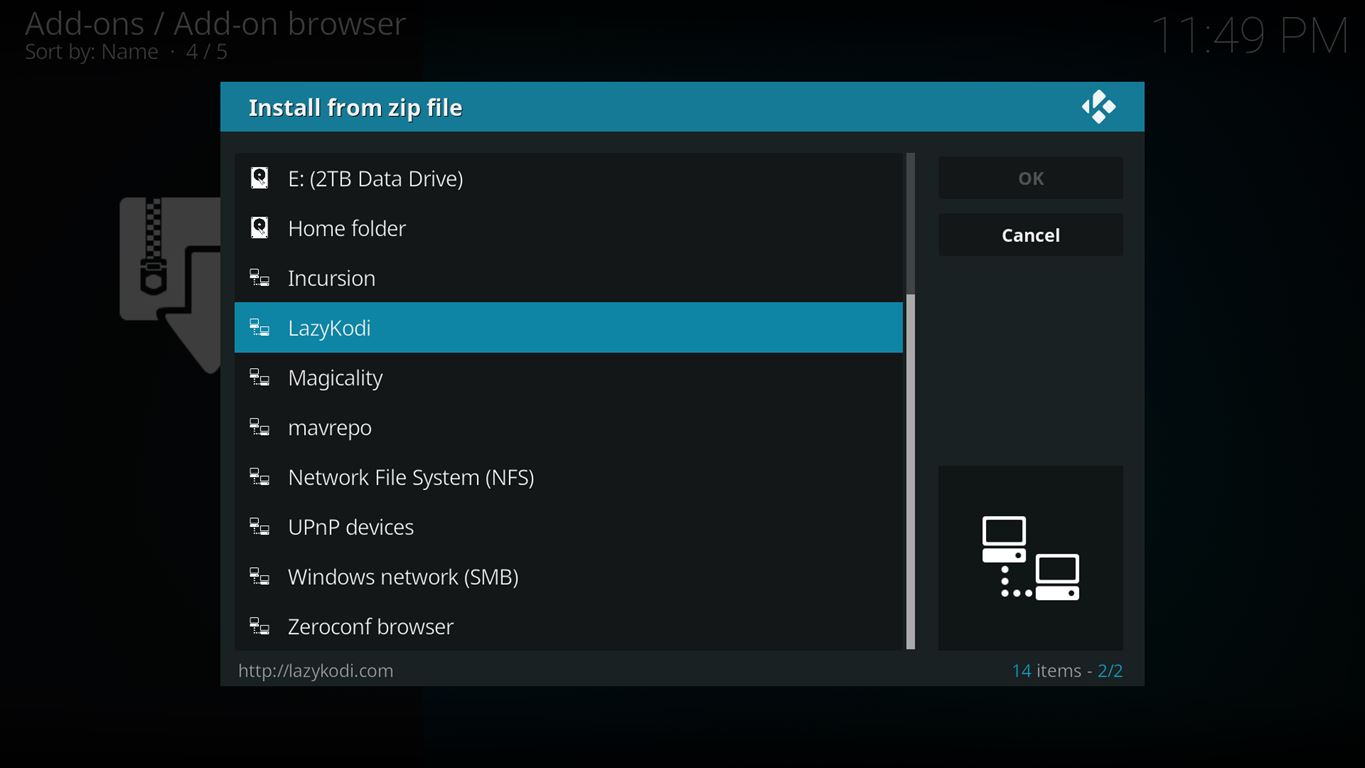
- Now, go to the Settings > Add-ons > Install from Zip File > KinkeadTech > REPOSITORIES > EXODUSREDUX > repository.exodusredux-x.x.x.zip



How to Install the Exodus Redux Add-on From the Exodus Redux Repo
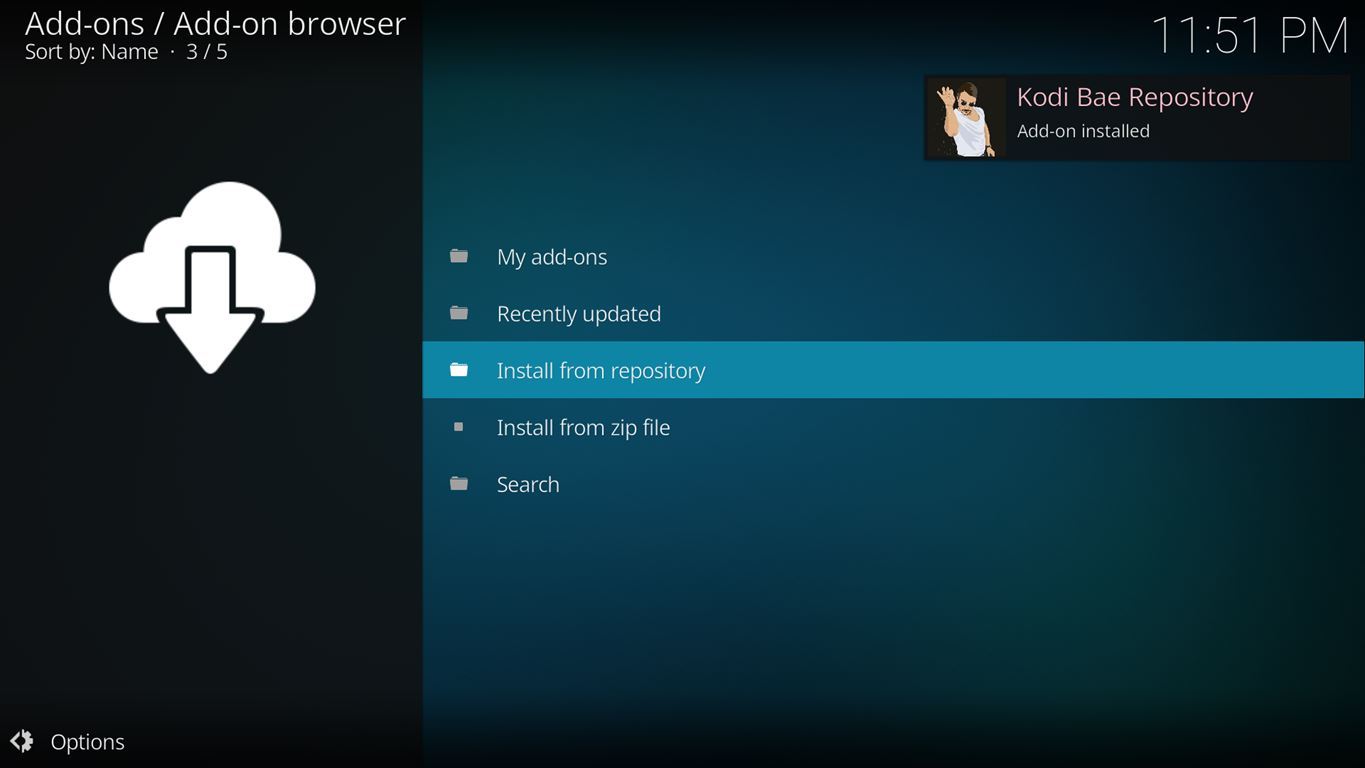
- After you have the Exodus Redux Repo installed, go back to the Settings > Add-ons screen and select Install from Repository > Exodus Redux Repo > Video add-ons > Exodus Redux > Install


How to Fix No Stream Available on Exodus Redux
If you find that no sources are found for any videos when using Exodus Redux, and it happens so fast that you realize that it’s not even trying, here is the fix.
Go into the settings for Exodus Redux (using the Tools menu in Exodus Redux), go to the Providers tab, and change the “Choose Module Provider Source” to “Lambda Scrapers“.
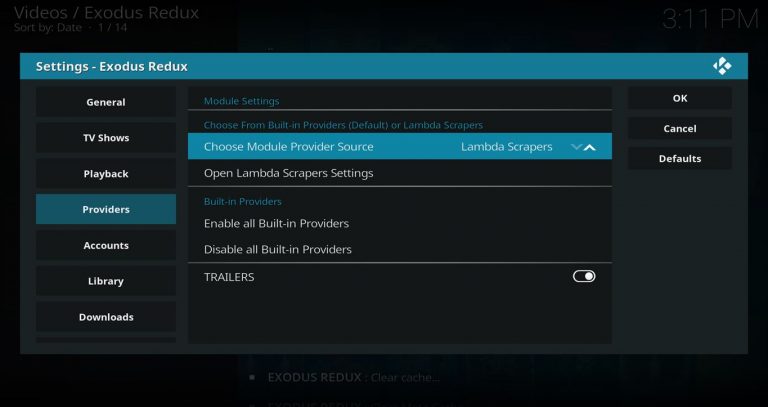
Now, select “Open Lambda Scrapers Settings”

Then, select “Enable All Providers (for current Module)”

After enabling providers, you should also clear providers inside Exodus Redux by going to Tools > Clear Providers
That should fix it! If you’re still having issues, let me know in the comments below. Thanks!
Any Questions? Let me know
Thanks for coming to Kinkead Tech to learn how to install Exodus Redux on your Kodi. If you enjoy my tutorials, please subscribe to my weekly email.
If you run into any issue when trying to install Exodus Redux, please let me know in the comments below. I love to help. Thanks.


Downloaded Exodus Redux but comes up no stream on all the tv shows I tried.Is there a problem with this add-on?
am getting the same problem…
I updated the post with the fix.
TY Nathan
You’re most welcome.
I updated the post with the fix at the bottom.
I got the same issue when I downloaded it as well. I’m going to uninstall and move on.
I can’t open the lambda scrapers settings to fix the “no stream available” issue
The button there, but just nothing opens? If so, have you tried restarting Kodi? If nothing helps, check your error log right after you click that button (when nothing happens).
Me too. I get an error message if I try to enable any scrapers. “Lambdascrapers module error”. Nothing in event logs :/
Were you able to get into the Lambda scrapers settings to enable all the providers?
Today’s update has broken it
What is it doing?
same issue with trying to change providers nuthing in long and jus gets a provider error…no movie coming up..idk hate this crap
Here are some tips I’ve heard helps. Give it a try.
– Go to ResolveURL settings and reset function cache.
– Clean Kodi cache and go back into ResolveURL and reset function cache again.
– Then go into Exodus Redux settings, clear providers, and restart Kodi.
The latest version does not let you choose provider modules. It’s hard set to open scrapers which finds very little. How do I install a version that will work with lambda scrapers now. Venom is doing the same as well.
Some of the add-ons don’t have any hard-coded scrapers and have you install them yourself. Seren is the one I’m thinking of off the top of my head, but I’m sure there are others.