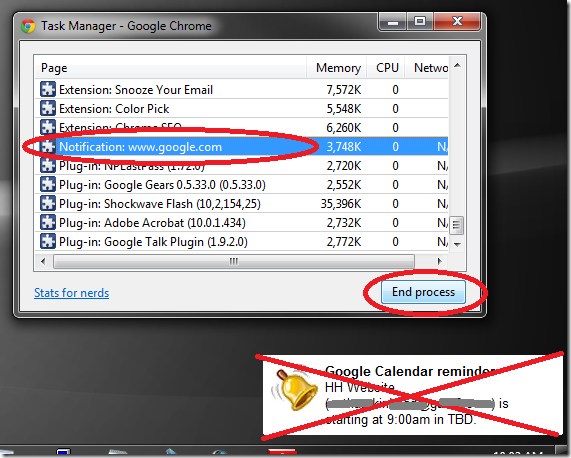
Using Google Chrome, I have the “Gentle Reminder” lab for Google Calendar enabled. Quite often, usually when the computer resumes from hibernation, a calendar remind in the bottom right corner loses the “X” close button and all of the rounded edges. You can’t click or right-click on it and it seems there’s no way to get rid of it except for restarting Chrome.
Well, don’t waste your time restarting Chrome. Just follow these steps to get rid of the phantom reminder…
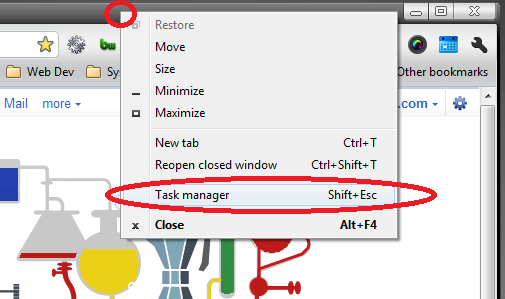
Right-click in an empty part of the Chrome title bar, and click on “Task manager”.
Find “Notification: www.google.com” and end the process.
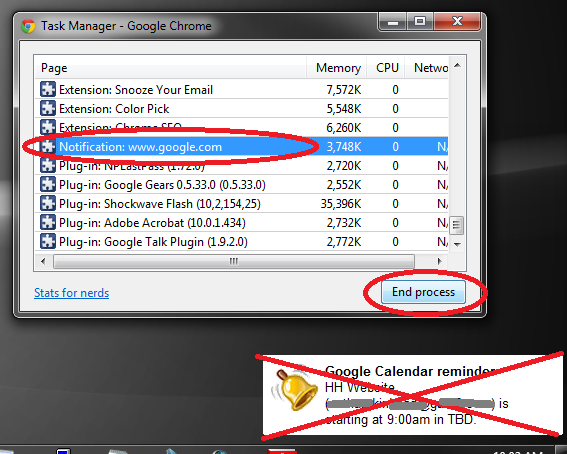
Bye bye, reminder!


These pieces really set a standard in the inudrtsy.
You are so asweome for helping me solve this mystery.