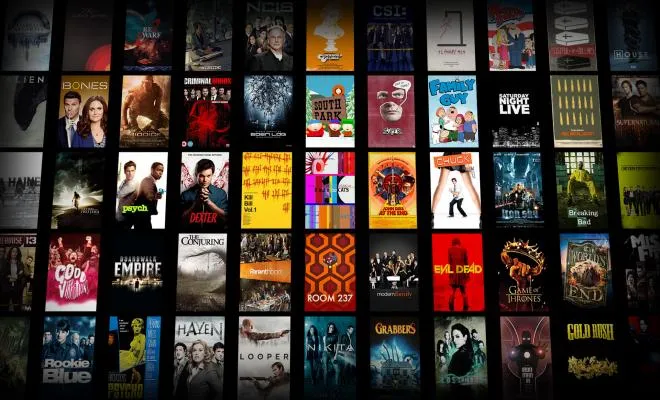
Have you ever been frustrated with XBMC or Kodi when it seems like you’re spending more time trying to find a shows than the time it takes to actually watch it?
Since Kodi is an open ecosystem, lots of people set it up differently to their own liking. It seems like no two Kodi users have the exact same configuration, add-ons, and methods of watching TV. That’s where people like me come in… to share my experiences and offer recommendations to help you save time and frustration.
 Previously…
There are lots of ways to watch your favorite TV shows and movies using Kodi (formerly XBMC). One method which I’ve covered before involves downloading videos automatically using a Usenet service and storing them on a hard drive connected to Kodi.
Over time, I’ve noticed this method is becoming less and less reliable as more downloads are failing due to DMCA take-downs or other reasons. I wrote about a possible workaround by using a backup block Usenet account, but when it comes down to it, some video add-ons for Kodi are much more reliable.
 The Genesis Add-on
I have found the Genesis add-on to be very reliable at getting just about anything can I think of. Now, that doesn’t mean I don’t come across bad links (as you would in almost any Kodi video streaming add-on), but I have minimal bad links with Genesis and have yet to find a show that I can’t watch using Genesis.
Update: Genesis is Dead
Genesis is no longer reliable at all, and is actually quite broken now. The developer, lambda, has moved on and developed a new add-on called Exodus. Go ahead and save yourself the headache and skip Genesis, and use a better, newer add-on like Exodus or SALTS.
How to Install Genesis in Kodi or XBMC
To install Genesis, download the lambda repo zip file and install it in Kodi under System > Add-ons > Install from zip file.
Once the repo is installed, you must go to Get Add-ons > lambda Add-on repository > Video Add-ons > Genesis > Install.
You now have Genesis installed!

With Genesis installed in Kodi, you can now search, browse, and watch whatever TV Shows or Movies you want.
Pssst… If you’re concerned about your Internet service provider seeing how much video you stream, where you’re streaming it from, and what you’re watching, you should absolutely look into getting a VPN. I use IPVanish and it works great.
Anyway, back to Genesis… One improvement that is needed is that when a new episode of your favorite show is available, there’s no easy way to get notified of it. You will have to search for it to see if anything is new.
Not anymore!!!
How Merge Genesis into the Kodi Library
If you thought Genesis was cool, you ain’t seen nothing yet!…

Check out How to Merge Genesis TV Shows or Movies into the Kodi Video Library!
That tutorial will show you how to get Genesis TV shows to sync with your library so that brand new episodes of your favorite shows appear right on your home screen.
It’s a game changer.
Sync Genesis Across Multiple Computers
This is actually applicable to anyone using Kodi and not just Genesis users, but if you’ve followed my tutorials above down to this point and you have (or plan to have) multiple HTPCs with Kodi on them, you will want to make sure you set it up right using a MySQL library database.

Check out How to Sync Genesis Shows and their Watched Status Across Multiple Computers!
With that tutorial, you can enjoy a seamless experience of having all your favorite shows in any room in your house. You can actually stop an episode half way through, go to another room and resume that episode from that point. It’s awesome!
Then, check out Add Shows to Kodi Genesis from any HTPC in the House!
That tutorial will show you how to change the location where Genesis stores the library files. You can changes those paths to use SMB to point to the central HTPC.
Xbox One Integration

Do you have an Xbox One? Here are a couple tutorials that will show you how to integrate it with your home theater setup.
How my Xbox One Turns my Lights On and Off
Better Safe Than Sorry!
I always recommend to Kodi users who are streaming with unofficial add-ons like Genesis to play it safe and use a VPN.
A VPN will encrypt all of your data in and out of your home theater PC or even your entire house. It also relays your data through a VPN server which you can pick from anywhere in the world or make it random.
The results?
- Servers where you download from will not know where you are geographically (great for accessing geo-blocked content on servers found on Genesis or even Netflix and other streaming services)
- Your ISP (Internet Service Provider) will not be able to tell what you are downloading or where you are downloading it from.
I personally use IPVanish and it works great out of the box and also has a nice interface for you to be in complete control over managing what server you connect to and other settings. They also have 400+ servers around the worlds with great speed so you won’t see any drop in bandwidth speed.
Want more Kodi Tutorials like these?
Get on my email list for a simple weekly update…


[…] If you download TV show episodes and movies via Usenet/Sickbeard/SAB, those video files would be stored on a hard drive that is set as a video library source for TV and for Movies. Meanwhile, there are some amazing add-ons that will give you access to just about any TV show or movie you would want anyway. […]
Genesis is probably one of if not the best Add On . BUT , why do I still receive “NO STREAM AVAILABLE” from at least 25% of the Add Ons I load? Are these under development or just duds???
I really don’t know why there are so many links with no stream available. However, from my experience, Genesis has far less of those cases than other video streaming add-ons. They must be doing something right!
I had kodi 14.2 with genesis that gave me multiple sources for movie letting me see hd,hq,mq,lq then I got a new one with kodi 15 and this genesis won’t give me that how do I get that?
I think Genesis may not be compatible with Kodi 15.0 yet. I also just tried installing Kodi 15.0 on another machine, installed Genesis, and I can’t get it to work. I can’t even browse into any of the menus within Genesis.
Would it cost me anything to e-mail with u back-n-forth??
No, go ahead and send me an email here… https://kinkeadtech.com/contact/
[…] Genesis is My Favorite XMBC/Kodi Video Streaming Add-on for TV & Movies […]
It won’t allow me to watch the movie Dope, Ted2 it saying no stream available? Hat does that mean will I sooN be able to watch it
Those are brand new movies that are still in theater. Usually, those won’t be available to stream until after they come out on DVD (or else you might find some “cam” versions, but those are usually pretty bad).
Ook.. can I watch libe tv? go by channels like lifetime, mtv2 vh1
I don’t think Genesis can do that. Phoenix is supposed to, but I haven’t had much luck with it.
oh. Me either, someone said go to system n it will say live tv. Go do other stuff. I seen YouTube
[…] so if you're reading this, you most likely have already installed the Genesis add-on in Kodi, you hopefully discovered that you can merge Genesis TV Shows and Movies into you video library, […]
Hello Nathan,
Do u have an e-mail address I could use for a few questions. I have tried
before to get questions answered this way but no one ever e-mails me
( I got one e-mail one time, but he was not very helpful).
I know of TV shows that I can search for and I get the episodes and the
synopsis but not the actual shows.
Please help me if you can. I am disabled and all I have is my TV.
Thank You,
[email protected]
Mary, these comments go to my email so that I remember to follow up with them. I’m not sure I understand what problem you’re having with Genesis. If you would like personal assistance from me, feel free to reach out to me at https://clarity.fm/natekinkead
Hello Nathan,
U said last wk you could hlp me. I saw a video on-line a longgggg time ago that showed how
to get rid of “Script Errors” and watch nearly any TV chnl on Genesis.
I wnt 2 watch some stuff like this, will u teach me?
E-Mail me back if u can.
Thank you, Mary
[email protected]
How many movies do you think is on genesis?
Hi I rarely get anything to work on Genesis or any other for that matter, what makes it even more frustrating is that I found a tv show that I could watch and now its disappeared, or when it does appear it wont open
[…] install the official Lambda repository so that Kodi auto-updates the Genesis add-on. Check out my Genesis installation guide for more […]
Many Subtitles are included in the official Kodi Repository that comes included with Kodi. You should be able to go to System > Add-ons > Install from Repository > Kodi Official Repository > Subtitles > and pick on to install it.
Hi
Thanks for your informative website. I have been using [on and off] XBMC/Kodi for a couple of years now although I mainly use Plex as my media server the addons in Kodi are much better especially for sport.
What I am really after is the ability to stream addons to Chromecast through android….with both Kodi and Yatse I can stream my media library no problem but there is no way to stream addon to big screen through Chromecast.
Any ideas or solutions greatly appreciated.
Vesuvius, I recently wrote a post that sort of answers your question. https://kinkeadtech.com/2015/11/how-to-stream-kodi-to-chromecast-xbox-one-dlna-devices/ The only issue with it is that it doesn’t seem to work with streaming add-ons because the stream files can only be played directly by the add-on.
Thanks Nathan…will check it out. On a different topic I tried to watch Barcelona Vs Real Madrid on Kode the other day…tried Turk Sports Devil [numerous sites] Zuess and so on and so on….all a complete waste of time. In the end had to give up and watch replay on FullTime website some hours later.
Moral of the story is the addons are all so hit and miss, do you know any that REALLY work for sport?
Vesuvius, you’re right that Kodi add-ons are hit and miss. Since I’m not that much of a sports fan (being the tech geek that I am), I have only tried SportsDevil a little bit and often had troubles, but luckily Genesis seems to have a lot more hits than misses when watching some popular shows out there.
I am thinking of surrendering and just PAYING for a sports package….oooh the indignity
NOOOOOOOOO! ;-)
quick question about genesis repo in kodi.. and it happens more and more now.. eg was watching a tv show episode 1 of said show .. all going well paused it for about 10 minutes .. in the meantime my computer had done a scheduled reboot after it download updates.. i go back into genesis and now i cant watch episode 1 it says no stream available,, episode 2 says no stream but episode 4 5 6 7 8 9 10 all play fine … why are episodes that i have already partially watched now saying no stream ?
Rossco, you should try to clear the sources in Genesis like I mentioned in this post… https://kinkeadtech.com/2015/10/troubleshooting-kodi-genesis-streaming-issues/
[…] run Windows HTPCs for several years, and have been able to use it to do lots of cool stuff with Kodi, home automation, Xbox One, and Live TV but nowadays I'm seeing Android boxes becoming a lot more […]
[…] Genesis is my favorite Kodi add-on for streaming TV shows and movies. […]
I notice there are fewer sources for the programs I watch using Genesis. I use to get 5 or 6 hundred and now 1 or 2 hundred for most shows. I no longer get any of the sources like (and I’m not sure of the exact names) dizilab, dizimovie, dizigold. Did I do something to stop these sources or have things changed. I’m using a Matricom Google unit.
https://kinkeadtech.com/2015/12/future-kodi-genesis-according-lambda-kodi-news/
Thank you for the info. It’s very much appreciated. Would you recommend Real Debris?
Yes, I use it and it eliminates the hassle of finding a good link. I think it’s the future of Kodi streaming.
I am very new to the Kodi and Add-on world. . . This will be a very basic question.
I get up to “Get Add-ons” part, but can’t seem to find “Get Add-ons” anywhere within the Kodi program. Could you walk me through this?
“Get Add-ons” has recently been updated to “Install From Repository”
[…] and ditch your cable or satellite bill, you've probably tried using Kodi and some add-ons like Genesis or SALTS to be able to watch whatever shows or movies you want, but what about local news and […]
Guys this doesn’t work for me anymore. When I click on a tv show nothing loads up all I see is the loading sign and then nothing same for movies. When I click on Latest it only loads four films none of which load it won’t let me continue onto the next page. How do I fix this?
Genesis doesn’t work anymore. Check out my tutorials on Exodus or SALTS.
When I click install from zip file it comes up other stuff like external storage, network file system ect…. What do I click??
There should be an option to browse your local file system. What it looks like depends on your operating system.
Genesis still works great for me.
Really? I’ve gotten a ton of comments on this blog complaining about all kinds of issues with it. Anyway, I would move on if I were you since the Genesis project has been abandoned by the developer.
I will try! I have Exodus but I’m so used to using Genesis that I always just go there. I may just go ahead and remove it. My dad said Genesis stopped working for him so he only uses Exodus.
Ya, Genesis is dead. Your dad is right.