
The Umbrella Kodi add-on is a great option from the developer of Fen which has been receiving a lot of development attentions recently.
I’ve heard a lot of good things about it. With so many add-ons having been abandoned or at least not having received updates in a long time, it’s nice to see one that is more active.
Umbrella Kodi Add-on Details and Status
| Last Activity: | Status: | ||
| Add-on: | Umbrella (6.7.54) | Mar 13, 2026 | Online |
| Repo: | Umbrella | Mar 13, 2026 | Online |
| File Source: | https://kinkeadtech.com/repos (KinkeadTech) | Online | |
| GitHub Username: | umbrellaplug | ||
| News: | Update – v6.7.54 – Mar 13th, 2026 — Changes made to logging to make sure no keys or tokens are logged. — Bug fixes. — Made changes to the way tmdb years worked to pull most popular shows and movies for each year. — Changed local tracking for for tv shows to work. Added option for progress episod… | ||
| Working? | |||
See all of the best Kodi streaming add-ons →
How to Install Umbrella Repo Using the GitHub Browser
This is the easiest way to install Umbrella if you already have the GitHub Browser add-on from TVAddons / Fusion.
If you want to use the GitHub Browser to install the Umbrella repo, then follow my tutorial on how to install the GitHub Browser. After you have the GitHub Browser add-on installed, you can easily install the Umbrella repo simply by searching for the GitHub username:
umbrellaplug
After you have installed the Umbrella repository, move on to learn how to install the Umbrella add-on from the Umbrella repo.
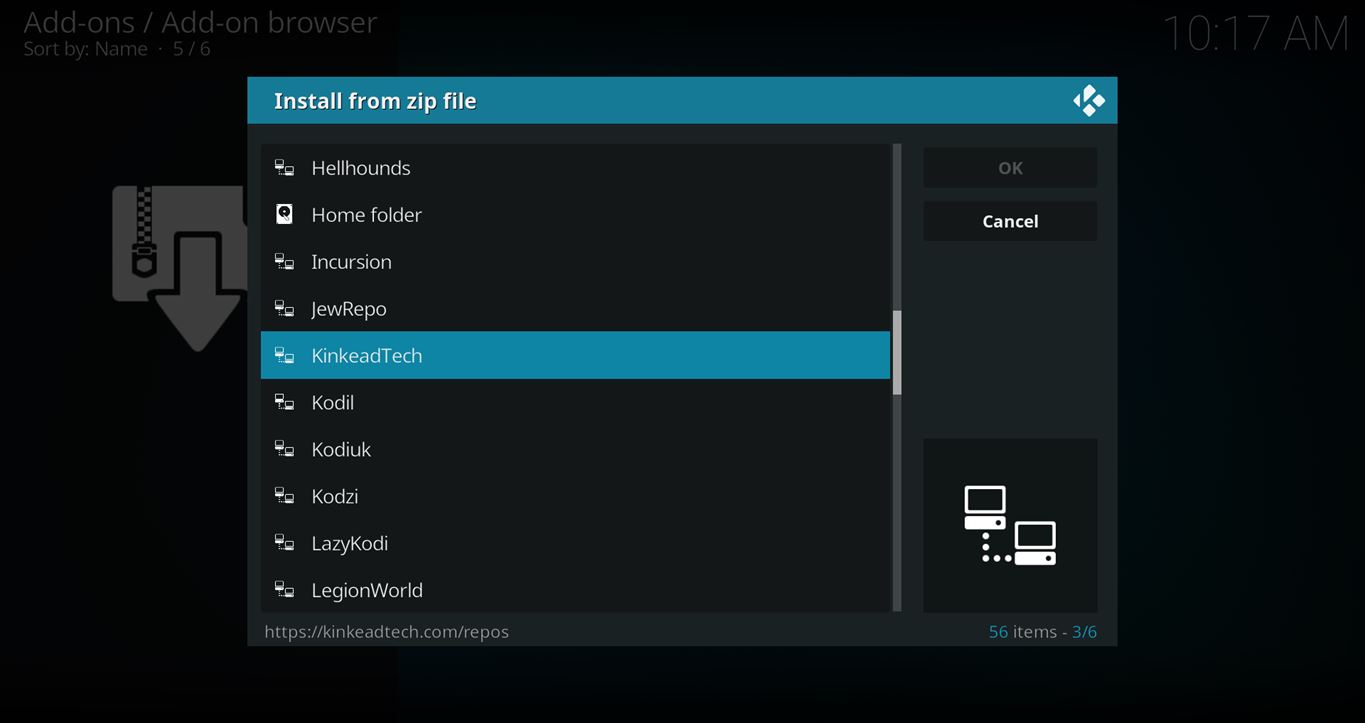
How to Install the Umbrella Repo from the KinkeadTech File Source
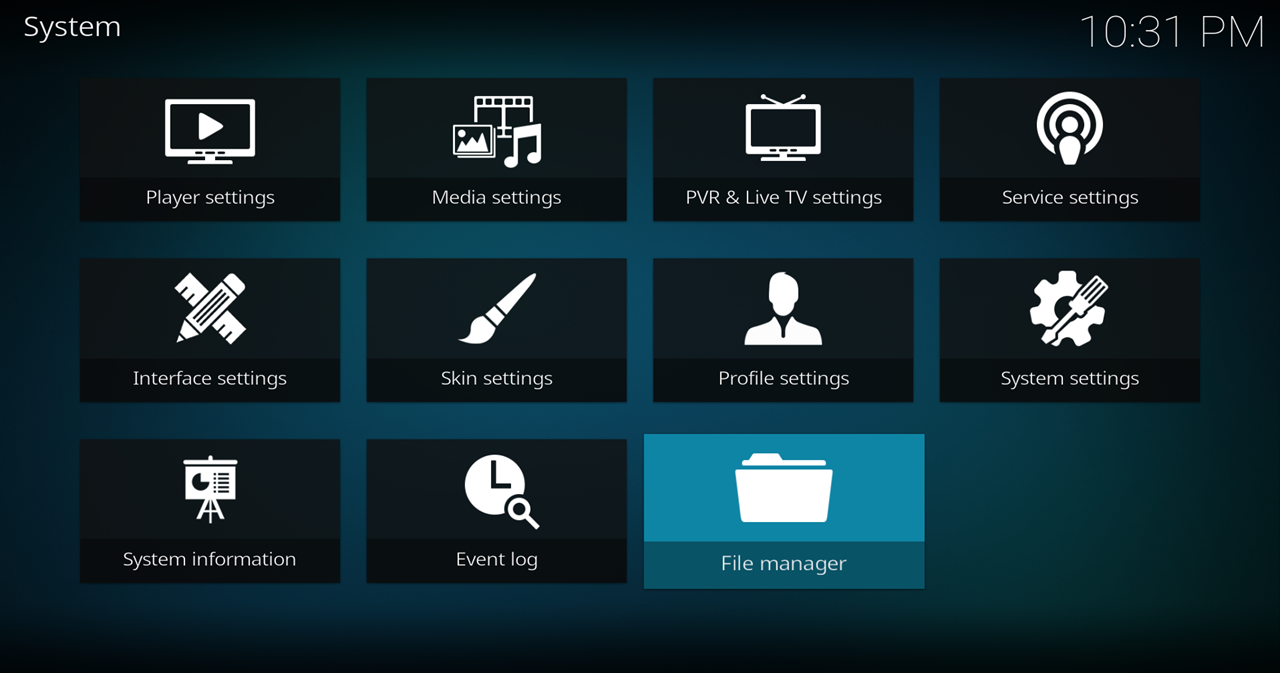
- Go to Settings (cog icon) > File Manager
- Select Add Source

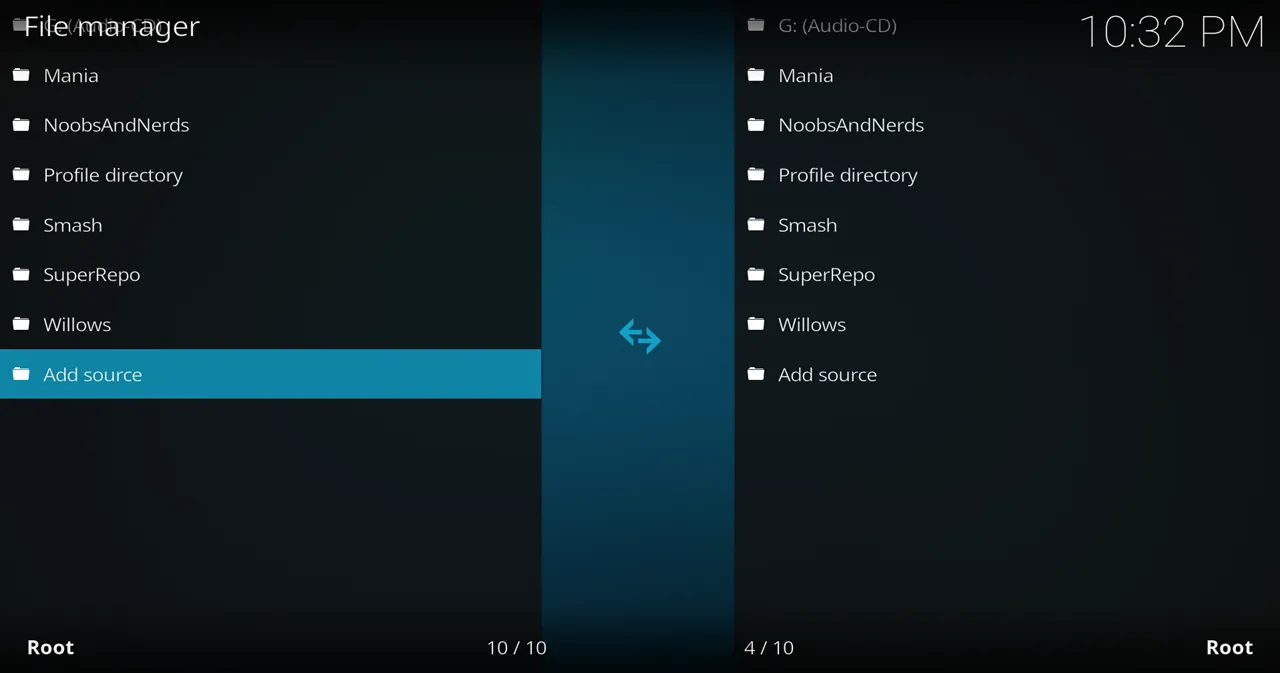
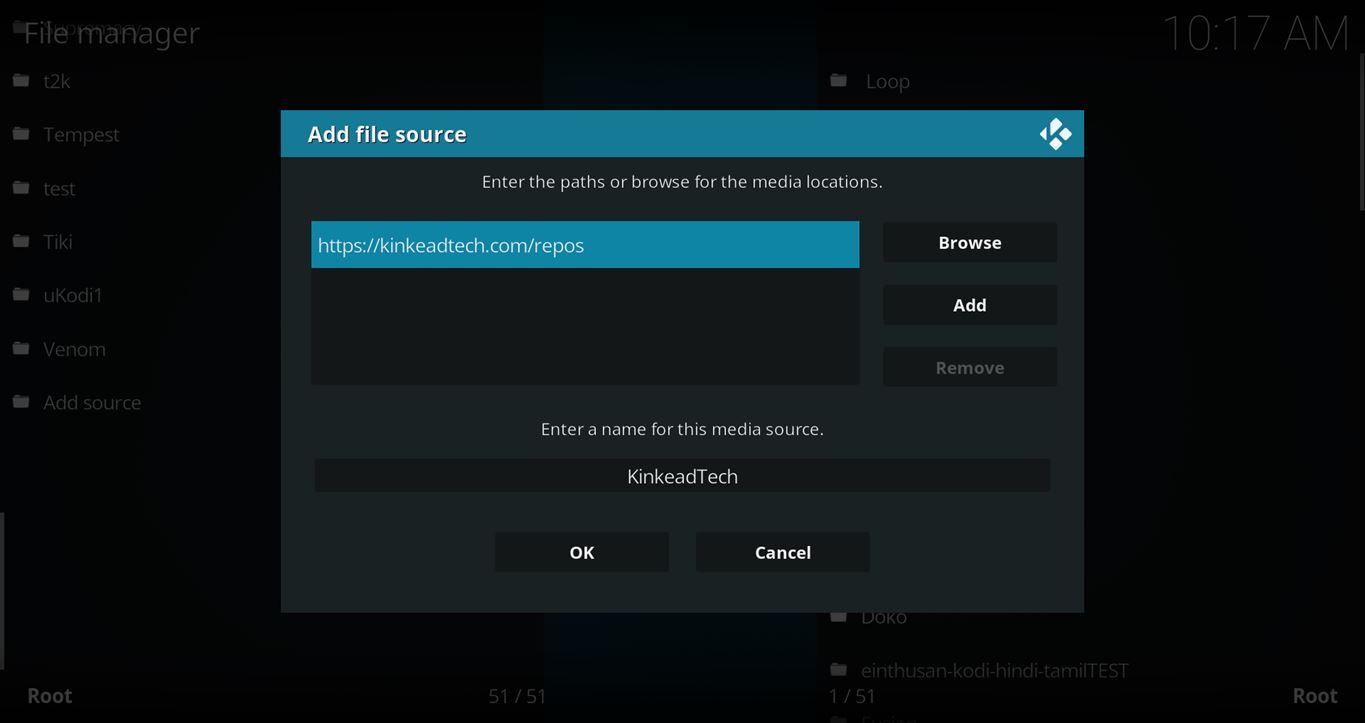
- Click on the <None> box and type in the URL of the repo server, exactly like this (case-sensitive):
https://kinkeadtech.com/repos
Hint: If you’re on a phone and the URL is too long, swipe sideways.
- Give it a name in the box below (name it KinkeadTech)
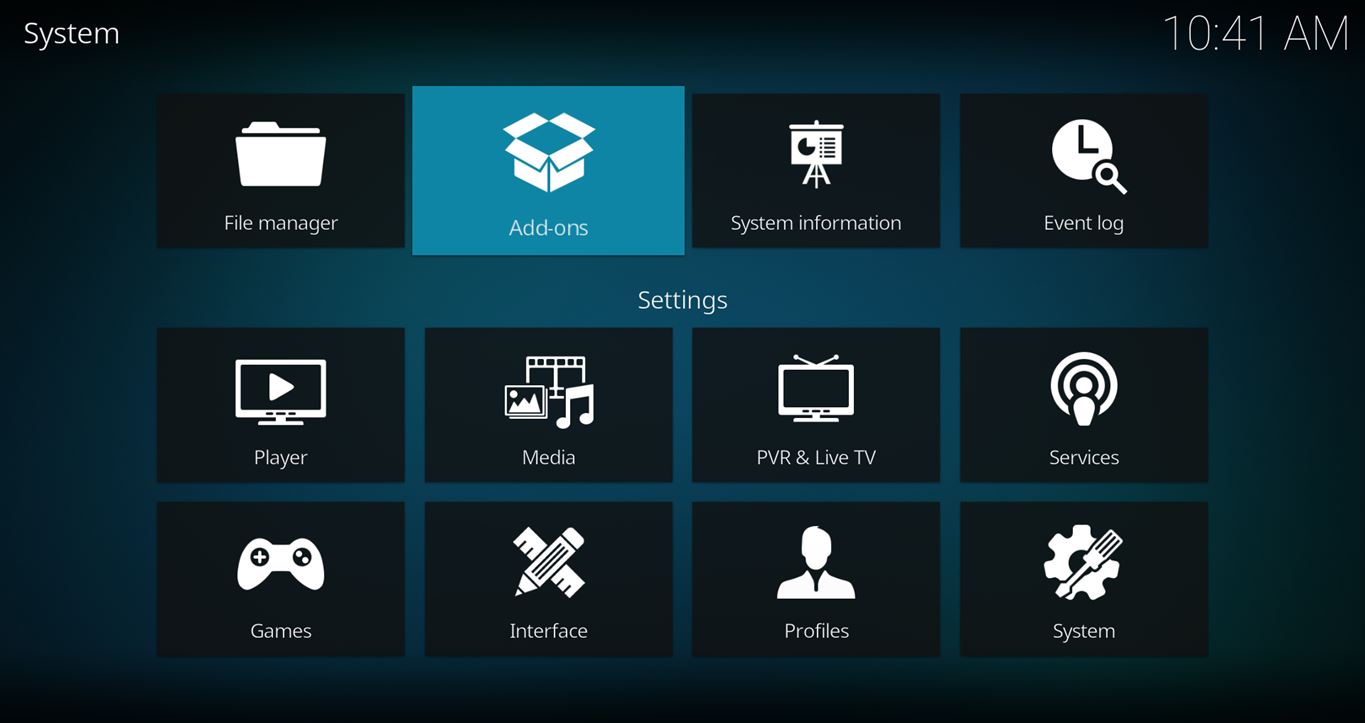
- Now, go to the Settings > Add-ons > Install from Zip File > KinkeadTech > repository.umbrella-2.2.6.zip


How to Install the Umbrella Add-on From the Umbrella Repo
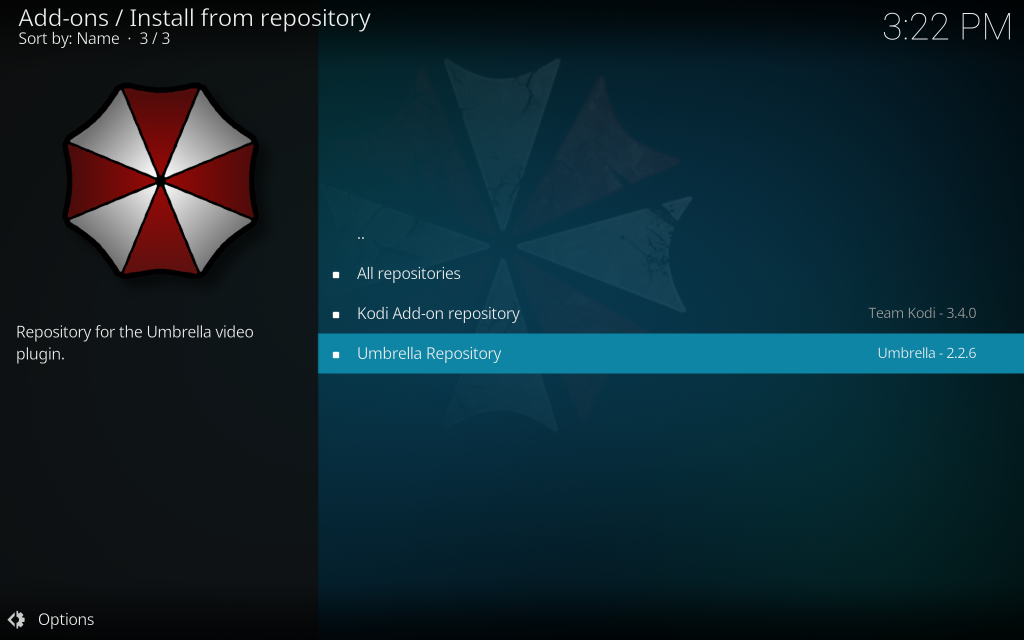
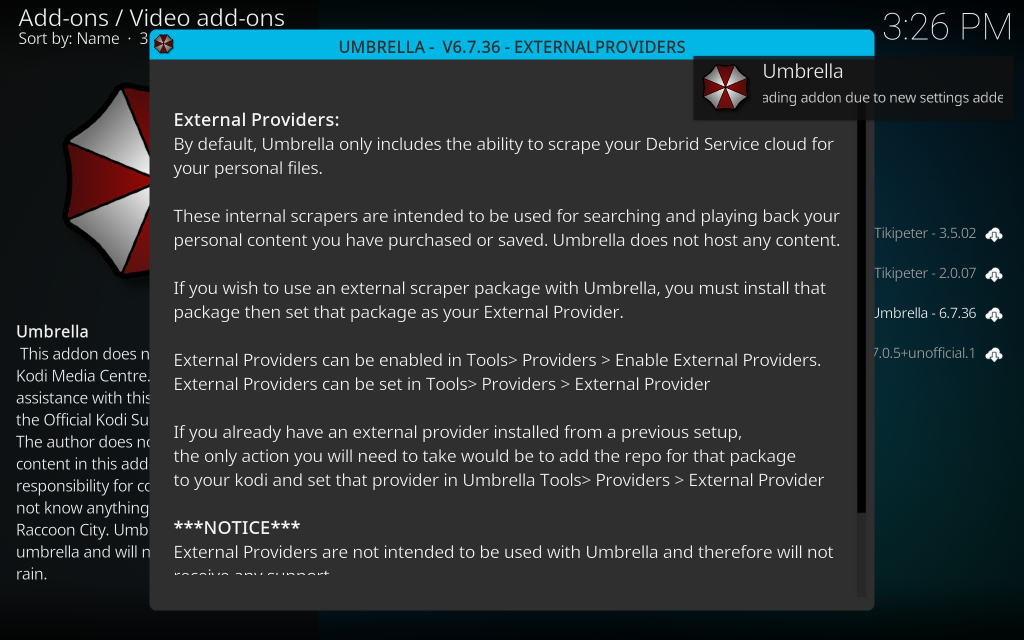
- After you have the Umbrella Repo installed, go back to the Settings > Add-ons screen and select Install from Repository > Umbrella Repo > Video add-ons > Umbrella > Install

I hope the Umbrella Kodi add-on works well for you. Let me know in the comments what you think about it.
Any Questions? Let me know
Thanks for coming to Kinkead Tech to learn how to install Umbrella on your Kodi. If you enjoy my tutorials, please subscribe to my weekly email.
If you run into any issue when trying to install Umbrella, please let me know in the comments below. I love to help. Thanks.


