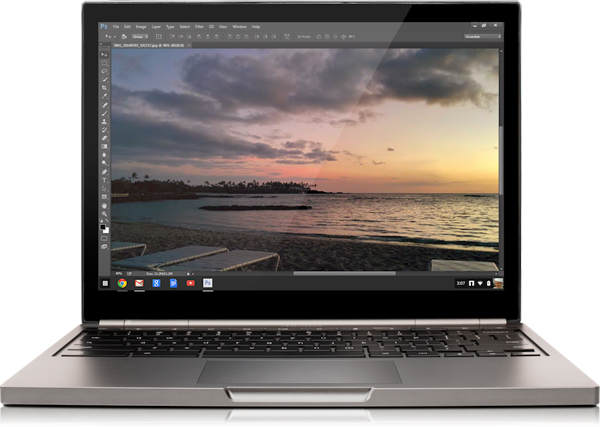
Google and Adobe just announced they are beta testing Photoshop on Chromebooks. This is very interesting news given the fact that Google’s Chromebooks have been threatening Microsoft’s Windows’ market share, possibly driving them to offer their next release for free.
What’s even more interesting is the way that they are accomplishing this seemingly impossible task… with streaming technology.
Why I Like Chromebooks
I love the idea behind Chromebooks. I don’t have one myself, but I’ve read a lot about them and have recommended them to a number of my friends and family. All of whom have been happy with their decision.
What’s nice about them is their simplicity. For those who basically spend all of their computer time in a browser, it’s a great fit. No need to worry about installing updates, protecting against malware, performing maintenance tasks, etc. It’s perfect for those that just want to surf the web without having to learn how to properly manage and maintain their computer.
The other reason why I like them is their price. They’re very affordable, running for about $200-$250. They are able to do that with lightweight hardware specs and free software from Google.
Why Photoshop on Chromebooks Seemed Impossible
But with all of the Chromebook’s strength, come weaknesses. In order to achieve such worry-free simplicity and affordability, Chromebooks are built to be locked down and relatively under-powered (I’m excluding the Pixel in these generalities).
Those are 2 big reasons why many people stuck to their full-powered Windows or Mac machines in order to use resource intensive applications like Photoshop. Photoshop take a lot of processing power, requiring a direct interface with the system’s GPU to perform certain tasks. It also deals with creation or modification PSD files on your hard drive, while Chromebooks don’t allow local user file storage.
The Future of Software in the Cloud?
So how has Adobe and Google accomplished this? Well, according to the Google Chrome Blog, …
This streaming version of Photoshop is designed to run straight from the cloud to your Chromebook. It’s always up-to-date and fully integrated with Google Drive, so there’s no need to download and re-upload files—just save your art directly from Photoshop to the cloud. For IT administrators, it’s easy to manage, with no long client installation and one-click deployment to your team’s Chromebooks.
So it sounds like this version of Photoshop will run primarily on a server in the cloud which handles the bulk of the processing, while the Photoshop app on Chromebook is essentially just the user interface requiring minimal processing power.
I’m interested to see how well this works in real life usage. Will it be a fluid and seamless experience, or will it be laggy and slow since it will having to be transferring all of the imagery back and forth between the Chromebook and Adobe’s server?
So What Next?
Adobe is first opening up this beta program as part of Adobe Education Exchange. If you are a student or teacher, and you a Creative Cloud member and an Adobe Education Exchange member, head over to Adobe’s website to apply for the beta.
If you have been thinking about getting a Chromebook, here is the one I’ve recommended to a family member who has been very happy with it so far. It also happens to be the most popular model, but look around, there’s many to choose from…
[amazonjs asin=”B00FNPD1VW” locale=”US” title=”Acer C720 Chromebook (11.6-Inch, 2GB)”]


