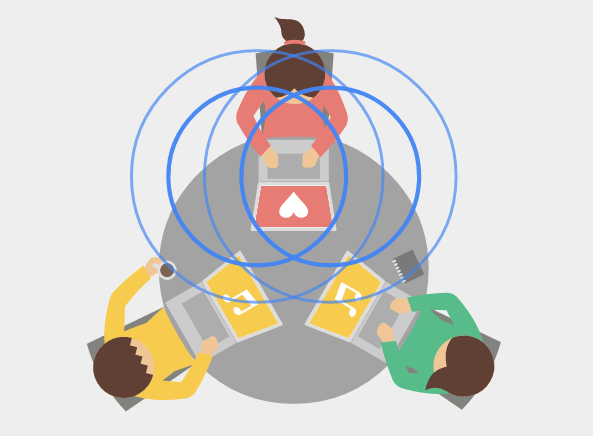
Google recently announced a new experimental Chrome extension that allows you to share a tab’s URL with other nearby computers via audio between speakers and microphones.
I’ve heard that Google was playing with technology like this on the Chromecast. Supposedly, they implemented a feature where people could cast content to a Chromecast that’s in the room (even if they are not on wifi) simply by a super sonic audio signals being transmitted by the Chromecast through home theater speakers and picked up by mobile devices. Google just described this feature as “magic”, but then did some explaining for those who wanted to dig deeper about it.
Well, now it looks like they have brought this kind of technology to the masses for a different use case.
If you install the Google Tone Chrome extension (g.co/tone) from the Chrome Web Store and have everyone else in your home or office also install the extension, then anyone can have a tab open and click the Tone button, and it would pop open a clickable button to open the URL that was transmitted.
It’s kind of strange the think about how you would use this, but after a while, you can start to think of cases where it could come in handy.
So, how did Google design this technology? Check out this quote from the Google Research Blog…
The first version was built in an afternoon for fun (which resulted in numerous rickrolls), but we increasingly found ourselves using it to share documents with everyone in a meeting quickly, to exchange design files back and forth while collaborating on UI design, and to contribute relevant links without interrupting conversations.Tone provides an easy-to-understand broadcast mechanism that behaves like the human voice—it doesn’t pass through walls like radio or require pairing or addressing. The initial prototype used an efficient audio transmission scheme that sounded terrible, so we played it beyond the range of human hearing. However, because many laptop microphones and nearly all video conferencing systems are optimized for voice, it improved reliability considerably to also include a minimal DTMF-based audible codec. The combination is reliable for short distances in the majority of audio environments even at low volumes, and it even works over Hangouts.Because it’s audio based, Tone behaves like speech in interesting ways. The orientation of laptops relative to each other, the acoustic characteristics of the space, the particular speaker volume and mic sensitivity, and even where you’re standing will all affect Tone’s reliability. Not every nearby machine will always receive every broadcast, just like not everyone will always hear every word someone says. But resending is painless and debugging generally just requires raising the volume. Many groups at Google have found that the tradeoffs between ease and reliability worthwhile—it is our hope that small teams, students in classrooms, and families with multiple computers will too.
Source: Research Blog: Tone: An experimental Chrome extension for instant sharing over audio


