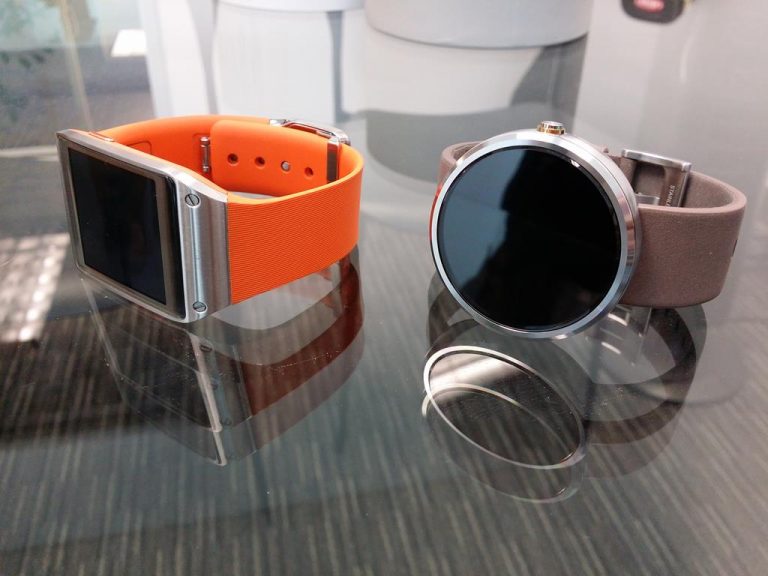
For the past year or so, I’ve been using the original Samsung Galaxy Gear, recently renamed to Samsung Gear, losing the “Galaxy” after it updated from Android to Tizen.
I’ve been eyeing drooling over the Android Wear smart watches for a while, seeing lots of potential in the Android Wear platform. Last week, I finally got a Moto 360.
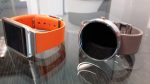
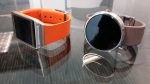
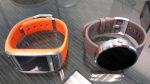
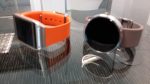
So how was the transition from the Samsung Gear to Moto 360? Here is my list of pros and cons of the Moto 360 compared to the old Samsung Gear.
PROS
Better looking
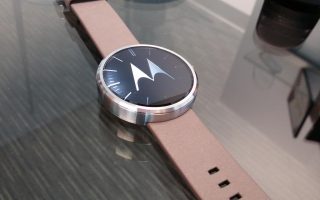
I love the look of the Moto 360. It’s a beautiful round display with a very thin and elegant bezel. In my opinion, it’s much nicer looking than the Samsung Gear.
Changeable Straps
One of the big negatives of the Samsung Gear was the fact that you could not change the strap. In fact, the camera and speaker were both built into the strap itself.
The Moto 360, however, makes it very easy to change the strap. This is a nice “pro” to consider, even though I’m perfectly happy with the strap that it came with.
Better apps and app architecture
The Android Wear platform really got this right. Instead of having developers build brand new apps specifically for wearables, Google built an architecture that allows Android developers to simple add Android Wear functionality into their existing Android app.
What this does is it makes a very seamless out-of-the-box experience for a new Android Wear user. When the watch is paired with the Android phone, the watch downloads the wearable portion from all of the installed apps on the phone that have Android Wear support built-in. No more having to search for apps just for the watch. You already have them.
Better integration with Google services
This is pretty much a no-brainer, of course. Android Wear watches have built-in Google Now cards, Google voice commands, and integration with maps navigation, Hangouts, etc.
With the Samsung Gear, I had almost none of this. There was S-Voice, but I didn’t care for it. I could get notifications of Hangouts messages, but I couldn’t reply to them. I could just forget about doing navigation. But, with Android Wear, all these features work very well.
Voice Commands to Tasker
This one is a bit unique to me and my home automation setup. I use Google Now voice commands to control Tasker profiles that trigger my Z-Wave home automation scenes.
Before, I had to use my phone to give those voice commands since I couldn’t do Google voice commands with the Samsung Gear. Now, I can speak those commands into my watch, making it that much easier (and cooler).
It didn’t work right out of the box, though. I had to install the Google Search API module for the Xposed Framework in order to have AutoVoice intercept Google voice commands from the Moto 360.
CONS
No phone calling
The one big feature that I miss after switching from the Samsung Gear to the Moto 360 is the ability to answer phone calls directly from my Samsung Gear.
The Gear has both microphone and speaker, allowing it to act just like a bluetooth headset or hands-free device. The Moto 360, on the other hand (no pun intended), doesn’t have a speaker and therefore, could perform that function.
There is one app called “Wear Speaker” that makes it so when you answer a call from the watch, it automatically sets the phone to speaker mode. For now, I’ll live with that. However, I’ll probably just go back to holding my phone to my head since a speakerphone call from inside my pocket would probably not sound very good.
Less battery life
After the Samsung Gear updated to Tizen, it typically had about 2 days battery life. The Moto 360 isn’t quite that good, however it is plenty enough to last a day, which is fine for me because I’m fine with charging my watch next to my phone every night while I sleep.
However, I’ve been able to get almost 2 days of battery from the Moto 360 if ambient display was off, I had dark watch face, and I didn’t use it too much.
But even with ambient mode on and using it quite a bit, it still lasts a whole day, which is fine with me.
No Camera
I almost didn’t include this as a “con”, because I never ever used my camera except when I was showing all the features of my watch to friends and family. However, it is something to consider since it is a feature that is missing after switching to the Moto 360.
Conclusion
Overall, I’m very happy with the Moto 360. It’s a really nice-looking piece of hardware that allows me to stay on top of notifications throughout the day and easily reply to them or take action on them.
The most exciting thing about it is that I know it will continue to get better as Google continues to update the firmware and Android developers continue to improve Android Wear support in their apps.